
To fix 3D printer stringing, dry or verify the filament first, use the lowest suitable nozzle temperature, inspect the extrusion path, and then tune retraction with controlled test prints. This guide explains the mechanism, checks material, heat and hardware, tunes retraction and travel settings, validates the result, and closes with a symptom-based sequence.
What stringing is
3D printer stringing is thin unwanted filament deposited between separated model features while the nozzle travels without intentional extrusion.
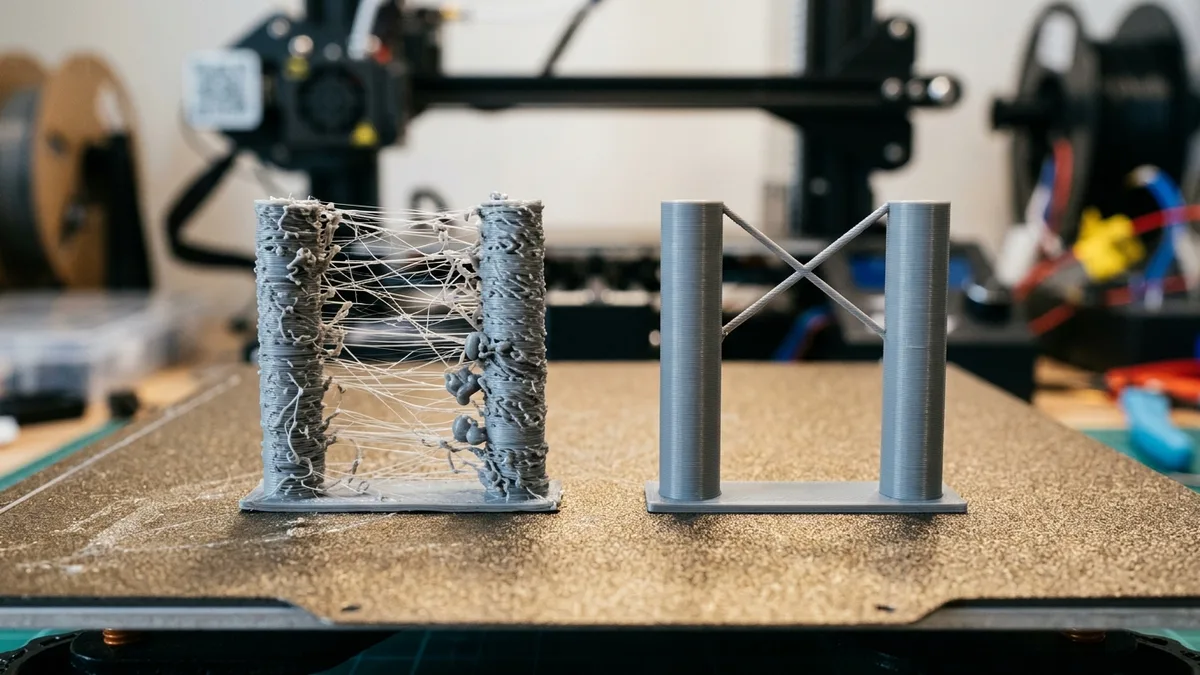
Molten polymer remains under pressure in the nozzle after an extrusion move. Temperature, viscosity, moisture, gravity and the filament path affect how much material escapes during travel. Retraction reverses the extruder before travel to reduce that pressure, then primes the path before extrusion resumes.
Stringing can occur with blobs, zits or weak restart points. Those artifacts show that reducing visible hairs alone is not enough. The tuned profile must resume extrusion consistently after every travel move.
Verify filament condition first
Filament condition should be verified before slicer tuning because absorbed moisture can create bubbles, inconsistent flow and extra ooze at the nozzle.
Listen for popping and inspect extrusion for bubbles, rough texture or changing width. These signs can support a moisture diagnosis, but a partial clog or unstable temperature can create similar symptoms.
Dry the spool only at the temperature and time listed by the filament maker. Confirm that the dryer supports those conditions and that the spool material is compatible. Store the conditioned filament in the environment the maker specifies, then repeat the same stringing test.
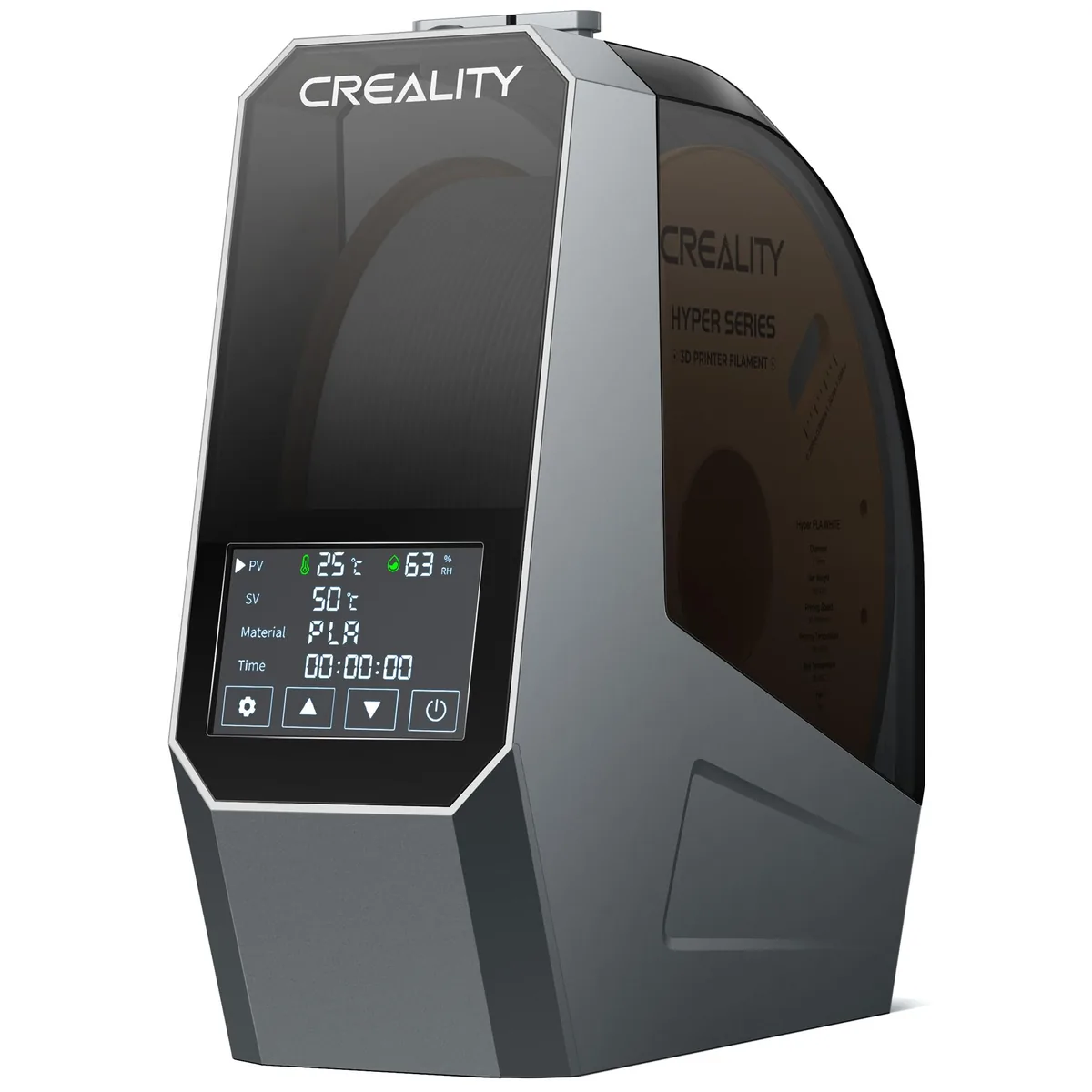
Creality Space Pi Filament Dryer
Pros
- 360° PTC hot air circulation heats filament evenly without hot spots
- Large LCD display shows real-time temperature and relative humidity
- One-button presets for 12 filament types including PLA/PETG/ABS/TPU
- Compact footprint fits right beside any desktop 3D printer
Cons
- Max temperature caps at 65°C (not hot enough for high-temp PA-CF or PEEK)
- Latch mechanism can feel stiff on early production runs
The dryer’s listed temperature ceiling must meet the spool’s instructions. A preset label does not override the material data sheet.
Tune nozzle temperature
Nozzle temperature should be reduced within the filament maker’s range until stringing improves without causing weak bonding, rough flow or under-extrusion.
Start from the exact spool and printer profile. Print a temperature tower whose sections are generated correctly by the slicer. Confirm in preview that each section uses the intended temperature before starting the job.
Compare the following attributes at each temperature step.
- Strings between towers.
- Layer bonding and wall integrity.
- Overhang and bridge shape.
- Surface gloss and texture.
- Extrusion gaps or roughness.
Select the lowest temperature that still meets the part’s bonding and surface requirements. Do not lower temperature solely to remove hairs if the result becomes weak or under-extruded.
Inspect the nozzle and filament path
The nozzle and filament path must move material predictably before retraction values can be trusted.
Inspect the following components with the printer cooled and powered down when the manual requires it:
- Nozzle for wear, exterior debris or a partial restriction.
- Extruder gear for filament dust, slipping and unsuitable idler tension.
- Bowden tube for movement at the fittings, damage and a gap at the hotend.
- Direct-drive guide path for looseness or excessive friction.
- Hotend fan for reduced airflow that can contribute to heat creep.
- Spool path for drag, snags and a tight bend.
A worn nozzle or loose Bowden fitting adds uncontrolled space to the melt path. Retraction tuning may mask the symptom briefly without correcting the mechanical cause. Use the FDM extrusion and temperature calibration guide when flow remains inconsistent after the physical check.
Calibrate retraction distance
Retraction distance controls how far the extruder reverses before travel and must start from the printer maker’s profile for the installed extruder.
Direct-drive systems have a short filament path and generally use a shorter distance than Bowden systems. The correct value still depends on the hotend, material, tube length, firmware and profile. Do not copy a universal direct-drive or Bowden range into every machine.
Use a small two-tower stringing model and a generated calibration sequence. Hold temperature, travel speed, cooling, layer height and material constant. Increase distance in the profile’s documented increment, then compare each section.
Stop increasing distance when strings no longer improve or when the print shows a weak restart, gaps, clicking, filament damage or a clog. The lowest value that meets the acceptance rule is preferable to an unnecessarily large retraction.
Calibrate retraction speed
Retraction speed controls how quickly pressure is relieved and restored around a travel move.
A speed that is too low can leave pressure in the nozzle during travel. A speed that is too high can grind filament, exceed extruder capability or lose steps. Start with the supported profile value and change speed only after distance has been selected.
Use the same test model and change one speed value per section or print. Listen for clicking and inspect the filament for dust or deep gear marks. Check the seam and post-travel extrusion, not only the space between towers.
Some slicers separate retract and prime speed. Keep them linked unless the printer profile or a controlled test gives a reason to separate them.
Adjust travel path and wipe settings
Travel path and wipe settings are secondary controls for residual stringing after material, temperature, hardware and retraction pass inspection.
Use these options carefully:
- Avoid crossing perimeters keeps more travel inside the model, reducing visible open-air strings at the cost of a longer path in some geometries.
- Wipe moves the nozzle along the printed path before or during retraction, which can reduce material at the tip.
- Travel speed changes the time available for ooze, but it must stay within the printer profile and motion limits.
- Z-hop lifts the nozzle during travel and can prevent contact, but it may add time or create blobs. It is not a primary stringing fix.
- Combing or travel-within-infill can hide a travel path while adding movement through printed regions.
Preview travel lines after each change. A setting that removes visible strings by routing them inside a wall may still leave internal blobs or add time.
Validate the final profile
The final stringing profile should pass the two-tower test and a representative real model without weak restarts or new surface defects.
Save the calibration files, profile version, spool identity, nozzle, temperature, retraction distance, speed and travel options. Photograph each result from the same angle and lighting. Brushable hairs, thick branches, blobs and missing extrusion are different outcomes and should not share one pass label.
Test a representative model because travel distance, seam placement, layer time and geometry differ from a tower. Repeat after changing filament formulation, nozzle, Bowden tube, extruder or hotend.
How to Replace a 3D Printer PTFE Tube and Heatbreak
Hardware degradation within the filament path often requires component replacement. Learn the correct procedure in How to Replace a 3D Printer PTFE Tube and Heatbreak.
How to Stop Heat Creep and Clogging in All-Metal Hotends
Thermal issues can manifest as stringing before causing a complete jam. Prevent these blockages by reading How to Stop Heat Creep and Clogging in All-Metal Hotends.
Calibrate E-Steps and Extrusion Multiplier Accurately
Consistent material flow must be established before tuning travel moves. Ensure proper extrusion with Calibrate E-Steps and Extrusion Multiplier Accurately.
Stringing symptom sequence
The stringing symptom sequence keeps diagnosis focused on the highest-value causes before advanced slicer options.
| Symptom | Next check |
|---|---|
| Popping, rough flow and random hairs | Filament condition, partial clog and temperature stability |
| Smooth flow but heavy strings | Nozzle temperature, retraction distance and travel preview |
| Strings plus weak restart after travel | Excessive retraction distance or speed, prime behavior and extruder slip |
| Strings after a Bowden-tube change | Tube seating, fitting movement and profile reset |
| Blobs at travel start or end | Wipe, seam, prime behavior, pressure control and Z-hop |
| One material strings while another does not | Exact material profile, spool condition and temperature tower |
Fix stringing in the correct order
Fix 3D printer stringing in this order: verify material condition, tune temperature, inspect hardware, calibrate retraction distance, calibrate speed, then adjust travel and wipe options.
That order returns every change to the same central question: does the nozzle stop leaking during travel and restart extrusion without a gap, blob or weak layer? A saved, evidence-based profile solves stringing more reliably than increasing retraction until the hairs disappear. Accounting for failed prints and wasted material is essential when calculating The True Total Cost of Owning a 3D Printer Explained. These diagnostic steps form the foundation of effective Troubleshooting & Maintenance.