
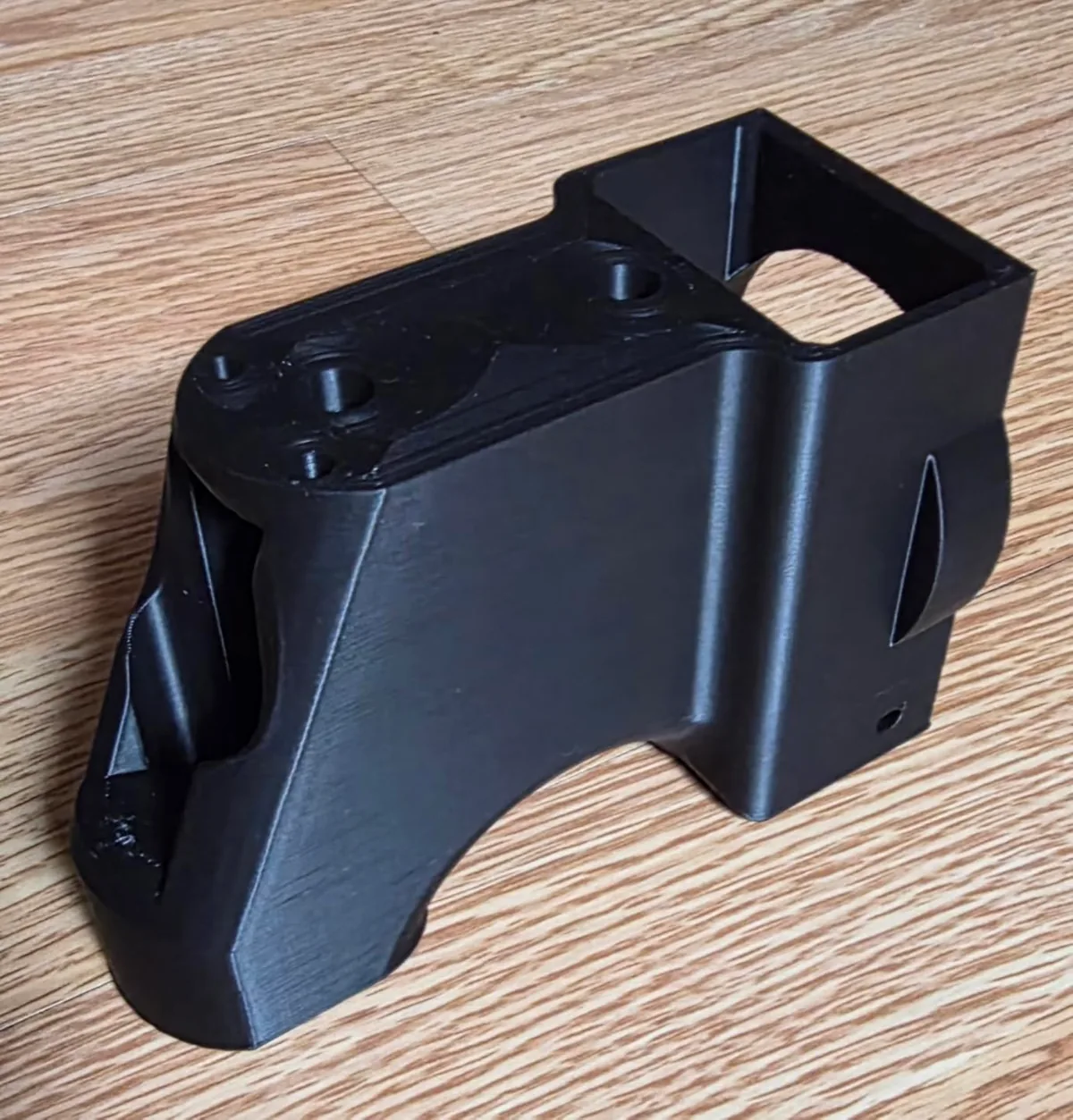
Choose a 3D printing material by matching the part’s mechanical load, service environment, print process, and finish requirements to manufacturer data. This guide applies that decision framework first, compares materials in one table, and ends with scenario-based shortlists.
A material mismatch can leave a part too brittle for impact, too soft for heat, too unstable in sunlight, or too difficult for the available printer. Slicer tuning cannot give a polymer a property that its technical data sheet does not support, so the part requirement comes before the spool choice.
The Decision Framework: Requirements Before Material
The decision framework starts with the part’s intended load, temperature, sunlight, chemicals, flexibility, appearance, and available printer hardware. Record those requirements before comparing filament names or colors.
Mechanical Properties: Will It Break?
Mechanical properties describe how a printed part bends, absorbs impact, carries load, and returns to shape under physical stress.
Stiffness (Flexural Modulus)
Stiffness is a material’s resistance to bending under load. A stiffer part deflects less under the same test condition stated in the material data sheet.
- High Stiffness Needed: For rigid frames, mounting brackets, and structural components that must not flex.
- Top Materials: PLA, PLA+, Carbon Fiber (CF) composites like PA-CF (Nylon Carbon Fiber) or PC-CF (Polycarbonate Carbon Fiber). Standard PLA is surprisingly stiff, but very brittle.
- Flexibility Needed: For grips, gaskets, phone cases, and vibration dampers.
- Top Materials: TPU (Thermoplastic Polyurethane), TPE (Thermoplastic Elastomer). TPU is the most common, available in different shore hardness ratings. 95A is a great starting point, balancing flexibility and printability.
Impact Resistance (Toughness)
Impact resistance is a part’s ability to absorb sudden load without fracturing. Toughness and stiffness are different properties, so compare the correct test values in each filament’s technical data sheet.
- High Impact Resistance Needed: For drone parts, protective cases, and anything that might get dropped or hit.
- Top Materials: PETG, ABS, ASA, PC. PETG is a practical option when a part needs more impact tolerance than standard PLA without the enclosure demands of ABS or ASA.
- Low Impact Resistance is Okay: For decorative items, tabletop miniatures, or prototypes that won’t see physical abuse.
- Material: PLA. It’s brittle and will shatter on a hard drop. PLA+ variants offer a significant improvement in toughness, but still fall short of PETG.
Environmental Resistance: Will It Survive?
Environmental resistance determines whether a printed part tolerates its expected heat, sunlight, moisture, and chemical contact.
Heat Resistance (Heat Deflection Temperature)
Heat deflection temperature is the temperature at which a test specimen deforms under a stated load. Use the value and test method from the exact filament data sheet because additives and annealing change the result.
- Low Temperature Environment (< 50°C): Indoor use, away from direct sun or hot electronics.
- Safe Material: PLA (HDT ≈ 55-60°C). It will sag and deform in a hot car.
- Medium Temperature Environment (up to 80°C): Parts near small motors, electronic enclosures, garage storage in a hot climate.
- Safe Material: PETG (HDT ≈ 70-80°C).
- High Temperature Environment (> 90°C): Printer parts (fan shrouds), automotive engine bay components, outdoor parts in direct sun.
- Safe Materials: ABS (HDT ≈ 100°C), ASA (HDT ≈ 100°C), PC (HDT ≈ 130°C). Printing these requires an enclosed printer to prevent warping. Check our detailed analysis on active vs passive chamber heat for ABS printing.
UV Resistance
Sunlight, specifically UV radiation, degrades most common plastics. They become discolored, weak, and brittle.
- Limited UV Resistance: Standard PLA and many PETG formulations are weaker outdoor choices unless the maker documents UV stabilization or the part receives a compatible protective coating.
- Excellent UV Resistance: ASA (Acrylonitrile Styrene Acrylate). This is the material’s primary purpose. It’s essentially a UV-stable version of ABS, making it the king for outdoor parts like garden equipment, satellite dish mounts, or car trim.
Moisture absorption and filament storage
Moisture absorption affects PETG, nylon, TPU, and other hygroscopic formulations because absorbed water changes behavior in the hotend. Documented symptoms include:
- Popping and hissing sounds at the hotend.
- Extreme stringing and oozing.
- Weak, foamy extrusions.
- Poor layer adhesion and brittle parts.
The solution is not optional. You must use a filament dryer. Compare the best 3D printer filament dryer options to protect your materials.

Creality Space Pi Filament Dryer
Pros
- Holds a controlled temperature up to its listed 65°C maximum.
- Accurate temperature control.
- Simple, effective, and prevents hours of troubleshooting.
Cons
- Only holds one spool at a time.
Filament makers commonly list PETG drying near 60-65°C, while nylon products can require a higher temperature or longer cycle. Follow the exact spool instructions and confirm that the dryer can reach them. The 65°C Space Pi can condition materials within its range and maintain a dry feed path during printing.
Printability and Finish
Printability and finish determine whether the chosen material fits the available hotend, bed, enclosure, ventilation, and surface-quality goal.
- Easiest: PLA. It requires low nozzle (190-220°C) and bed (50-60°C) temperatures, doesn’t need an enclosure, and has minimal warping. It’s the default for a reason.
- Intermediate: PETG. It needs higher temperatures (230-250°C nozzle, 70-85°C bed) and carefully tuned retraction settings to manage stringing. It sticks aggressively to build plates, so a PEI textured sheet or a layer of glue stick on glass is a good idea.
- Difficult: ABS, ASA, PC, Nylon. These are engineering-grade filaments that demand respect. They require an enclosure to trap heat and prevent drafts, which cause massive warping and layer splitting. They also emit potentially harmful VOCs (Volatile Organic Compounds), so ventilation is critical. A modern, enclosed CoreXY printer makes printing these materials significantly more reliable.

Bambu Lab P1S Enclosed 3D Printer
Pros
- Fully enclosed CoreXY chassis with auxiliary cooling fan, Smooth multi-color / multi-material integration with Bambu AMS, Reliable out-of-the-box first layers with dual automated bed leveling, Active vibration compensation and belt tension monitoring
- Enclosure manages heat and fumes.
- High print speeds.
Cons
- Proprietary closed ecosystem
- Chamber is passively heated by the bed rather than a dedicated PTC heater
- Upgrading to hardened nozzle for carbon fiber requires separate swap
A machine like the Bambu Lab P1S comes ready to handle these materials. The enclosure maintains a stable, warm environment, which is the key to preventing ABS from turning into a warped potato chip on the build plate. If you’re serious about functional parts, an enclosed printer is a necessary investment.
Material Comparison at a Glance
Use this table as a relative property summary based on common manufacturer data-sheet patterns. Values vary by brand and test method, so the exact product data sheet controls a final choice.
| Material | Stiffness | Toughness | Heat Res. | UV Res. | Print Difficulty |
|---|---|---|---|---|---|
| PLA | High | Low | Low (~60°C) | Low | Low |
| PETG | Med | High | Med (~75°C) | Low | Medium |
| ABS | High | High | High (~100°C) | Low | High |
| ASA | High | High | High (~100°C) | Excellent | High |
| TPU (95A) | Low | Excellent | Low (~65°C) | Med | Medium |
| PC-CF | Excellent | Excellent | Excellent (~120°C) | High | Very High |
Practical material shortlists by scenario
Practical material shortlists apply the same mechanical, environmental, printability, and finish requirements to representative parts.
-
Your Goal: Print a detailed D&D miniature for game night.
- Requirements: High detail, low cost, no mechanical stress.
- Shortlist: PLA or PLA+. The fine details will come out crisp, and it’s the easiest material to print.
-
Your Goal: A new set of clamps for your woodworking bench.
- Requirements: Good toughness to withstand clamping force, won’t shatter if dropped. No extreme heat.
- Shortlist: PETG. Its toughness and slight flex are perfect. PLA would be too brittle and likely snap under load. For more details on printing with this material, see our PETG 3D Printing Guide: Durable General-Purpose Parts.
-
Your Goal: A replacement mounting bracket for a car’s roof rack.
- Requirements: Must survive years in the sun without failing. High heat resistance for hot summer days. Good stiffness and toughness.
- Shortlist: ASA. Material guidance identifies ASA as UV resistant for outdoor parts. ABS may meet mechanical needs but has lower UV resistance. ASA printing normally benefits from an enclosure.
-
Your Goal: A custom, flexible case for a raspberry pi that will be used as a vibration-dampening mount.
- Requirements: Flexibility, impact absorption.
- Shortlist: TPU. A 95A shore hardness will provide a semi-rigid but very tough and flexible part.
Choose a 3D printing material by starting with the part’s job, then checking mechanical properties, environmental resistance, printability, and finish against the exact product data sheet. PLA and PETG cover many indoor projects; ASA, ABS, PC, nylon, TPU, and composites belong in the shortlist only when their documented properties and printer requirements match the part. This process goes hand-in-hand with buying quality filament. Find more material guides in our 3D printing filament guides category.