
The best 3D printer filament dryers in 2026 combine precise active heating with proper ventilation to remove moisture from hygroscopic materials like PETG, TPU, and Nylon, preventing stringing and failed prints. This guide covers how moisture ruins prints, the top four filament dryers on the market, and a complete temperature guide for drying different materials.
Whether running basic bed slingers or multi-material machines, moisture is the silent killer of good prints. Even brand-new filament, fresh from a vacuum-sealed bag, can be wet enough to ruin a print. The included desiccant packet is often long-since saturated.
That’s why an active filament dryer isn’t a luxury; it’s an essential piece of equipment for anyone serious about 3D printing. A dedicated filament dryer offers precise temperature management, air circulation, and the ability to feed directly to your printer.
Based on documented specifications and manufacturer drying guidance, here is a guide to the best filament dryers you can buy.
Quick Comparison Matrix: Best Filament Dryers in 2026
| Feature / Model | Creality Space Pi | Creality Space Pi Plus | SUNLU S2 (Upgraded) | SUNLU S4 Pro |
|---|---|---|---|---|
| Capacity | 1 x 1kg Spool | 2 x 1kg Spools | 1 x 1kg Spool | 4 x 1kg Spools |
| Heating Technology | 80W PTC 360° Hot Air | 160W Dual PTC 360° Hot Air | 48W 360° Surround + Fan | 350W PTC + Triple Fans |
| Max Operating Temp | 65°C | 65°C | 70°C | 70°C |
| Circulation Fan | Yes (integrated in PTC blower) | Yes (dual integrated blowers) | Yes (dedicated internal fan) | Yes (three high-flow fans) |
| Display & Controls | 3.7” LCD Touchscreen | 4.0” LCD Touchscreen | 4.6” Circular LCD Touchscreen | Dual Digital Displays |
| Direct Feed Ports | 1 | 2 | 2 | 8 (4 front, 4 top) |
| Noise Level (dB) | ~45 dB | ~48 dB | ~40 dB | ~52 dB |
| Power Consumption | ~0.4 kWh / 8hr cycle | ~0.7 kWh / 8hr cycle | ~0.35 kWh / 8hr cycle | ~1.8 kWh / 8hr cycle |
| Ideal Filament Types | PLA, PETG, ABS, ASA, TPU | PLA, PETG, ABS, ASA, TPU | PLA, PETG, ABS, TPU, Nylon (PA), PC | All materials, Bulk Drying for AMS |
| Amazon Price Link | |Check Price | |Check Price | |Check Price | |Check Price |
Why Wet Filament Destroys Prints (And Why Desiccant Alone Fails)
Most 3D printing filaments are polymers, which are long chains of molecules. Many of these polymers, like PETG, Nylon, and TPU, are hygroscopic, meaning they readily absorb water molecules from the ambient air. PLA is less hygroscopic but will still absorb enough moisture in a humid environment to cause problems.
When this wet filament enters your printer’s hotend (which is heated to 200°C+), the trapped water violently flashes to steam. This tiny explosion does several terrible things:
- Causes Bubbles & Voids: The steam creates bubbles in the molten plastic, resulting in a weak, porous, and brittle part.
- Creates Stringing & Oozing: The steam pressure pushes molten filament out of the nozzle uncontrollably, leading to excessive stringing.
- Degrades the Polymer: A process called hydrolysis occurs, where water molecules break down the polymer chains, permanently weakening the material and altering its properties.
- Ruins Surface Finish: The bubbling and inconsistent extrusion lead to a fuzzy, rough, and unprofessional-looking surface.
Why can’t you just store it in a plastic box with silica gel? Because desiccant is a passive solution. It can only absorb moisture from the air inside the box. It cannot actively pull water molecules that are already bonded deep inside the plastic filament. To do that, you need to add energy in the form of heat. Heating the filament gives the water molecules enough energy to break their bonds with the polymer and escape into the air, where a fan can then circulate and vent this moist air out of the dryer.
Top 4 Filament Dryers Reviewed
The following 3D printer filament dryers offer the best combinations of temperature range, capacity, and active heating for various printing workflows.
1. Creality Space Pi (Single Spool): Best Overall Value for Everyday Printing
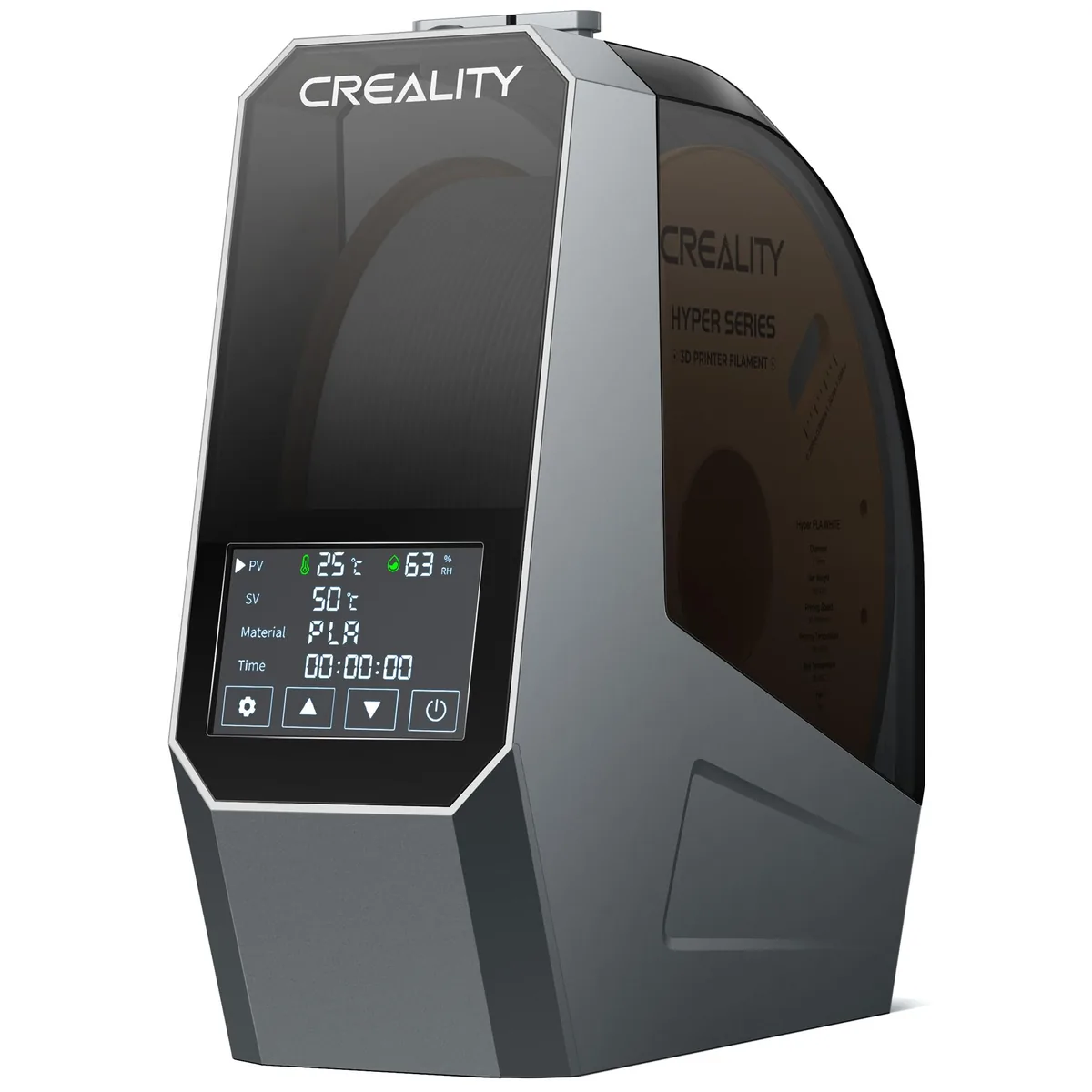
Creality Space Pi Filament Dryer
Pros
- 360° PTC hot air circulation heats filament evenly without hot spots
- Large LCD display shows real-time temperature and relative humidity
- One-button presets for 12 filament types including PLA/PETG/ABS/TPU
- Compact footprint fits right beside any desktop 3D printer
Cons
- Max temperature caps at 65°C (not hot enough for high-temp PA-CF or PEEK)
- Latch mechanism can feel stiff on early production runs
The Creality Space Pi is the new gold standard for the everyday maker. Its standout feature is the PTC (Positive Temperature Coefficient) heating element combined with a 360° hot air blower. Unlike older designs with a static heating plate at the bottom, this system circulates heated air all around the spool.
For a PETG spool left out in humid air, a multi-hour cycle at the Space Pi’s 65°C maximum is the documented way to bring moisture back down before printing, which reduces stringing. The large touchscreen is a huge improvement over the clunky button interfaces of older models, and the built-in presets for common materials make it incredibly easy to use. While the 65°C limit makes it less than ideal for serious nylon printing, it handles 95% of what most makers use: PLA, PETG, and ABS, flawlessly. It’s a fantastic first dryer and a solid upgrade from any passive dry box.
Buy the Creality Space Pi on Amazon
2. Creality Space Pi Plus: Best Dual-Spool Dryer for Multi-Material Workflows
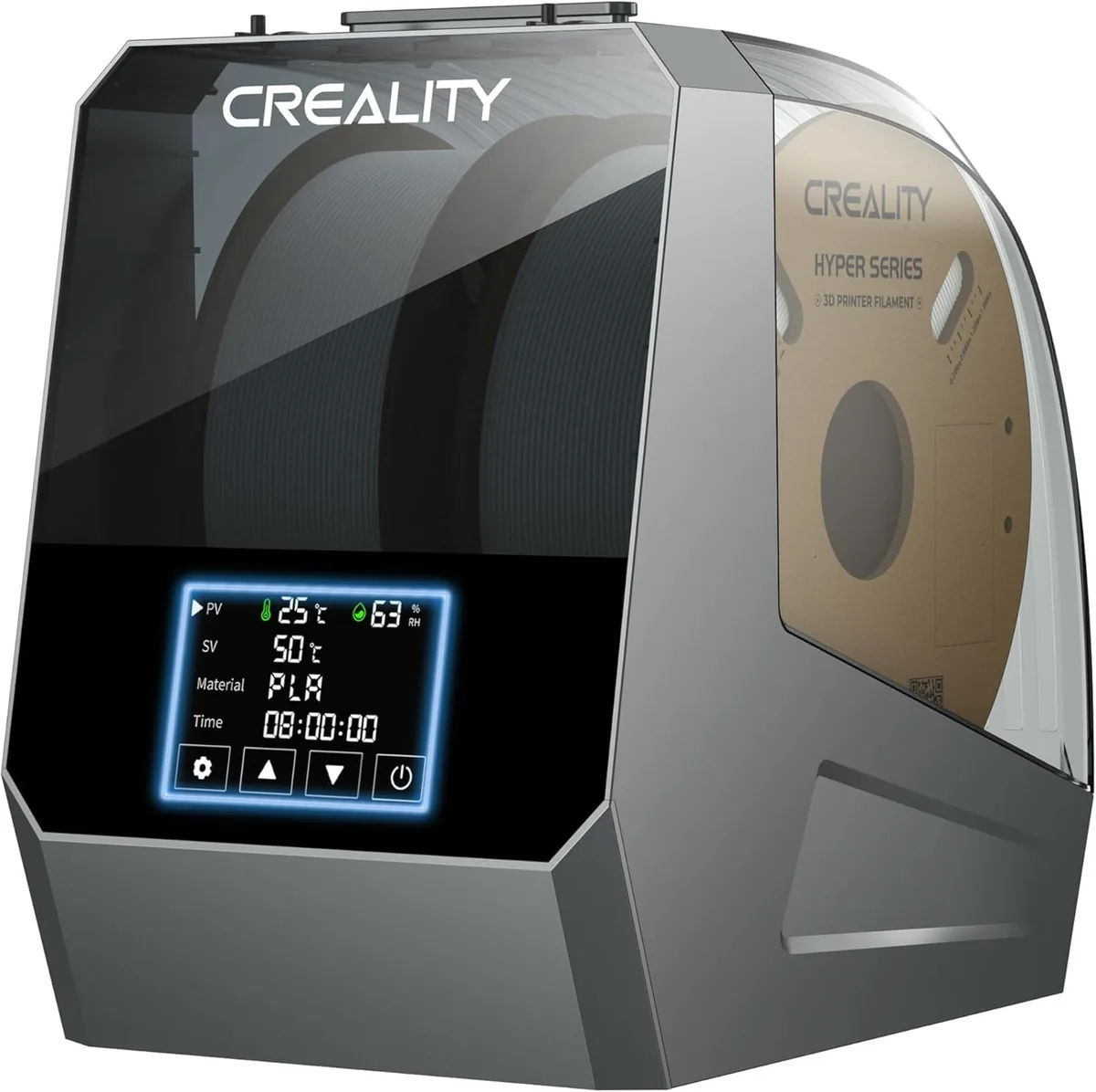
Creality Space Pi Plus Dual-Spool Filament Dryer
Pros
- 160W double PTC heating system warms two 1kg spools simultaneously
- Independent roller bearings allow smooth feeding for two separate extruders or AMS Lite
- Real-time dual humidity monitoring with automated timer shutoff
- Accommodates both 1.75mm and 2.85mm spools
Cons
- Takes up larger workbench footprint (approx. 315 x 240 x 300 mm)
- Weighs 2.2kg empty
Take the single-spool Space Pi design and double it. The Space Pi Plus is a beast designed for makers running multi-material systems like a dual-extruder printer or Bambu Lab’s AMS Lite. It features two independent roller sets and two filament outlets, allowing you to dry and feed two different materials simultaneously.
Creality lists a 160W heater for the larger chamber. Two spools, for example PLA and TPU, can dry side by side and feed directly to the machines in our Best CoreXY 3D Printers Under $600: Top Three Choices comparison, without leaving the dryer. The ability to keep two spools actively dry is a major upgrade for complex projects or for simply having your two most-used materials ready to go at all times. The larger footprint is the only real downside, but if you have the desk space, the utility is well worth it.
Buy the Creality Space Pi Plus on Amazon
3. SUNLU S2 Upgraded (with Fan): Best High-Temperature Single Dryer for Nylon & PA
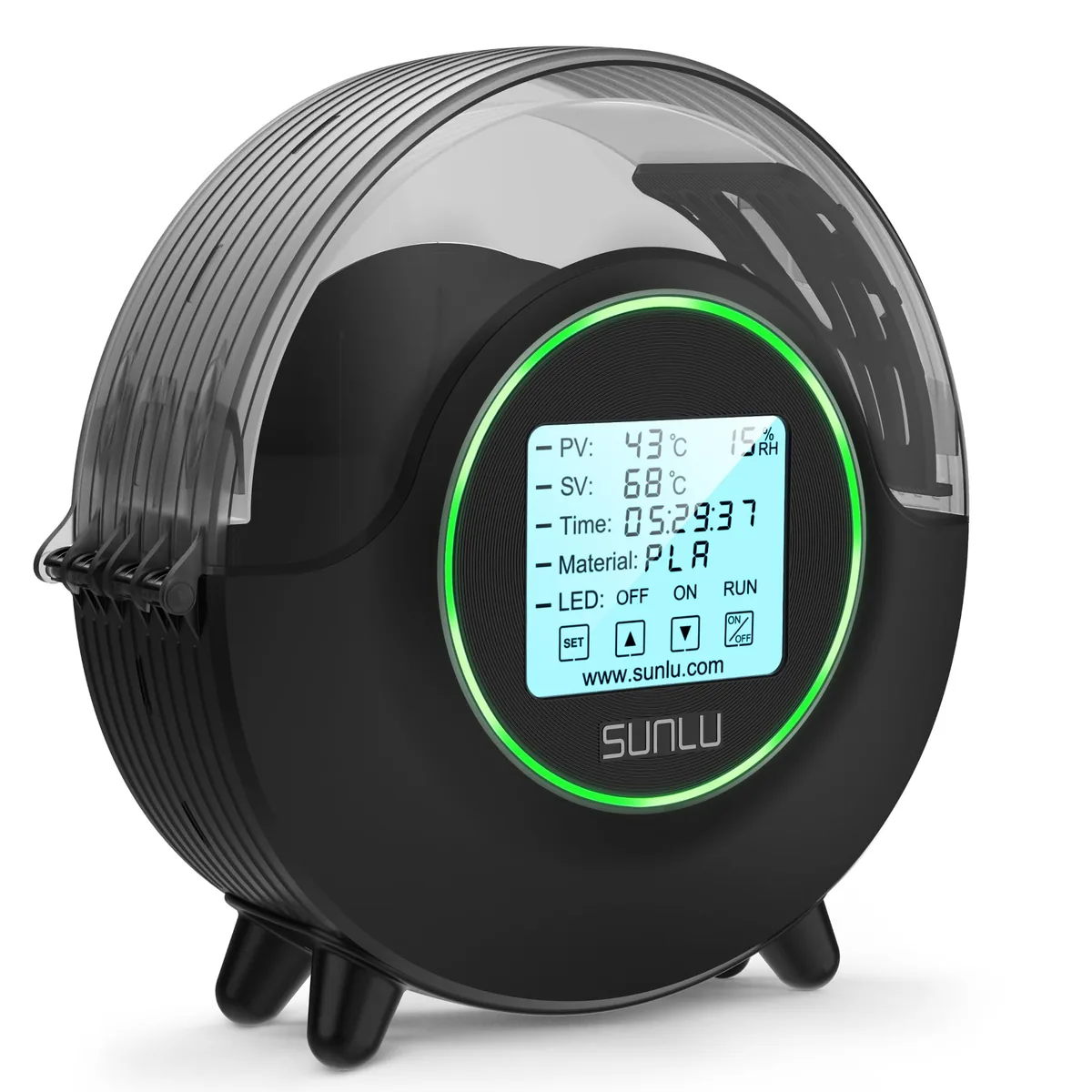
SUNLU S2 Upgraded Filament Dryer (with Fan)
Pros
- 70°C maximum temperature ceiling safely dehydrates Nylon (PA)
- PC
- and TPU
- Upgraded internal circulation fan prevents localized scorching
- 4.6” circular touchscreen display with ambient LED status ring
- Very quiet operation (~40 dB) suitable for bedroom or office workstations
Cons
- Humidity sensor measures air pocket near the bottom rather than spool core
- Moisture vapor venting requires cracking the top seal during the first hour of drying
For makers pushing into engineering-grade materials, the SUNLU S2 is the answer. Its key advantage is the 70°C maximum temperature. That extra 5°C over the Creality models is critical for properly and efficiently drying stubborn materials like Nylon (PA) and Polycarbonate (PC). Trying to dry PA-CF at 65°C is a slow, frustrating exercise; at 70°C, the moisture comes out much more readily.
The upgraded S2 model includes an internal circulation fan, a vital addition that was missing on the original S1, preventing filament scorching. It operates exceptionally quietly, making it a great choice for a home office or dorm room. The large, circular touchscreen is intuitive and the status light ring is a nice touch. While its built-in hygrometer placement isn’t perfect, its core function, heating filament to a high, stable temperature, is top-notch. For anyone printing with advanced materials, this is the single-spool dryer to get.
Buy the SUNLU S2 Upgraded on Amazon
4. SUNLU S4 Pro: Best 4-Spool Heated Drybox for Print Farms & Bambu AMS
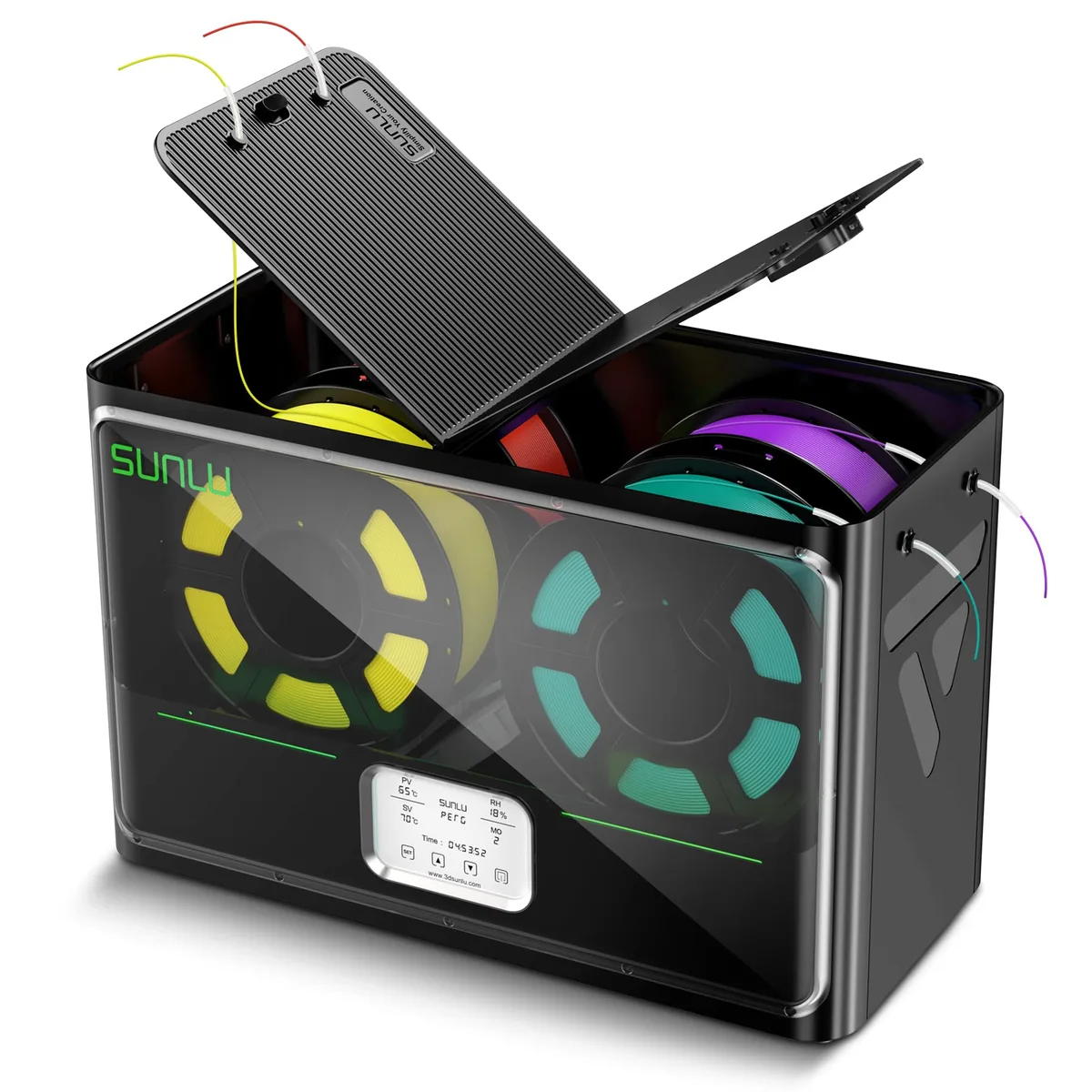
SUNLU S4 Pro 4-Spool Filament Dryer & Drybox
Pros
- Massive 4-spool capacity dries 4 rolls simultaneously for Bambu Lab AMS or multi-printer setups
- 350W rapid PTC heating with three high-flow circulation fans
- 8 dedicated filament feed ports with PTFE tubing for direct printing from drybox
- Automated humidity maintain mode re-triggers heating when ambient humidity exceeds threshold
Cons
- Higher upfront cost (~$149)
- Requires dedicated 515 x 267 x 268 mm desktop shelf space
The SUNLU S4 Pro is less a dryer and more a complete filament management station. It’s the ultimate solution for Bambu Lab AMS users, print farms, or anyone who wants to keep a library of materials print-ready. It can dry four 1kg spools at once, thanks to a powerful 350W PTC heating element and three separate fans that ensure consistent airflow across the entire chamber.
A standout feature is the “set it and forget it” humidity control mode, which automatically cycles the heater to maintain a user-defined RH level. This transforms it from a dryer into a long-term active storage solution. With eight feed ports, you can feed a full AMS or multiple printers right from the box. The S4 is a significant investment in both cost and space, but the workflow efficiency is unmatched. Loading four new spools, drying them all overnight, and having them ready for the AMS the next morning is a luxury you won’t want to give up. For high-volume printing, the S4 Pro is a major upgrade.
Filament Drying Temperature & Duration Guide
Drying isn’t one-size-fits-all. Using a temperature that’s too high can cause the filament to soften and deform on the spool, fusing the strands together. Use this table, based on filament makers’ data sheets, as a starting point. Always start with a shorter duration and check your results.
| Material | Glass Transition Temp (Tg) | Safe Drying Temp (°C) | Recommended Drying Time (Hours) | Target Equilibrium RH% |
|---|---|---|---|---|
| PLA / PLA+ | ~60°C | 45°C - 50°C | 4 - 6 | < 25% |
| PETG | ~80°C | 60°C - 65°C | 6 - 8 | < 20% |
| ABS / ASA | ~105°C | 60°C - 70°C | 4 - 8 | < 20% |
| TPU (95A / 85A) | Varies (-30°C to -50°C) | 50°C - 60°C | 8 - 12+ | < 20% |
| Nylon (PA6 / PA12 / PA-CF) | ~50°C - 70°C (dry) | 65°C - 75°C | 8 - 12+ | < 15% |
| Polycarbonate (PC) | ~150°C | 70°C+ | 8 - 12+ | < 15% |
This table is one of the best reasons to own a dryer. Trying to guess these settings with a food dehydrator or oven is a recipe for disaster.
How to Choose a Desktop 3D Printer
Your filament drying strategy should align with your machine’s capabilities. Before investing in a high-capacity dryer, review How to Choose a Desktop 3D Printer to confirm your setup supports advanced materials.
Key Buying Factors: How to Choose the Right Dryer for Your Setup
- Filament Types: This is the most important factor. If you only print PLA, PETG, and ABS, a dryer with a 65°C max temp like the Creality Space Pi is perfect. If you plan to use Nylon or PC, you must get a dryer that can reach 70°C, like the SUNLU S2 or S4.
- Spool Capacity: How many printers or materials do you run at once? A single-spool dryer is fine for most hobbyists. If you have a multi-material unit (like a Bambu AMS) or run multiple printers, the dual-spool Space Pi Plus or the massive four-spool SUNLU S4 will dramatically improve your workflow.
- Footprint & Noise: Where will the dryer live? Measure your workspace. A large unit like the SUNLU S4 needs dedicated shelf space. If the dryer will be in your living space or office, the quieter operation of the SUNLU S2 might be the deciding factor.
- Budget: Dryers range from around $50 to $150. A single-spool model is an affordable and high-impact upgrade. The larger, multi-spool units cost more but can be justified by the time savings and convenience for high-volume makers. Think of it as an investment in print quality.
Final Verdict & Buyer Recommendations
Based on the published specifications, the recommendations are clear:
-
For the Everyday Maker: The Creality Space Pi is the undisputed champion for overall value. Its effective 360° PTC heating, excellent user interface, and fair price make it the best choice for anyone printing with standard materials like PLA, PETG, and ABS.
-
For the Multi-Material Enthusiast: The Creality Space Pi Plus is the logical step up. If you’re running a dual extruder, an AMS Lite, or just want two materials ready to go, the dual-spool capacity is a workflow superpower.
-
For the Engineering Materials Pro: The SUNLU S2 Upgraded is a must-have. Its 70°C heating capability is non-negotiable for reliably drying Nylon and Polycarbonate. Its quiet operation is a significant bonus.
-
For the Print Farm Operator & AMS Power User: The SUNLU S4 Pro stands alone. If you measure filament usage in kilograms per week and need to feed a Bambu Lab AMS, the S4’s ability to dry and store four spools at once is simply unmatched. It’s an industrial-scale solution for the pro-level maker’s desktop.
Stop letting humid filament sabotage your prints. Investing in a dedicated dryer is one of the single most effective upgrades you can make to your 3D printing setup, guaranteeing better layer adhesion, improved surface finish, and stronger functional parts. You can find more 3D Printer Buying Guides to complete your workshop setup.