
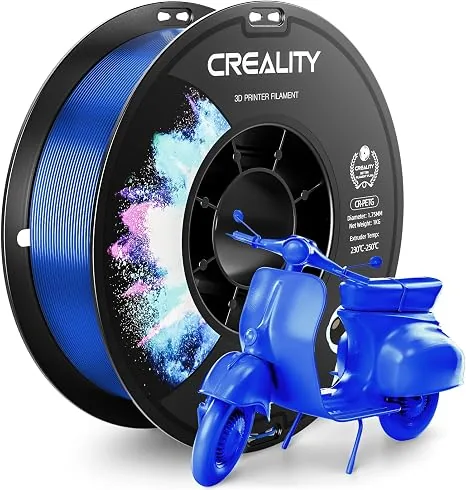
Quality 3D printer filament has a documented diameter tolerance, protected moisture condition, orderly winding, useful technical data, and repeatable material composition. This guide evaluates those five criteria in order, then applies them in a buying framework for prototypes, functional parts, display models, and high-temperature materials.
A calibrated printer can still under-extrude, string, or jam when the filament diameter varies, the polymer contains moisture, or the spool cannot unwind freely. Price alone does not identify those risks. The spool label, packaging, technical data sheet, safety data sheet, and visible winding provide stronger buying evidence.
1. Diameter Consistency and Ovality: The Root of Extrusion Problems
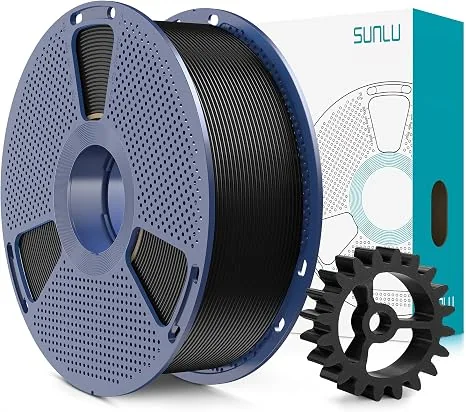
Diameter consistency is the first quality check because the slicer calculates extrusion volume from a fixed nominal filament diameter, commonly 1.75 mm on desktop machines. Material that falls outside its declared band changes the volume entering the hotend.
- Under-extrusion (thin filament): Causes weak layer adhesion, gaps in walls, and a fragile final part.
- Over-extrusion (thick filament): Creates blobs, zits, inaccurate dimensions, and can eventually lead to a nasty nozzle clog.
A filament diameter that’s too thick can also get stuck in the PTFE tube or the tight tolerances of a hotend’s heat break, causing a jam.
Caliper spot-check against the declared tolerance
Use a digital caliper to spot-check whether a received spool agrees with its own label.
- Unspool about two meters of filament.
- Take at least 10 measurements along its length.
- At each measurement point, check the diameter, then rotate the filament 90 degrees and measure again. This checks for ovality (how round it is).
- Record your readings. Are they consistently within the manufacturer’s stated tolerance?
A manufacturer should state a dimensional tolerance and stand behind it. Tighter published bands such as ±0.02 mm or ±0.03 mm leave less room for flow variation than a ±0.05 mm band. The following ranges are mathematical examples around a 1.75 mm nominal diameter, not local measurements.
| Declared band example | Tolerance spec | Permitted diameter around 1.75 mm |
|---|---|---|
| Wider declared band | ±0.05 mm | 1.70-1.80 mm |
| Tighter declared band | ±0.03 mm | 1.72-1.78 mm |
| Tightest example | ±0.02 mm | 1.73-1.77 mm |
2. Moisture: The Silent Print Killer
Moisture protection is the second quality check because PETG, nylon, TPU, and some PLA blends absorb water from the surrounding air. The printing symptoms depend on the polymer and moisture level.
Symptoms of Wet Filament:
- Audible popping or crackling from the nozzle as water turns to steam.
- Excessive stringing and oozing.
- Rough, textured, or bubbly surface finish.
- Extremely poor layer adhesion, resulting in brittle, weak parts.
A brand-new spool isn’t always a dry spool. Cheap filament often comes in poorly sealed bags with tiny, useless desiccant packets. Quality brands use thick, vacuum-sealed Mylar bags with large desiccant packs. Even then, you should always assume filament needs drying, especially if you live in a humid environment.
A dedicated filament dryer is a non-negotiable tool for serious printing. It provides controlled, consistent heat that won’t melt the spool, unlike a kitchen oven. Pay attention to temperature ranges when choosing a filament dryer.

Creality Space Pi Filament Dryer
Pros
- Fast PTC heating gets to temp quickly.
- Adjustable temperature for different materials.
- 360° hot-air circulation ensures even drying.
Cons
- Only holds one spool at a time.
Creality lists a 45-65°C operating range for the Space Pi. Filament makers commonly list PETG drying settings near 60-65°C, but the exact duration and temperature must come from the spool documentation. A dryer set outside that documentation can soften filament or fail to remove enough moisture.
3. Spool Winding: Don’t Get Tangled Up
Spool winding is the third quality check because a trapped loop can stop filament feed while the printer continues moving. The extruder may grind the filament, the job may under-extrude, or the spool may pull against its holder.
This problem is almost always a result of cheap, fast, and sloppy winding at the factory.
- Bad Winding: Crisscrossed strands, loops tucked under other loops. It looks messy and chaotic. The filament path is not uniform.
- Good Winding: The filament is laid down in neat, parallel rows. It looks organized and machine-perfect. This “neat winding” ensures the filament pays out smoothly from start to finish.
Before buying, look at product photos of the spool itself. Reputable brands often show off their neat winding as a key feature. When you get a new spool, inspect the first few layers. If you see obvious crossovers and buried strands, be wary. You might want to use it for small prints only, not a 24-hour job.
4. Documentation and Slicer Profiles
Documentation is the fourth quality check because a material maker should publish the settings and properties needed to identify, process, and compare its product.
Look for a Technical Data Sheet (TDS) and a Material Safety Data Sheet (MSDS). The TDS is incredibly useful, providing recommended print settings straight from the people who made the plastic:
- Nozzle temperature range
- Bed temperature range
- Recommended print speed
- Cooling fan percentage
- Mechanical properties (e.g., tensile strength)
Some ecosystems take this a step further. High-speed printers like the Bambu Lab series use RFID tags on their filament spools. The printer automatically reads the tag and loads a pre-configured, optimized profile. This relies on the filament being exceptionally consistent, a hallmark of a quality supplier. If you own a system like this, using third-party filament without proper calibration can negate the printer’s “it just works” advantage.

Bambu Lab P1S Enclosed 3D Printer
Pros
- Fully enclosed CoreXY chassis with auxiliary cooling fan, Smooth multi-color / multi-material integration with Bambu AMS, Reliable out-of-the-box first layers with dual automated bed leveling, Active vibration compensation and belt tension monitoring
- Fully enclosed for printing high-temp materials like ABS and ASA.
- Compatible with AMS for automatic multi-color/material printing.
Cons
- Proprietary closed ecosystem
- Chamber is passively heated by the bed rather than a dedicated PTC heater
- Upgrading to hardened nozzle for carbon fiber requires separate swap
5. Color Repeatability and Material Purity
Color: If you’re printing a large model in multiple pieces or need to print a replacement part later, color consistency between spools is crucial. Cheaper brands often have significant color variation from batch to batch. Their “Galaxy Blue” from May might be a completely different shade from the one you buy in August. Established brands have much tighter quality control over their pigments.
Purity: What is that “cheap” PLA actually made of? Reputable brands use high-quality resins like NatureWorks Ingeo PLA. Budget brands may use recycled or off-spec resin, often mixed with unknown fillers to lower costs. These contaminants can cause partial nozzle clogs that are difficult to diagnose. They also lead to inconsistent melting behavior, requiring constant temperature adjustments. A pure material just prints better. Poor material purity is a common cause of issues that are often mistaken for hardware problems, leading to unnecessary and frustrating maintenance.
A Practical Decision Framework
You don’t always need the most expensive filament. The key is to match the filament quality to the job’s requirements.
- For Prototyping and Fit-Tests: A reliable, standard-quality PLA is perfect. You need dimensional accuracy but can tolerate minor surface blemishes. Don’t go for the absolute cheapest, but a good mid-tier brand is cost-effective.
- For Functional, Mechanical Parts: Invest in premium PLA+, PETG, or ASA. Here, layer adhesion, strength, and dimensional accuracy are paramount. The cost of a failed part (in both time and material) is high. This is where drying your filament is mandatory.
- For Aesthetic, Display Models: Color consistency and a flawless surface finish are key. Use a trusted brand known for its batch-to-batch repeatability and pure materials.
- For High-Temp Materials (ABS, ASA, PC): Do not cheap out. These materials are already challenging to print. Using a low-quality, inconsistent, or wet spool will almost certainly lead to warping, layer splitting, and clogs. This is especially true if you are trying to maximize the benefits of an enclosed printer.
Quality filament is a documented material choice, not a price label. Check diameter tolerance, moisture protection, winding, technical documentation, color repeatability, and resin disclosure against the demands of the part before buying the spool. Read our Carbon Fiber Filament Guide: Nozzles and Key Settings for advanced materials. You can find more advice in our 3D printing filament guides category.