
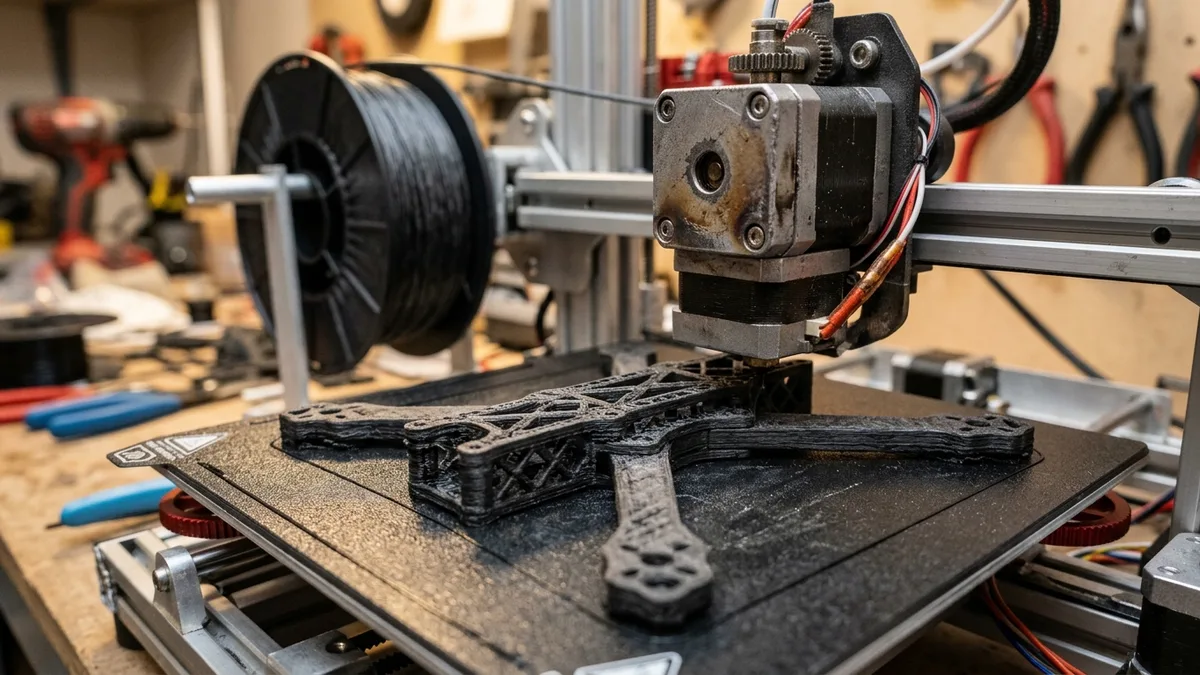
Carbon fiber filament needs a wear-resistant filament path, a profile matched to its base polymer, and moisture control for consistent printing. This guide covers nozzle wear first, then PLA-CF, PETG-CF, and PA-CF selection, hardware upgrades, slicer settings, failure diagnosis, and the final use-case decision.
Carbon fiber filaments are composites made from a base polymer such as PLA, PETG, or nylon plus chopped fibers. The fibers change stiffness, surface appearance, shrinkage, flow behavior, and abrasion, but they do not erase the base polymer’s limits. A PLA-CF spool and a PA-CF spool therefore require different heat, drying, cooling, and enclosure decisions.
The Number One Rule: Abrasiveness and Nozzle Wear
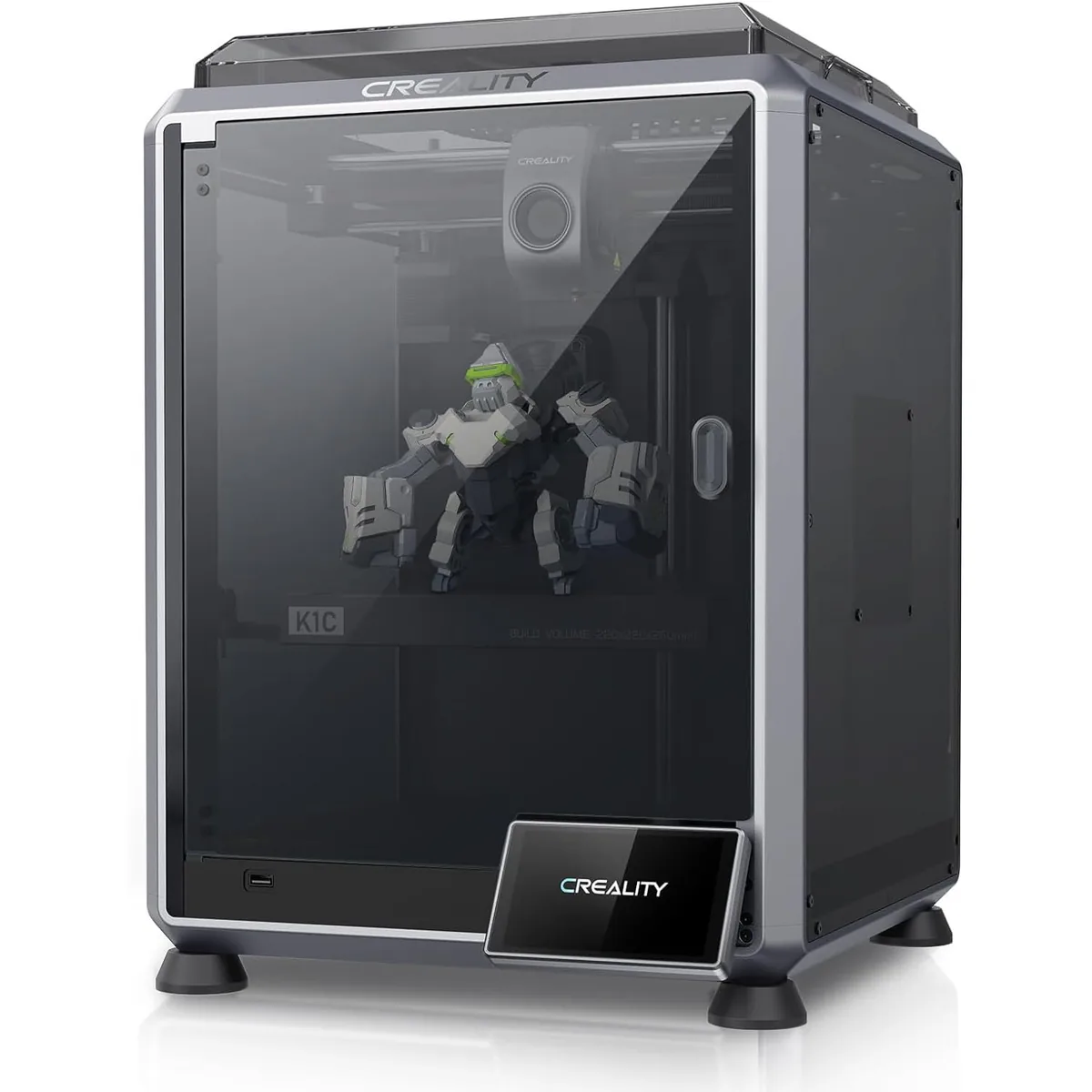
Carbon fiber filament is abrasive enough to wear soft nozzles and extruder components, so wear resistance is the first hardware requirement.
A standard brass nozzle is a consumable when used with abrasive composites. The fibers gradually erode the orifice and flatten the tip, which changes extrusion width and dimensional accuracy. The rate depends on fiber loading, filler type, nozzle alloy, temperature, and material volume, so a universal gram or hour limit is not defensible.
Brass vs. Hardened Steel: What Wear Looks Like
A worn brass nozzle can develop an enlarged or misshapen orifice and a flattened tip. Those physical changes alter extrusion width, wall dimensions, corner definition, and top-surface finish. Inspect the nozzle against its maker’s replacement criteria rather than assuming a fixed service life.
A hardened steel or similarly wear-resistant nozzle is the normal minimum for carbon-fiber-filled filament. Nozzle life still varies by filler, temperature, speed, and material volume, so maintenance intervals belong to the nozzle and filament documentation.
Nozzle Material Breakdown
- Hardened Steel: The workhorse for printing composites. It’s affordable and durable. Its one downside is lower thermal conductivity than brass, which means you might need to bump your hotend temperature by 5-10°C to compensate.
- Nozzle X (E3D): A proprietary coated steel nozzle that offers even better wear resistance and a non-stick coating that helps reduce filament buildup. A solid upgrade over basic hardened steel.
- Tungsten Carbide / Ruby Tipped: The top tier. These offer extreme wear resistance and excellent thermal conductivity. They are expensive. A ruby-tipped nozzle can cost more than some budget printers. For most users, hardened steel is the correct choice.
Many composite filament makers specify a 0.6mm wear-resistant nozzle because the larger opening gives chopped fibers more clearance. Use that size only when the spool documentation permits it; some formulations support 0.4mm, while others set a larger minimum.
Choosing the Right Carbon Fiber Filament
Not all carbon fiber filaments are created equal. The base polymer defines the core properties, printing temperatures, and applications. You can explore our full list of recommended filaments and resins for more options.
PLA-CF: The Easy Entry Point
PLA-CF is the most accessible of these three composite families and commonly trades impact toughness for stiffness and a matte surface.
- Pros: Easy to print, low warping, no enclosure needed.
- Cons: Still brittle, low heat resistance (like regular PLA).
- Use For: Jigs, fixtures, and models that need to be stiff but won’t be exposed to heat or high impact.
PETG-CF: The Functional Workhorse
A great balance of performance and printability. It has the chemical and temperature resistance of PETG with added stiffness from the carbon fibers.
- Pros: Good strength, moderate heat resistance, less brittle than PLA-CF.
- Cons: Can be stringy, very hygroscopic (absorbs moisture).
- Use For: Functional parts, brackets, and simple mechanical components.
PA-CF (Nylon-CF): The High-Performance Option
PA-CF combines a nylon base polymer with chopped carbon fiber for technical parts that prioritize stiffness, toughness, and dimensional control.
- Pros: Excellent strength, toughness, and heat resistance (often >150°C).
- Cons: Extremely hygroscopic, requires very high printing temperatures, needs an enclosure to prevent warping.
- Use For: Drones, RC car parts, automotive brackets, and any part that needs to survive mechanical stress and high temperatures.
Essential Hardware Upgrades
Carbon fiber hardware upgrades protect the filament path from abrasion and keep the selected base polymer within its documented thermal and moisture limits. Many modern FDM 3D printers include some of these features from the factory.
1. Hardened Steel Nozzle (and Extruder Gears)
Hardened nozzle and extruder components protect the complete filament path. Composite filament can abrade soft drive-gear teeth as well as the nozzle, which can reduce grip and produce under-extrusion. Use the printer maker’s compatible wear-resistant gear set.
2. Filament Dryer
Nylon and PETG based filaments are incredibly hygroscopic. They will absorb moisture directly from the air. Wet filament turns to steam in the hotend, causing popping sounds, weak layer adhesion, and a terrible surface finish.
You must dry your filament before every print.
A dedicated filament dryer is one of the best investments you can make for printing engineering materials. It’s a simple heated box that keeps your spool warm and dry during printing.
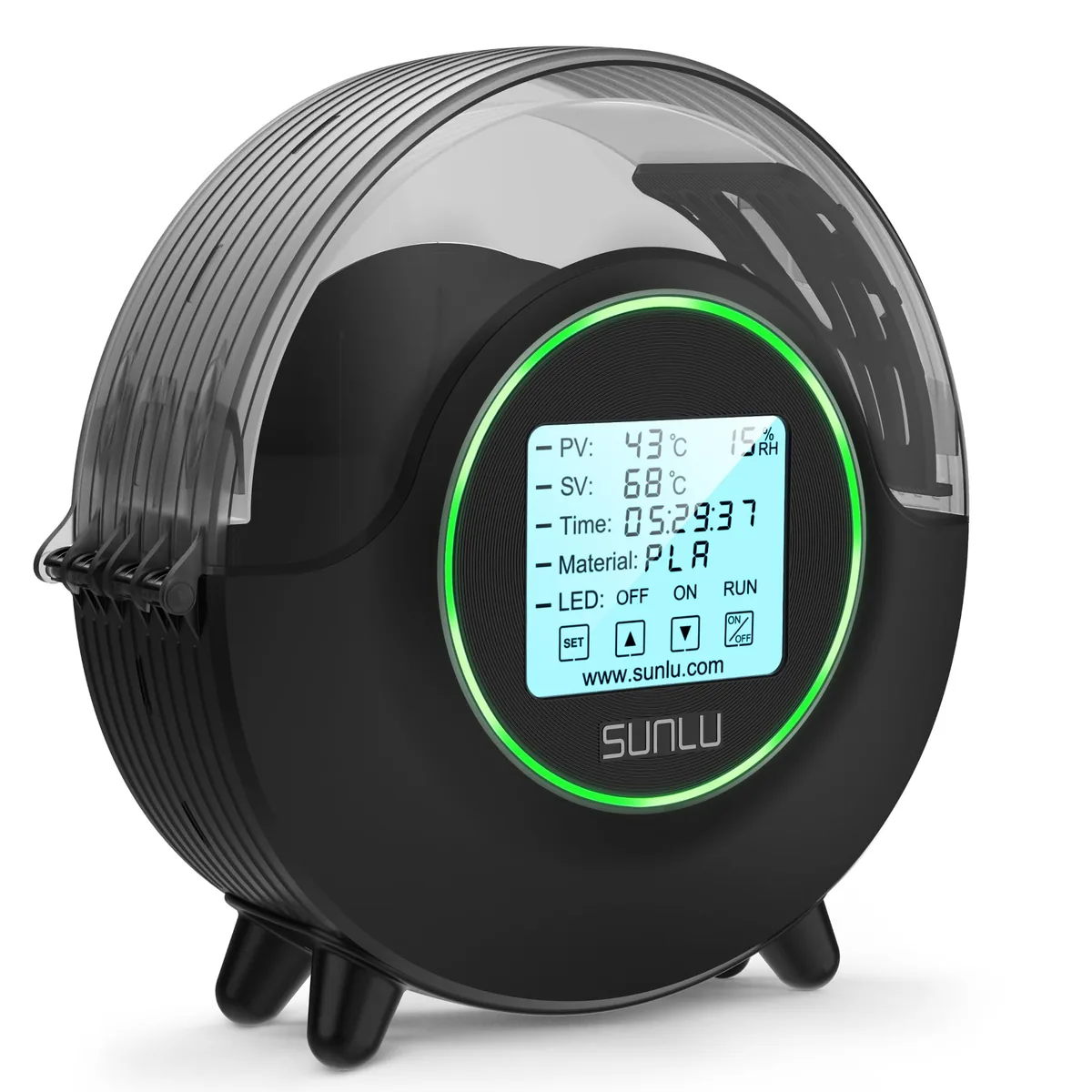
SUNLU S2 Upgraded Filament Dryer (with Fan)
Pros
- 70°C maximum supports filament conditioning when it matches the spool data sheet, Internal circulation fan moves heated air around the spool, Circular touchscreen displays operating status, Direct-feed layout supports printing from the dryer
- Large capacity for multiple spools
- Dramatically improves print quality for hygroscopic filaments
Cons
- Humidity sensor measures air pocket near the bottom rather than spool core
- Moisture vapor venting requires cracking the top seal during the first hour of drying
3. Enclosure
For high-temperature materials like PA-CF or ABS-CF, an enclosure is critical. It traps heat from the print bed, creating a stable, warm ambient temperature around the part. This prevents rapid, uneven cooling, which is the primary cause of warping and layer splitting.
If your printer isn’t enclosed, you need one. You can build a simple one from foam board or buy a pre-made tent. Better yet, consider a printer designed for these materials.

Bambu Lab P1S Enclosed 3D Printer
Pros
- Fully enclosed CoreXY chassis with auxiliary cooling fan, Optional multi-color and multi-material workflow with Bambu AMS, Automated bed leveling, Active vibration compensation and belt tension monitoring
- Enclosure supports materials that need a draft-protected build zone
- Carbon-fiber printing still requires the compatible hardened hotend components named by Bambu Lab
Cons
- Proprietary closed ecosystem
- Chamber is passively heated by the bed rather than a dedicated PTC heater
- Upgrading to hardened nozzle for carbon fiber requires separate swap
Slicer Settings: The Digital Workbench
Carbon fiber slicer settings start with the exact spool’s manufacturer profile because the base polymer and fiber loading control the usable range. The table preserves common maker-listed starting ranges for comparison; the product data sheet and printer limits take priority.
| Setting | Baseline PLA | PLA-CF | PETG-CF | PA-CF (Nylon) |
|---|---|---|---|---|
| Nozzle Temp (°C) | 190-210 | 210-230 | 230-250 | 260-290 |
| Bed Temp (°C) | 50-60 | 50-65 | 70-85 | 80-110 |
| Nozzle Size (mm) | 0.4 Brass | 0.4-0.6 Hardened | 0.4-0.6 Hardened | 0.6+ Hardened |
| Print Speed (mm/s) | 50-100 | 40-80 | 40-80 | 40-60 |
| Retraction (mm) | 1-5 (Bowden) | 1-3 | 1-3 | 0.5-2 (Direct Drive) |
| Cooling Fan (%) | 100 | 50-80 | 20-50 | 0-20 (Off is best) |
| Bed Adhesion | Skirt | Skirt/Brim | Brim | Brim/Raft + Glue |
| Enclosure | No | No | Optional | Required |
Key Slicer Adjustments
- Slow Down: Carbon fibers need time to melt and orient properly within the polymer matrix. Printing too fast causes clogs and poor layer bonding. Start around 50 mm/s.
- Increase Temperature When Listed: Some hardened nozzles transfer heat differently from brass, and some composite profiles list additional heat. Use the nozzle and filament maker’s value instead of applying a universal increase.
- Reduce Retraction: The fibrous texture makes the filament less compliant. High retraction speeds and distances will grind the filament and cause a jam in the extruder. Keep retraction distance low (0.5-2mm for direct drive) and speed around 25-30 mm/s.
- Turn Off Cooling (for PA-CF): High-temp nylons need to cool as slowly as possible to maintain inter-layer strength. Turn your part cooling fan completely off or set it to a maximum of 20% only for steep overhangs.
- Use a Brim: Always use a wide brim (10-20 lines) for PA-CF and other warping-prone materials. It provides a larger surface area to grip the bed and fights corner lift.
Troubleshooting Common Carbon Fiber Failures
Carbon fiber printing failures usually trace to moisture, a restricted filament path, heat creep, or a profile that does not match the base polymer.
Problem: Persistent Clogs and Under-extrusion
- Cause 1: Wet Filament. This is the #1 cause. The filament is steaming in the nozzle, creating pressure spikes and blockages.
- Fix: Dry your filament. Dry it for 6-12 hours at 70°C for PA-CF or 65°C for PETG-CF.
- Cause 2: Nozzle Too Small. A 0.4mm nozzle is asking for trouble.
- Fix: Switch to a 0.6mm hardened steel nozzle.
- Cause 3: Heat Creep. The heat from the heater block is traveling up into the cold end, softening the filament too early and causing a jam.
- Fix: Ensure your hotend’s cooling fan is running at 100% and is clean. Check that the heatsink is properly mounted.
Problem: Poor Layer Adhesion / Brittle Parts
- Cause 1: Printing Too Cold. The polymer is not melting enough to form a strong bond between layers.
- Fix: Increase your nozzle temperature in 5°C increments.
- Cause 2: Too Much Cooling. The part cooling fan is solidifying the layers too quickly before they can fuse.
- Fix: Reduce fan speed or turn it off completely for PA-CF and ABS-CF.
- Cause 3: Wet Filament. Again, moisture creates steam pockets that prevent layers from bonding.
- Fix: Dry your filament!
Related Filament Guides
How to Buy Quality 3D Printer Filament That Performs
Understanding the properties and manufacturing tolerances of materials ensures better print success. Refer to How to Buy Quality 3D Printer Filament That Performs for specific recommendations on selecting the best materials.
How to Choose a 3D Printing Material
Different materials excel in different applications based on temperature and mechanical properties. Read How to Choose a 3D Printing Material: A Tech Guide to find the right plastic for your functional prototypes.
Print Nylon Filament Without Warping or Delamination
Nylon is challenging to print due to its high shrinkage and moisture absorption. Learn the necessary techniques to Print Nylon Filament Without Warping or Delamination to ensure reliable parts.
Nylon, Polycarbonate, PP and Composite Filament Guide
Engineering-grade plastics offer unique mechanical benefits for structural applications. Explore the comprehensive Nylon, Polycarbonate, PP and Composite Filament Guide for deep dives into these advanced materials.
The Bottom Line: Is Carbon Fiber Worth It?
Carbon fiber filament is worth the added hardware and setup when a part needs the documented stiffness, dimensional stability, or service temperature of a specific composite data sheet.
Use carbon fiber filament when:
- You need maximum stiffness and rigidity.
- Your part requires high heat resistance (PA-CF).
- Dimensional stability across a range of temperatures is critical.
- You need a lightweight part that can withstand mechanical stress (e.g., drone frames).
Stick to standard polymers (PLA, PETG, ABS) when:
- Your part is a visual prototype or non-functional model.
- Toughness and flexibility are more important than stiffness.
- You are on a tight budget.
- You need a quick, hassle-free print.
A wear-resistant nozzle, dry filament, and a base-polymer-specific profile are the core requirements. Use carbon fiber only when the selected product’s data sheet supports the part’s load, temperature, and environmental requirements; otherwise, the unfilled base polymer is simpler and less abrasive.