
Cleaning a 3D printer nozzle resolves under-extrusion and filament jams caused by dust, debris, or carbonized plastic buildup. A clogged nozzle is one of the most common FDM 3D printing failures, turning prints into stringy messes and halting operations. Instead of discarding the nozzle, users can clear the blockage to restore material flow.
This guide provides the procedures for two essential cleaning techniques: the quick needle method for minor blockages and the definitive cold pull for a total deep clean.
Understanding the Enemy: What Causes a Nozzle Clog?
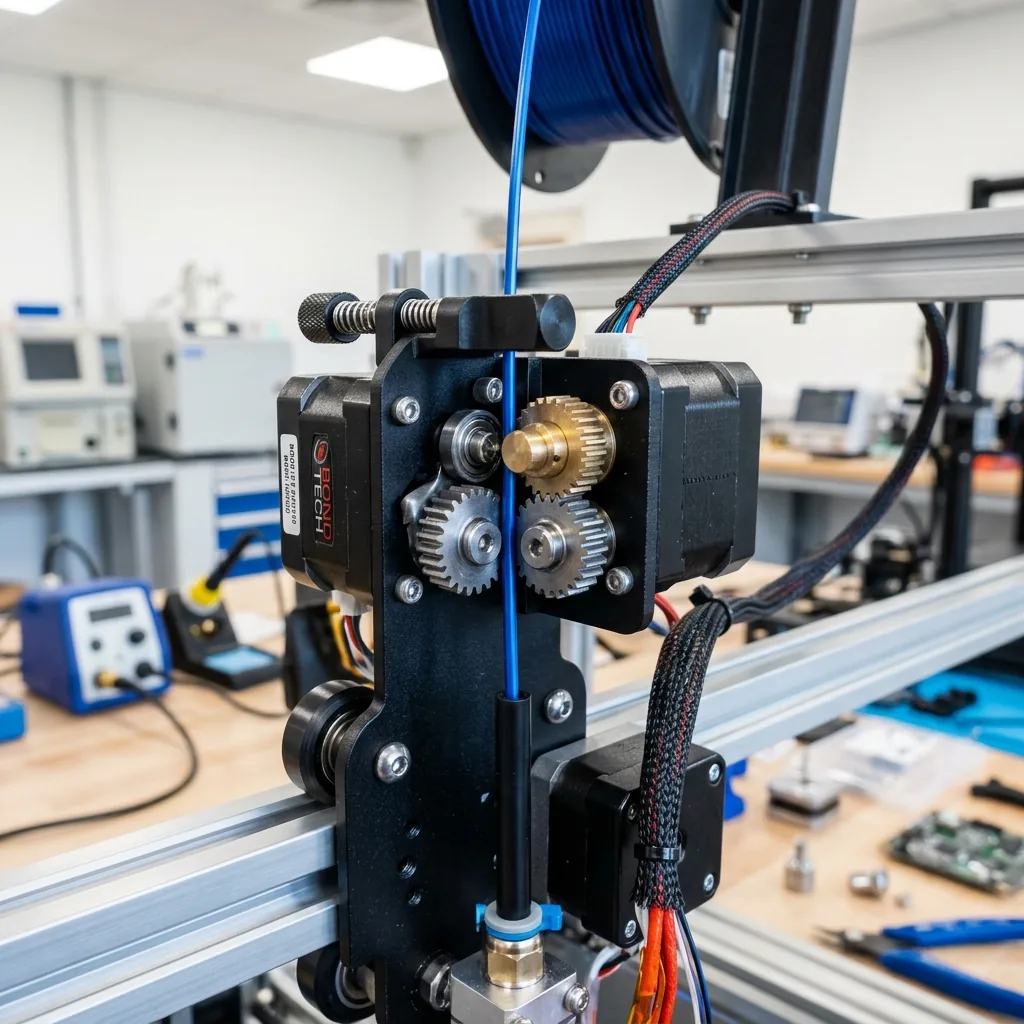
Understanding what causes a nozzle clog involves identifying the environmental, material, and thermal factors that block filament flow.
The primary causes of nozzle clogs include:
- Dust and Debris: Filament left sitting out collects dust. This dust gets pulled into the hotend and burns, creating a hard carbonized blockage.
- Poor Quality Filament: Cheap filament can have an inconsistent diameter or contain foreign impurities that won’t melt properly, causing a jam.
- Heat Creep: This is a big one. Heat creep occurs when the “cold” side of your hotend gets too hot. Filament softens too early in the heat break, expands, and creates massive friction. This is often caused by a failing hotend fan.
- Incorrect First Layer Height: If your nozzle is too close to the print bed, it creates excessive back-pressure. Molten plastic has nowhere to go, so it backs up and can cook inside the nozzle. To avoid this, make sure you know How to Level a 3D Printer Bed.
- Switching Filament Types: Moving from a high-temp material like PETG (240°C) to a low-temp one like PLA (200°C) without purging properly leaves behind residue that won’t melt at the lower temperature.
Method 1: The Quick Fix (Acupuncture Needle Method)
The quick fix acupuncture needle method clears minor partial clogs where some filament is still extruding. Think of it as poking a hole through the gunk, not removing it entirely.
When to Use It: You see thin, curly, or inconsistent extrusion mid-print and need a fast recovery.
Tools You’ll Need
The needle method requires specific tools to safely clear the hotend.
The required tools for the needle method include:
- Nozzle Cleaning Needles: These come in various sizes. Make sure the needle diameter is smaller than your nozzle orifice (e.g., a 0.35mm needle for a 0.4mm nozzle).
- Pliers or Tweezers: To handle the hot nozzle and remove oozing plastic.
- Heat-Resistant Gloves: Safety first. The hotend is over 200°C.
Step-by-Step Procedure
The step-by-step procedure for the needle method clears partial blockages without dismantling the extruder.
The steps for the needle method are:
- Heat the Nozzle: From your printer’s control panel, heat the nozzle to the printing temperature of the filament currently loaded. If the nozzle is empty, use the last filament’s temperature.
- Raise the Z-Axis: Move the print head up to give yourself plenty of room to work.
- Insert the Needle: Carefully grab a cleaning needle with your pliers. From underneath, gently insert the tip straight up into the nozzle orifice.
- Agitate Gently: Move the needle up and down a few millimeters. Twist it slightly. You are trying to break up the carbonized blockage. Do not use force. If it doesn’t go in, the clog is too severe for this method.
- Extrude Filament: After agitating, remove the needle. Manually command the extruder to push through 30-50mm of filament. This should force out the broken-up debris.
- Inspect the Flow: Watch the filament as it comes out. It should flow straight down in a consistent, round stream. If it’s still thin or curls to one side, repeat the process or move on to the cold pull.
Warning: This method is a patch, not a permanent fix. The debris is still inside your nozzle, just pushed aside. It will likely clog again soon.
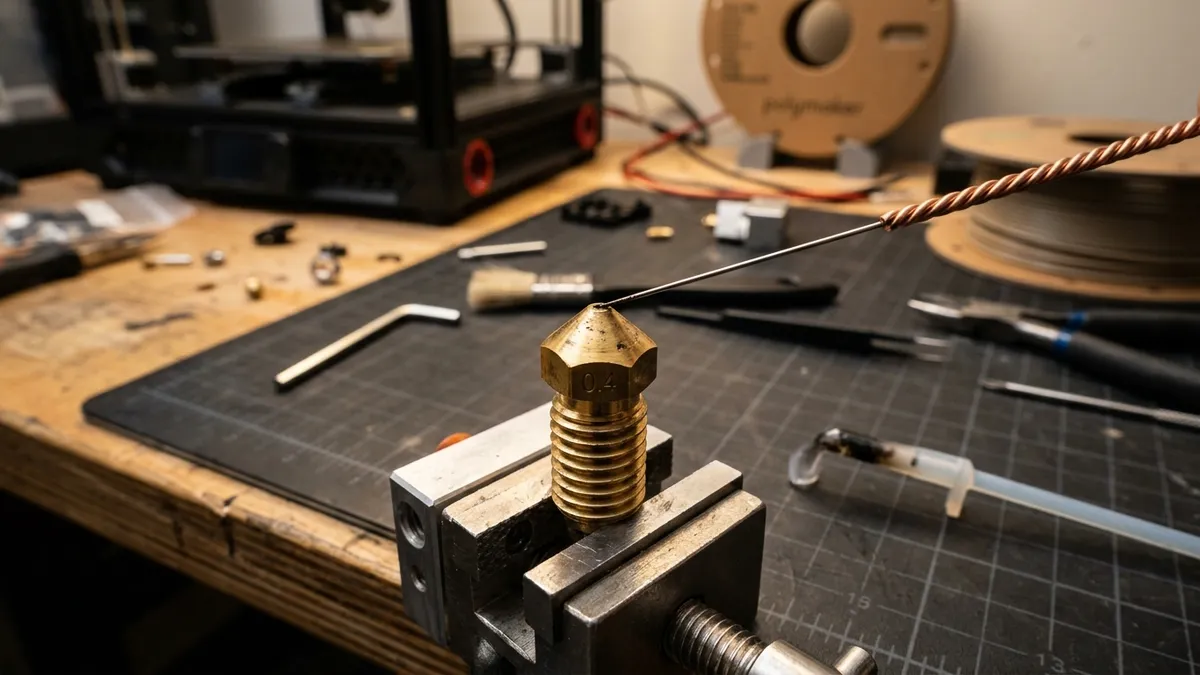
“5-Pack Precision 3D Printer Nozzle Cleaning Kit”
Pros
- “Flexible stainless steel clearing needles break up internal partial jams”
- “Includes precision straight and curved tweezers for hotend filament debris removal”
Cons
- “Cleaning needles are thin and can bend if forced into cold hotends”
Method 2: The Deep Clean (Cold Pull / Atomic Pull)
The deep clean cold pull (or atomic pull) is the definitive method for removing burnt plastic, stubborn debris, and residue from old filaments. A successful cold pull yanks out a perfect cast of your nozzle’s internal geometry, taking all the gunk with it.
When to Use It: For stubborn clogs, after a failed needle cleaning, or as part of your regular 3D printer troubleshooting guides routines. Do this every time you switch between different 3D printer filaments and resins.
Tools You’ll Need
The cold pull requires a specific filament type and basic hand tools.
The required tools for a cold pull include:
- Cleaning Filament, Nylon, or a light-colored PLA/PETG. Nylon is the best choice due to its high melting point and low adhesion, but PLA works fine.
- Pliers: For a strong grip on the filament.
- Flush Cutters: To snip the filament tip.
Step-by-Step Procedure
The step-by-step procedure for a cold pull extracts the internal geometry of the nozzle along with all contaminants.
The steps for a cold pull are:
- Unload Current Filament: First, remove whatever filament is currently in the hotend.
- Heat to Max Temp: Heat your nozzle to a high temperature, like 250°C. This ensures any and all stuck material is fully molten.
- Feed Cleaning Filament: Manually push your cleaning filament (or Nylon/PLA) through the hotend until it begins to extrude cleanly. Push at least 100mm through to flush out as much of the old material as possible.
- Drop the Temperature: This is the most important step. Set the nozzle temperature down to the “pull temperature.” This is a temp where the filament is soft and malleable but not liquid. See the table below.
- Stabilize and Wait: Let the hotend cool down and stabilize at the target temperature for about 2-3 minutes.
- PULL! Turn off the hotend heater. Grab the filament just above the extruder intake with a pair of pliers. Give it one sharp, forceful yank downwards. Do not pull slowly or gently. It must be a sudden, quick pull.
- Inspect the Tip: The filament should come out in one piece. Look at the tip. A perfect cold pull will show the shape of the nozzle’s interior. You should see a tiny, clean point. If you see black specks or discoloration, that’s the gunk you just removed. Success!
- Repeat if Necessary: Snip off the dirty tip and repeat the process (steps 3-7) until the pulled filament comes out perfectly clean. It might take two or three pulls.
- Reload and Print: Once the tip is clean, you can reload your desired printing filament and start a test print.
Cold Pull Temperature Reference
The cold pull temperature reference dictates the optimal thermal point where filament is malleable but solid.
The target pull temperatures by material are:
| Filament for Pull | Target Pull Temp | Notes |
|---|---|---|
| PLA | 85-95°C | Easiest and most common. |
| PETG | 100-110°C | Good for pulling out PLA residue. |
| Nylon | 140-160°C | The gold standard. Pulls everything. |
| Cleaning Filament | 90-120°C | Follow manufacturer’s instructions. |
“eSUN 3D Printer Cleaning Filament”
Pros
- “Formulated to remove residue from multiple filament types”
- “Wide working temperature range (150-260°C)”
- “Non-abrasive and safe for all nozzle types”
Cons
- “More expensive per gram than standard PLA or Nylon”
Which Method Should I Use? A Maker’s Decision Framework
A decision framework helps determine whether to use the needle method or a cold pull based on the severity of the clog.
The criteria for choosing a cleaning method are:
-
Is your print failing right now with minor under-extrusion?
- Yes: Try the Needle Method first. It’s fast and might save the print.
-
Did the needle method fail, or is the nozzle totally blocked?
- Yes: It’s time for a Cold Pull. This is a much more thorough solution.
-
Are you switching from a dark or abrasive filament (like Carbon Fiber PETG) to a light-colored one (like White PLA)?
- Yes: Absolutely perform a Cold Pull. Do it until the tip comes out clean to prevent contamination.
-
Has it been over a month or several hundred hours of printing since your last deep clean?
- Yes: Perform a preventative Cold Pull to keep your machine running reliably.
A clean nozzle is the foundation of a good print. These two methods are essential skills for any 3D printing technician. While the needle offers a quick fix, integrating the cold pull into your regular maintenance schedule will prevent most clogs from ever happening in the first place. Keep your hotend clean, and your prints will thank you. For further optimization, study fdm extrusion temperature and motion calibration. Proper maintenance is also a key factor in managing the overall cost of owning a 3D printer.