
A safer 3D printing workspace contains airborne emissions, exhausts contaminated air when required, separates users from heat and motion, and controls resin, solvent, filament, fire, and noise hazards. The sections below cover airborne contaminants, physical and environmental hazards, material handling, and a final workspace comparison in that order.
Workspace controls must match the printer, material, room occupancy, and applicable manufacturer or workplace guidance. A small carbon filter, an open window, or the absence of odor does not establish safe exposure. Use specific controls that address particles, gases, hot surfaces, moving parts, chemicals, storage, and emergency response.
The Invisible Threats: VOCs and UFPs
FDM printing produces volatile organic compounds (VOCs) and ultrafine particles (UFPs), with emission profiles that change by polymer and extrusion temperature.
- VOCs: These are gases released from the filament. The most cited example is styrene, a smelly and hazardous compound released when printing ABS and ASA. Even PLA releases lactide, which is far less hazardous but is still a VOC.
- UFPs: These are microscopic solid particles, smaller than 100 nanometers. They can be inhaled deep into the lungs. All FDM printing produces UFPs.
Ignoring these emissions is a common mistake. Letting them accumulate in an unventilated room is a serious health risk.
Enclosures: The First Line of Defense
An enclosure is the single best starting point for controlling your print environment. It traps heat for better layer adhesion with high-temperature materials like ABS, and it contains the initial plume of VOCs and UFPs.
Modern enclosed CoreXY printers are designed with this in mind. They provide a contained volume that makes the next step, ventilation, far more effective. But an enclosure by itself is just a box holding a concentration of pollutants. You have to get them out.
Ventilation: The Definitive Solution
You have two options for dealing with the air inside your enclosure: passive filtration and active ventilation.
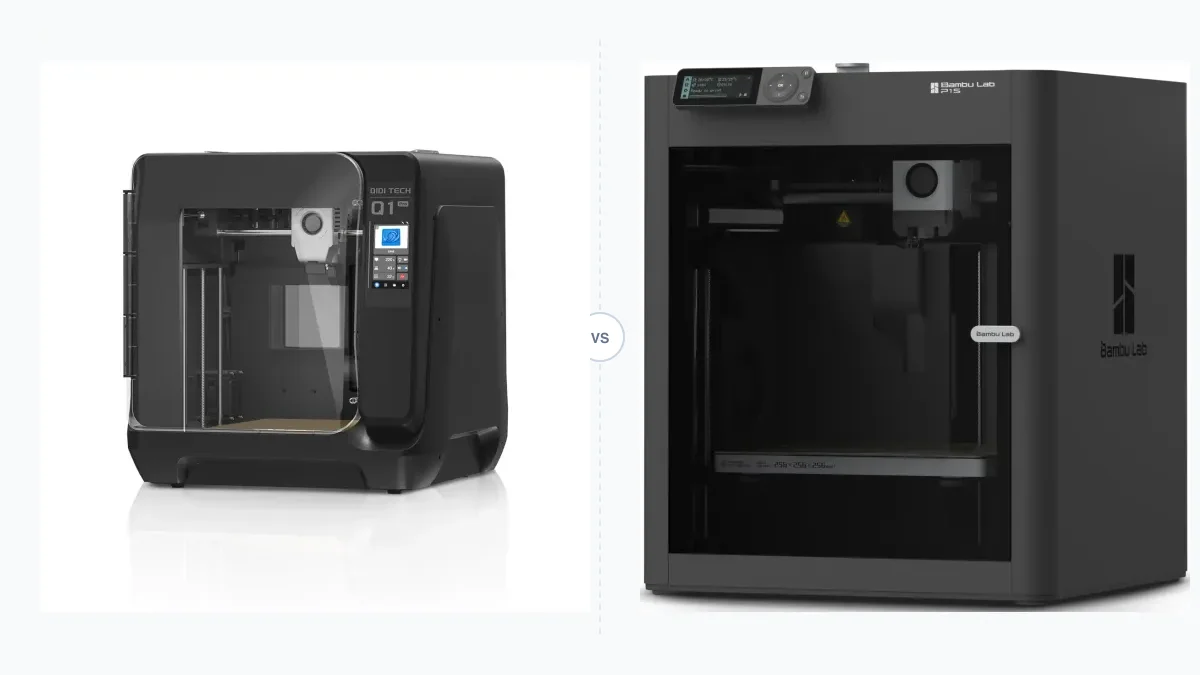
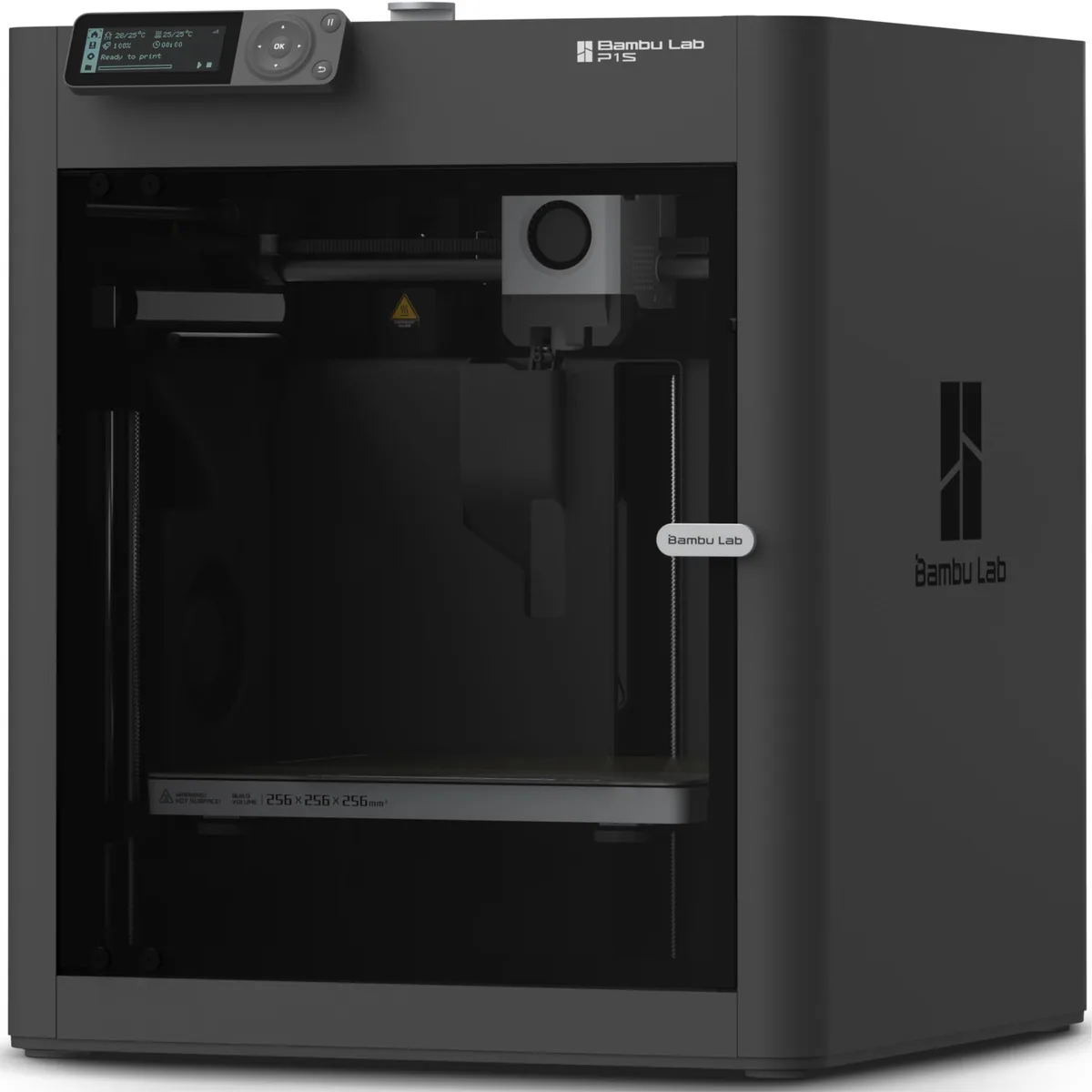
Passive Filtration (Carbon Filters) Many enclosed printers, like the Creality K1C and Bambu Lab P1S, include a small activated carbon filter. This is a good first step. The carbon media adsorbs a portion of the VOCs passing through it, which helps reduce the “burnt plastic” smell.
However, these filters have major limitations:
- They do not remove UFPs. The particles are too small to be trapped by the carbon.
- They saturate. Over time, the carbon becomes full and stops working. It needs to be replaced regularly, every 1-3 months depending on usage.
- Low Airflow. The small fans used are not powerful enough to create significant negative pressure or clear a chamber quickly.
A carbon filter makes things better, but it is not a complete health and safety solution.
Active Ventilation (External Exhaust) This is the professional standard. Active ventilation uses a fan to physically pull the contaminated air from the enclosure and exhaust it outside. It is the only way to effectively remove both VOCs and UFPs from your workspace.
Your Action Plan:
- Size an Inline Duct Fan: Select a fan from enclosure volume, duct length, bends, filter resistance, and the negative pressure required to prevent leakage. A speed controller helps balance containment against chamber heat loss.
- Get Flexible Ducting: Connect the fan to your enclosure’s exhaust port or a 3D printed adapter.
- Vent Outside: Run the ducting to a window vent insert or a dedicated wall port. This creates negative pressure.
Printers like the QIDI Q1 Pro are excellent for this, as they come with a powerful chamber fan and an easy-to-access exhaust port designed for ducting. You can explore our deep dive into the impact of temperature control in our guide on active vs passive chamber heat. When configuring a secure environment, evaluating the best enclosed 3D printer helps you manage challenging materials safely.
Physical and Environmental Hazards
Physical and environmental hazards include hot surfaces, electrical heating, fast motion, and sustained noise in addition to airborne emissions.
Heat: Burns and Fire Risk
Your printer’s hotend can reach 300°C, and the heated bed can hit 110°C. These are serious burn risks. An enclosure with door panels is your best protection. It puts a physical barrier between you and the hot components during operation.
The bigger risk is fire. Thermal runaway, where a heater malfunctions and heats uncontrollably, is a real danger. Modern firmware has thermal runaway protection that shuts the printer down if it detects an anomaly (e.g., temperature rising without a command).
Your Action Plan:
- Never defeat safety features in custom firmware.
- Keep the area around the printer clear of flammable materials like paper towels, loose filament strands, and IPA bottles.
- Install a smoke detector directly above your printing station.
- Keep a Class ABC fire extinguisher in your workshop.
Mechanical Dangers: Moving Parts
Modern CoreXY printers are fast. Very fast. Gantries on machines like the Bambu Lab P1S can accelerate at 20,000 mm/s² and hit travel speeds over 500 mm/s. Getting a finger caught in that mechanism would cause a severe injury.
This is another area where enclosed printers are a massive safety upgrade over open-frame models. The clear panels let you monitor the print without exposing you to the high-speed gantry. Models like the Flashforge Adventurer 5M Pro and the Creality K1C make safety a priority with fully enclosed kinematics.

Bambu Lab P1S Enclosed 3D Printer
Pros
- Fully enclosed CoreXY chassis with auxiliary cooling fan, Smooth multi-color / multi-material integration with Bambu AMS, Reliable out-of-the-box first layers with dual automated bed leveling, Active vibration compensation and belt tension monitoring
- Fully enclosed for high-temp materials and safety.
- Optional AMS for smooth multi-color printing.
Cons
- Proprietary closed ecosystem
- Chamber is passively heated by the bed rather than a dedicated PTC heater
- Upgrading to hardened nozzle for carbon fiber requires separate swap
Noise Pollution
3D printer noise comes from stepper motion, cooling fans, resonance, and vibration transferred into the supporting furniture. Manufacturer noise figures apply to declared operating modes and can change with motion profiles and fan speed.
An enclosure interrupts some direct motor and fan noise. A heavy, stable base with a suitable isolation layer can reduce vibration transmitted to a table or floor, but the result depends on the printer mass, base, and surface construction.
Handling and Storing Materials
Material handling controls cover flammable solvents, uncured resin, moisture-sensitive filament, contaminated tools, and waste before and after printing.
Solvents: Acetone and Isopropyl Alcohol (IPA)
IPA is essential for cleaning PEI print beds, and acetone is used for vapor smoothing ABS parts. Both are highly flammable and their fumes are hazardous to inhale.
Your Action Plan:
- Store solvents in clearly marked, sealed containers.
- Use them in a well-ventilated area, away from ignition sources (like your printer’s electronics).
- Wear nitrile gloves when handling.
- Never pour them down the drain. Check your local regulations for proper disposal of chemical waste.
Resin: A Special Case
While this guide focuses on FDM, many makers use both FDM and resin printers. Uncured photopolymer resin is a sensitizing agent. Repeated skin contact can lead to severe contact dermatitis.
Your Action Plan:
- Always wear nitrile gloves. Latex gloves are not sufficient; resin monomers can penetrate them.
- Wear safety glasses to protect from splashes.
- Work in a dedicated, easy-to-clean area. A silicone mat is perfect for this.
Filament Storage
Filaments like Nylon, TPU, and even PETG are hygroscopic. They absorb moisture from the air. Wet filament prints terribly, resulting in popping sounds from the nozzle, extreme stringing, and weak, brittle parts.
A professional workflow includes active filament management.
- Use a Filament Dryer: These devices heat the spool to a specific temperature (e.g., 50°C for PLA, 70°C for Nylon) to bake out moisture.
- Store in Sealed Bins: Use airtight containers with rechargeable desiccant packs to maintain a low relative humidity (RH). Aim for under 15% RH for high-performance materials.
ABS vs ASA for Enclosed 3D Printing
Understanding material properties helps you choose the right filament for demanding applications. You can review ABS vs ASA for Enclosed 3D Printing to optimize your temperature and ventilation settings.
Your Safe Workspace: A Comparison
A safe 3D printing workspace combines air control, heat and fire safeguards, guarded motion, chemical storage, and dry-material handling.
| Risk Factor | Baseline “It Prints” Setup | Safe Workshop Setup |
|---|---|---|
| Fumes (VOCs) | Open window with uncontrolled flow | Enclosed printer with external exhaust sized for negative pressure. |
| Particles (UFPs) | Ignored | External exhaust. FFP2/N95 mask for sanding/post-processing. |
| Heat / Fire | Unattended operation | Enclosed printer, smoke detector, ABC fire extinguisher nearby. |
| Mechanical | Open-frame gantry | Fully enclosed printer with door panels. |
| Solvents | Bottle on the desk | Stored in sealed, marked containers. Used with ventilation. |
| Filament | Spool sitting in the open | Stored in a filament dryer or sealed bin with desiccant (<15% RH). |
Which Safety Measures Do You Actually Need?
Your needs scale with the materials you print and your environment.
- You print only PLA/PETG in a large garage? You can likely get by with an open-frame printer and good ambient ventilation. An enclosure is still recommended for print quality and consistency.
- You want to print ABS, ASA, or Nylon? An enclosure and active ventilation are non-negotiable. The material simply will not print reliably without a heated chamber, and the VOCs are too hazardous to ignore.
- You operate in a small apartment, bedroom, or office? You absolutely must have a fully contained and vented system, regardless of material. In this scenario, an all-in-one enclosed printer like the Bambu Lab P1S or the QIDI Q1 Pro is not a luxury. It’s a requirement for responsible operation.
A safe 3D printing workspace matches ventilation to the enclosure, keeps users away from hot and moving components, controls fire and solvent risks, and stores filament and resin according to manufacturer guidance. Recheck those controls whenever the material, printer, room, or production volume changes. You can discover more enclosed 3D printer guides considerations to refine your setup.