
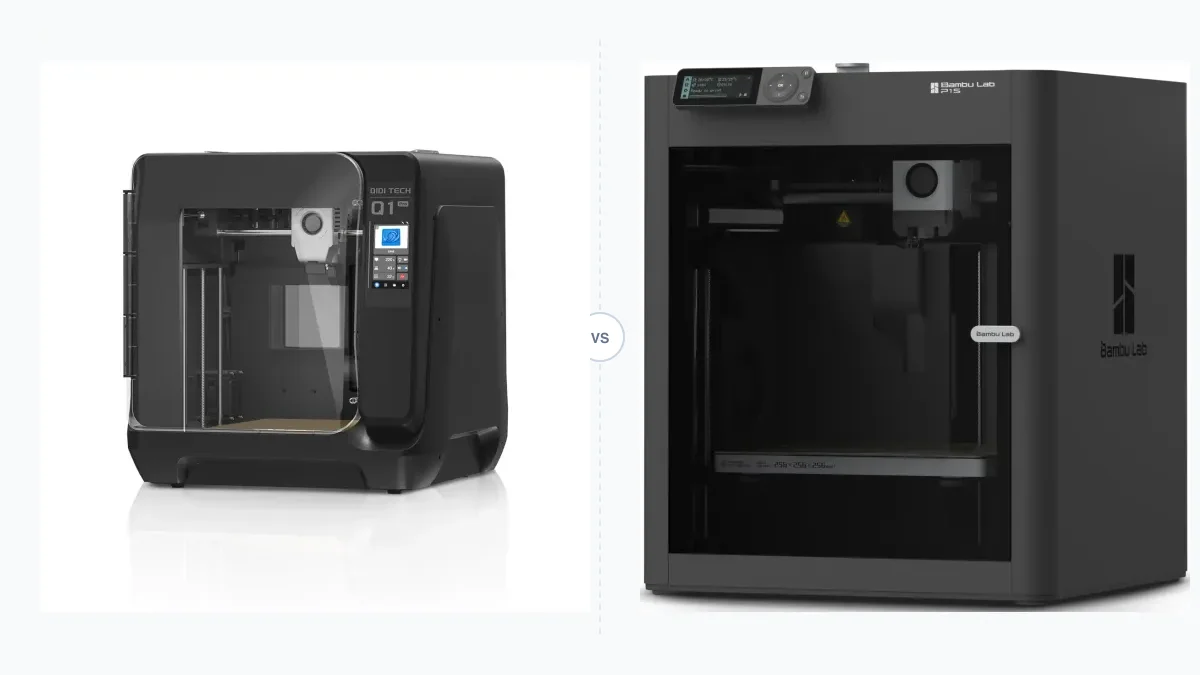
A 3D printer should match the largest planned part, the machine’s full operating footprint, the required enclosure temperature, and a motion system suited to the intended speed and noise level. The sections below compare build volume with desk space, explain enclosure functions, separate the main motion architectures, and finish with a goal-based decision framework.
Build volume alone does not describe how much room a printer needs. A moving bed needs travel clearance, enclosure panels affect service access, and high-temperature materials need thermal and emission controls. Manufacturer speed and noise figures are useful comparison inputs, but they describe rated conditions rather than guaranteed output on every print.
Build Volume vs. Footprint: The Space-Efficiency Problem
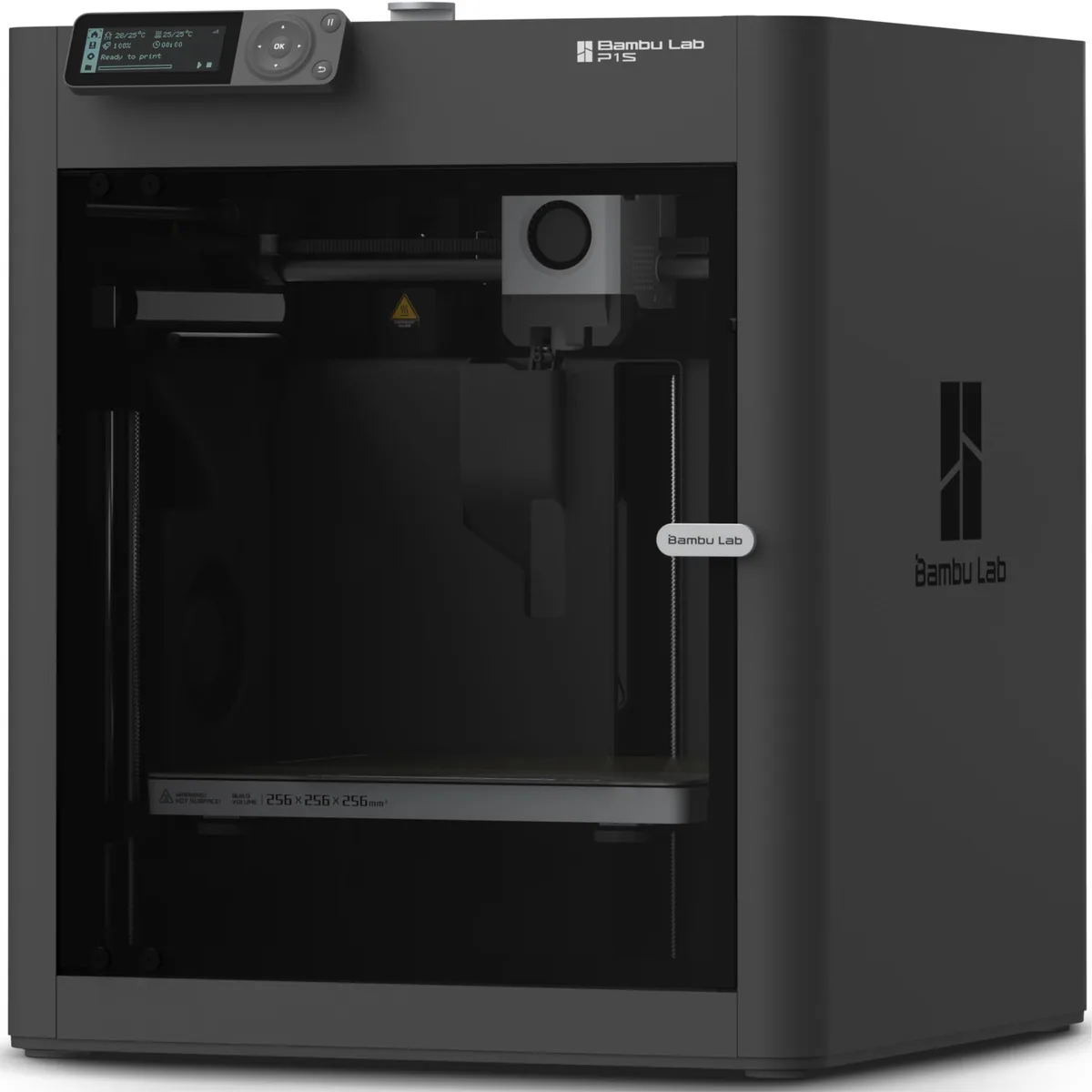
Build volume defines the largest printable X, Y, and Z dimensions, while operating footprint includes the machine body plus all moving-part, cable, spool, door, and service clearances.
- Build Volume: The maximum part size a printer can produce, measured in X, Y, and Z dimensions (e.g., 256 x 256 x 256 mm).
- Footprint: The actual desk or bench space the machine occupies, measured in width and depth. Crucially, this includes clearance for any moving parts.
For years, the dominant printer design created a huge disconnect between these two numbers.
The Inefficiency of Cartesian Bed Slingers
The classic “bed slinger” design (like an Ender 3 or Prusa i3) uses a Cartesian-XZ motion system. The print head moves left and right (X-axis) and up and down (Z-axis), but the entire heated bed moves forward and backward (Y-axis).
The moving bed increases required front-to-back clearance.
To print a 220 mm part on the Y-axis, the bed needs to move 220 mm. The printer’s frame holds the bed at its center point. This means you need 110 mm of clearance in front of the printer and 110 mm behind it, plus the physical length of the bed itself. A printer with a 235x235 mm bed can easily demand 600 mm of total depth on your workbench. This poor volume-to-footprint ratio is a major drawback for anyone with limited space.
The Efficiency of CoreXY and Modern Cartesian-XZ
Modern enclosed printers solve this problem by changing the motion system.
CoreXY printers like the Bambu Lab P1S and Creality K1C keep the bed stationary in the XY plane. A lightweight print head handles all XY motion, controlled by a clever two-belt system. The bed only moves down along the Z-axis.
Cartesian-XZ gantry movers like the Flashforge Adventurer 5M Pro also fix the bed in place. The gantry moves in both X and Y, and the bed lowers in Z.
The result is the same for both: the printer’s operational footprint is barely larger than its build plate. A printer with a 256x256 mm build volume can fit comfortably in a 400x400 mm square of desk space. It’s a major upgrade for small workshops.

Bambu Lab P1S Enclosed 3D Printer
Pros
- Fully enclosed CoreXY chassis with auxiliary cooling fan, Smooth multi-color / multi-material integration with Bambu AMS, Reliable out-of-the-box first layers with dual automated bed leveling, Active vibration compensation and belt tension monitoring
- Very fast and reliable with input shaping.
- Enclosure is great for ASA/ABS.
Cons
- Proprietary closed ecosystem
- Chamber is passively heated by the bed rather than a dedicated PTC heater
- Upgrading to hardened nozzle for carbon fiber requires separate swap
The Enclosure: Thermal Control, Fumes, and Noise
An enclosure controls drafts, contains emissions for filtration or exhaust, and places a sound barrier around motors and fans.
Why You Need an Enclosure
- Thermal Stability: This is the most critical function. Materials like ABS, ASA, and Nylon have a high coefficient of thermal expansion. If they cool too quickly, the part will warp, lift off the bed, or even crack between layers (delamination). An enclosure traps heat from the print bed, creating a stable, elevated ambient temperature (40-55°C) that prevents these failures.
- Fume & VOC Management: Heating ABS and ASA releases volatile organic compounds (VOCs), including Styrene, which has a strong, unpleasant odor and is a health concern. A good enclosure contains these fumes. Top-tier printers like the Creality K1C integrate an activated carbon air filter to scrub the exhaust air before it leaves the chamber.
- Noise Reduction: Panels reduce the direct path for motor and fan noise, but the result depends on fan speed, motion profile, panel sealing, and the surface supporting the printer. Use a manufacturer’s declared operating mode when comparing noise figures.
Passive vs. Actively Heated Chambers
Not all enclosures are created equal. The difference comes down to how they generate heat.
- Passively Heated: Most consumer enclosed printers rely on heat from the bed and hotend. Chamber temperature varies with the room, bed setting, print duration, ventilation, and geometry. The method can support ABS and ASA when the material profile and environment remain within suitable ranges. Our analysis of active vs. passive chamber heat explains the control difference.
- Actively Heated: These printers add a dedicated heating element, sensor, and thermostat. QIDI lists the Q1 Pro with regulated chamber heating up to 60°C. Active control reduces thermal variation for materials such as Polycarbonate, PC-CF, and Nylon, but the filament maker’s specified chamber range still determines the appropriate setpoint.
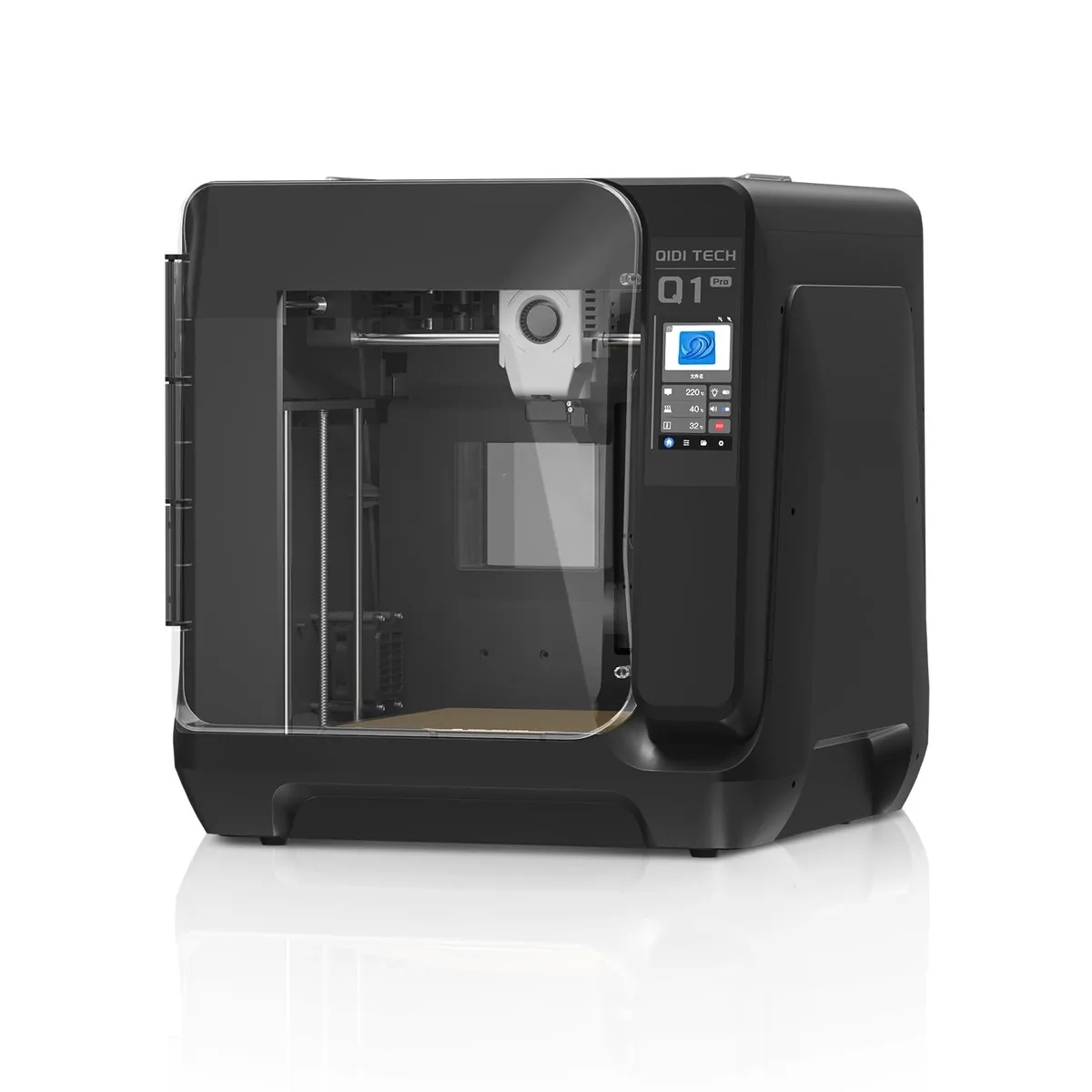
QIDI Q1 Pro High-Temp 3D Printer
Pros
- Dedicated 60°C active PTC chamber heating element eliminates warping on ABS/ASA/Nylon, High-temp bimetal nozzle rated up to 350°C for engineering plastics, Dual independent Z-axis motors with automated bed tilt compensation, Dual filament tangle and runout sensors with integrated chamber camera
- Robust, all-metal frame provides great stability.
- Includes two hotends for different material types.
Cons
- Industrial aesthetics with a bulkier footprint
- QIDI Studio slicer is less beginner-friendly than Bambu Studio
Motion Systems: The Engine of Speed and Quality
The motion system determines which components move in X and Y, how much inertia the motors must control, and how much desk clearance the printer requires.
| Feature | Bed Slinger (Cartesian-XY Head) | CoreXY | Gantry Mover (Cartesian-XZ Head) |
|---|---|---|---|
| Common Manufacturer Speed Range | About 60-150 mm/s on older models | About 300-600 mm/s on current high-speed models | About 250-500 mm/s on current models |
| Common Manufacturer Acceleration Range | About 500-2,000 mm/s² on older models | About 10,000-20,000 mm/s² on current models | About 8,000-20,000 mm/s² on current models |
| Footprint Efficiency | Poor | Excellent | Excellent |
| Key Weakness | Y-axis inertia and ringing | Complex belt path, potential stretch | Heavier gantry than CoreXY |
| Common Printers | Ender 3, Prusa MK3/MK4 | Bambu P1S/X1C, Creality K1, Voron | Flashforge AD5M, Prusa XL, Bambu A1 |
Cartesian-XZ (Bed Slinger)
Cartesian bed slingers use a straightforward mechanism that is usually easy to access and service. Their main limitation is Y-axis inertia. Moving a glass or steel build plate and the growing part back and forth limits practical acceleration; aggressive motion settings can produce ringing or ghosting from frame vibration.
CoreXY
CoreXY uses two stationary stepper motors and an A/B belt arrangement to move a lightweight toolhead in the XY plane. Lower moving mass supports higher rated acceleration, while the stationary XY bed improves footprint efficiency. Machines such as the Creality K1C and Bambu Lab P1S use this architecture, though belt routing and tensioning are more complex than on many bed slingers.
Cartesian-XZ (Gantry Mover)
A Cartesian gantry mover, used by the Flashforge Adventurer 5M Pro, moves the gantry in X and Y while the bed moves only in Z. The design removes front-to-back bed travel and supports higher manufacturer-rated speeds than many traditional bed slingers. Its moving gantry is heavier than a small CoreXY toolhead, but the belt path can be simpler.
Your Decision Framework: Matching Architecture to Your Goals
The correct architecture follows from part size, available operating space, material temperature, required throughput, noise limits, and service access.
If you need to print large, functional parts in ABS or ASA…
- Your Priority: Build Volume + Enclosure.
- Your Choice: A medium-to-large format CoreXY printer. The passive heat from a Bambu Lab P1S is sufficient. For even better results with warp-prone materials, the active chamber heating on a QIDI Q1 Pro is a significant advantage. The speed of CoreXY is a huge bonus on long prints.
If you have a small apartment or crowded workshop…
- Your Priority: Footprint Efficiency.
- Your Choice: Any enclosed CoreXY or Cartesian-XZ gantry mover. A bed slinger is not an option. The compact frame of the Flashforge Adventurer 5M Pro (ASIN: B0CH4RG161) or Creality K1C (ASIN: B0CQKTYWXS) provides a generous build volume without dominating your workspace.
If you need maximum speed for rapid prototyping…
- Your Priority: High Acceleration and Print Speed.
- Your Choice: CoreXY. A lightweight toolhead, input-shaping firmware, and a rigid frame let printers such as the K1C carry manufacturer ratings up to 600 mm/s and 20,000 mm/s². Rated maxima are not a promise of equal quality on every part. Our Bambu Lab P1S vs Creality K1C face-off compares two current examples.
If noise is a major concern for you…
- Your Priority: Noise Reduction.
- Your Choice: An enclosed printer is mandatory. The solid panels dampen mechanical and fan noise significantly. While all modern enclosed printers are quieter than their open-frame counterparts, models like the Flashforge Adventurer 5M Pro are often noted for their exceptionally quiet operation, making them ideal for office or home environments.
If you value easy maintenance and access…
- Your Priority: Serviceability.
- Your Choice: This involves a trade-off. While enclosed printers are more compact, their panels can sometimes make it harder to reach the extruder or motion system. Look for models with easily removable side panels, a hinged top lid, and a simple hotend-swapping mechanism. The K1C’s “Unicorn” nozzle and the Adventurer 5M Pro’s quick-swap nozzle are designed for easier maintenance.
Best Enclosed 3D Printers for ABS, ASA and Nylon
If your goal is printing high-temperature engineering materials without warping or cracking, selecting the right machine is critical. Find the best enclosed 3D printer for advanced filaments like ABS, ASA, and nylon to ensure reliable results.
ABS vs ASA for Enclosed 3D Printing
When deciding between common engineering materials, it is important to understand their strengths and weaknesses. Read about ABS vs ASA for Enclosed 3D Printing: Heat and Weather to choose the right plastic for your specific functional parts.
The best 3D printer is the model whose usable build volume fits the planned parts, whose full operating footprint fits the room, whose enclosure supports the material, and whose motion system meets the actual throughput target. Check those constraints before comparing rated speed or optional features. Find more models that fit your criteria in our selection of Enclosed 3D Printers.