
The right 3D model source is CAD for controlled dimensions, sculpting for organic form, scanning for an existing object, or downloading for a documented ready-made design. This guide matches each source to a project, explains its workflow, adds a common verification gate, compares the methods, and closes with a direct selection path.
Match the model source to the project
The model source should match the attribute that cannot fail: dimensions, surface form, similarity to a physical object or speed to a known design.
| Project requirement | Best starting source | Main verification burden |
|---|---|---|
| Dimensioned bracket, enclosure or mating part | Parametric CAD | Dimensions, clearances, orientation and material behavior |
| Character, creature or textured art | Digital sculpting | Manifold mesh, wall thickness, detail scale and supports |
| Replica or adaptation of an existing object | 3D scanning | Capture gaps, noise, scale, alignment and surface cleanup |
| Common accessory or published design | Download | License, version, mesh integrity, printer fit and author notes |
These sources can be combined. A scan can supply the surrounding shape, CAD can add dimensioned mounting features, and sculpting can add surface detail. The final file still passes through one slicer and verification process.
CAD for dimensioned functional parts
CAD is the strongest model source when a 3D printed part must follow explicit dimensions, constraints or relationships between features.
Parametric CAD starts with sketches and dimensions, then creates solids with operations such as extrude, revolve, cut, fillet and chamfer. A design history allows a changed dimension to update dependent features without rebuilding the whole part.
Use CAD for brackets, mounts, housings, jigs, fixtures and replacement parts. Measure the interfaces that matter, define clearances as design requirements and keep the source model. Printer, material, orientation and profile still affect the finished dimension, so a dimensioned CAD file is not proof that the printed part will fit.
Fusion 360, Onshape, SolidWorks and FreeCAD are common options with different licenses and data workflows. Preserve a solid format such as STEP when another CAD tool needs editable geometry. Export STL or 3MF for slicing with suitable mesh resolution. The STL vs 3MF vs STEP: A Tech’s Guide to 3D Print Files explains what information each format keeps.
Digital sculpting for organic form
Digital sculpting is the strongest model source when silhouette, anatomy, texture and expressive surface detail matter more than parametric dimensions.
Sculpting tools manipulate a polygon mesh with grab, clay, smooth, crease and related brushes. Blender, ZBrush and Nomad Sculpt support different desktop and tablet workflows. Dynamic topology can add polygons where detail is needed, but excessive density makes repair and slicing harder.
Use sculpting for characters, creatures, busts, ornaments and organic handles. Before export, establish a closed volume, remove accidental internal shells and set the final scale. Fine digital detail must be large enough for the selected nozzle, layer height, resin pixel size or support process to reproduce it.
Retopology is useful when the mesh is unnecessarily dense or irregular. A print mesh does not need animation topology, but it does need clean surfaces and a closed printable volume.
3D scanning for an existing object
3D scanning is the strongest model source when the project starts with a physical object whose shape is difficult to recreate from manual measurements alone.
Structured-light scanners, laser scanners and photogrammetry create point clouds or partial surface meshes from multiple views. The software aligns those captures and reconstructs a surface. Reflective, transparent, very dark or occluded areas can produce gaps and noise, so scanability matters as much as scanner resolution.
Use scanning for reverse-engineering references, curved trim, replicas and fitted geometry. Confirm that the object may be scanned and reproduced. Cultural objects, people, branded parts and protected designs can carry ownership, privacy or licensing restrictions.
The raw scan normally needs these operations:
- Remove background points and duplicate surfaces.
- Align overlapping scans without stretching the object.
- Fill only the holes that represent missing capture, not real openings.
- Reduce unnecessary polygon count while protecting important edges.
- Set scale from a known reference measurement.
- Add controlled mechanical features in CAD when fit matters.
Scanning captures visible geometry. It does not reveal hidden wall thickness, internal structure, material or engineering intent.
Downloading a published model
Downloading is the shortest model-source path when a suitable design already exists and its license permits the intended use.
Repositories such as Printables, Thingiverse, MyMiniFactory and Cults3D host STL, 3MF and source files under different licenses. Read the license, version history, print notes and dependency list. A remix permission does not automatically grant commercial use, and a model image does not prove the file fits every printer.
Inspect the design before slicing. Confirm units and scale, look for separate parts, verify the expected orientation and check whether the author names a nozzle, material, support method or hardware insert. Comments can reveal recurring issues, but they are not a substitute for inspecting the file.

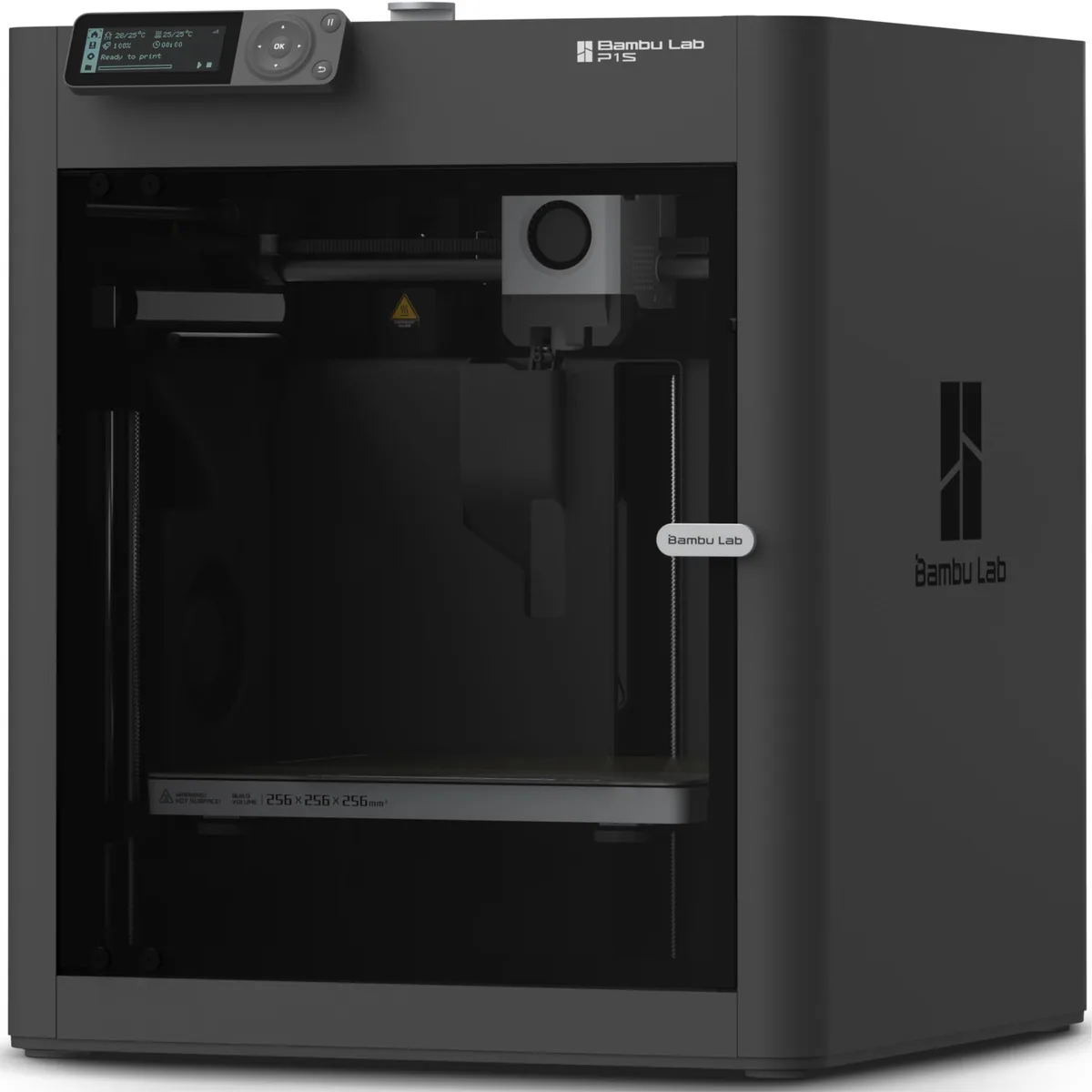
Bambu Lab P1S Enclosed 3D Printer
Pros
- Fully enclosed CoreXY chassis with auxiliary cooling fan, Smooth multi-color / multi-material integration with Bambu AMS, Reliable out-of-the-box first layers with dual automated bed leveling, Active vibration compensation and belt tension monitoring
- Enclosure helps with printing materials like ABS and ASA.
- Excellent print quality with minimal tuning.
Cons
- Proprietary closed ecosystem
- Chamber is passively heated by the bed rather than a dedicated PTC heater
- Upgrading to hardened nozzle for carbon fiber requires separate swap
A reliable printer profile reduces machine setup work after download, but it cannot repair the model’s design intent. A 3D printer maintenance checklist helps keep the machine state separate from file defects during diagnosis.
Verify every model before printing
Model verification checks geometry, toolpaths, scale, fit and requirements regardless of whether the file came from CAD, sculpting, scanning or a download.
Check geometry and scale
Geometry and scale checks confirm that the file represents one or more intentional closed volumes at the intended size.
Load the file into a slicer or mesh-repair tool. Review warnings for non-manifold edges, holes, flipped normals, overlapping shells, internal faces and disconnected components. Automatic repair can close a model while changing a legitimate opening, so compare the repaired mesh with the source.
Confirm units and overall dimensions before slicing. STL does not store units in a way that prevents import mistakes, while 3MF can carry more project information. The mesh repair and file validation guide provides a separate diagnostic sequence.
Review the sliced toolpath
The sliced toolpath shows whether the selected printer profile can represent the model’s walls, islands, bridges and supports.
Move through layer preview from the build plate upward. Look for features that begin in mid-air, walls that disappear, unintended gaps, trapped support and toolpaths outside the expected shell. Check that small text, pins and slots survive slicing.
Wall count and thickness come from the nozzle, line width, material, orientation and part requirements. Do not apply one universal minimum to every process.
Print a fit coupon before a full assembly
A fit coupon isolates the mating features of a larger model so clearance can be checked with the intended printer, material, orientation and profile.
Print only the hole, pin, slot, thread or contact surface that controls assembly. Measure the cooled coupon with the same method used for the design requirement. Adjust the model or a documented compensation setting, then repeat the coupon before committing material to the full part.
Validate load-bearing or safety-related parts
Load-bearing and safety-related parts need a validation method tied to the actual load, environment, material, orientation and consequence of failure.
A visual check or informal break test does not create a certified rating. Safety-critical parts require the applicable engineering standard and qualified review. Reject a model source that lacks the geometry, material data or traceability needed for that review.
Model-source comparison
The model-source comparison shows that creation speed and verification burden move independently.
| Method | Strongest use | Main weakness | Editable source to retain |
|---|---|---|---|
| CAD | Controlled dimensions and assemblies | Learning constraints and design history | Native CAD plus STEP |
| Sculpting | Organic form and surface detail | Mechanical dimensions and mesh density | Native sculpt plus print mesh |
| Scanning | Existing external geometry | Occlusions, noise and hidden features | Point cloud, aligned scan and cleaned mesh |
| Downloading | Existing documented design | Variable license and file quality | Original archive, license and version notes |
No method skips verification. CAD needs fit checks, sculpture needs printable walls, scans need cleanup, and downloads need license and geometry review.
Which 3D model source should you choose?
Choose CAD for measured function, sculpting for organic form, scanning for an existing surface and downloading for a suitable licensed design that already exists.
Use a hybrid workflow when the project has more than one dominant requirement. A scan can establish a curved boundary, CAD can define a mounting interface, and sculpting can refine appearance. The final decision still returns to the common approval gate: the model must be legally usable, geometrically valid, printable in the selected process and verified against the part’s real requirement. To ensure your hardware meets your project, material, workspace, compatibility, and TCO requirements, refer to our 3D printer spec comparison. For further learning, check our other desktop 3D printing guides.