
You can buy a 3D printer for $200. You can also buy one for $2,000. Both can print a Benchy. So where does the extra money go? Is it just for brand names and fancy lights, or are you buying real, measurable capability?
As workshop technicians, we see the results of these budget decisions every day. We see the warped ABS prints from an open-frame printer and the flawless carbon-fiber nylon parts from a temperature-controlled machine. The differences are not trivial. This guide breaks down the hardware you get at each price point and explains which features actually justify moving up a tier.
Entry-Level (<$300): The Tinkerer’s Workhorse
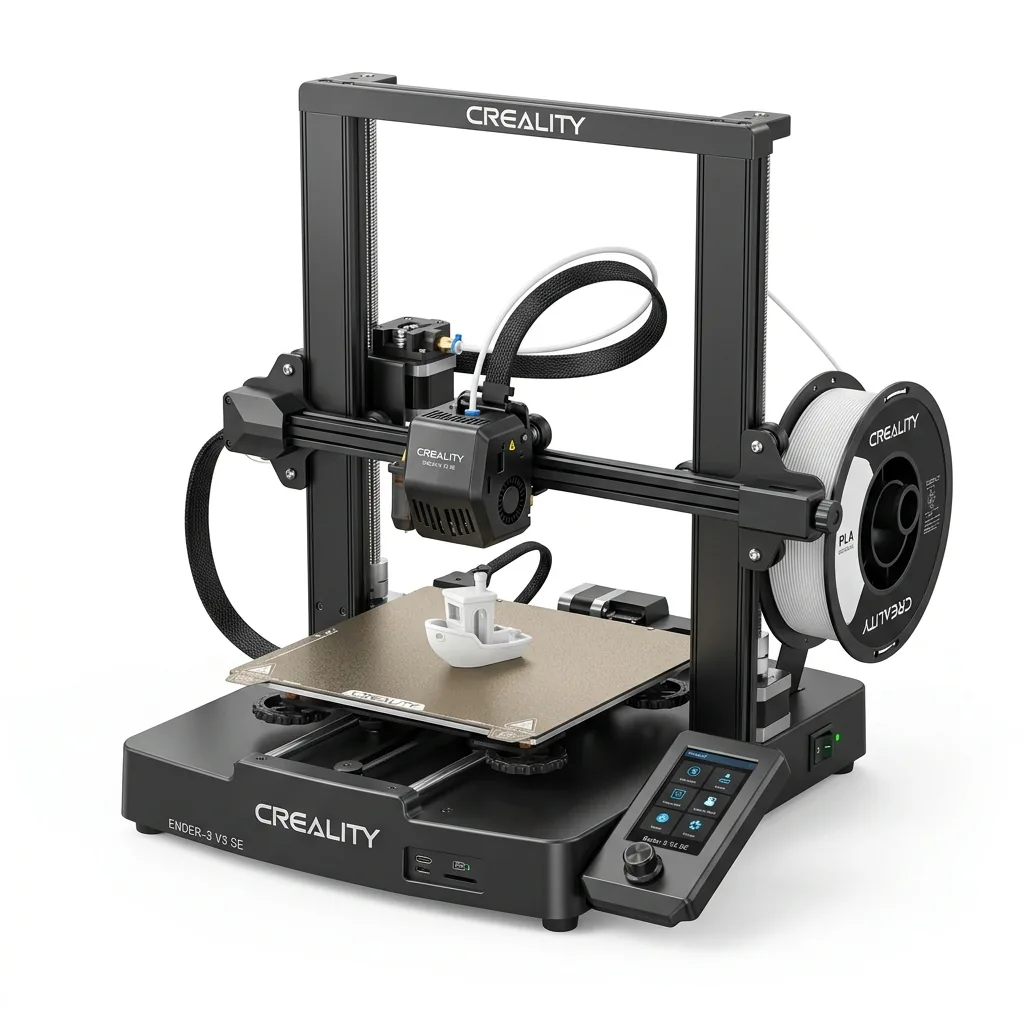
This is where most people start. These printers are functional, capable, and incredibly affordable. They are the standard for hobbyists printing PLA decorative items and basic functional parts.
Typical Hardware & Capabilities:
- Kinematics: Cartesian “bed-slinger” (i3-style). The print bed moves back and forth on the Y-axis, while the printhead moves on the X and Z axes. This design is simple and cheap.
- Motion System: V-slot aluminum extrusions with Polyoxymethylene (POM) wheels. These are prone to wear and can develop flat spots, requiring periodic adjustment and replacement.
- Hotend: PTFE-lined. A small piece of PTFE tubing runs down into the heat block. This is a major limiting factor, as PTFE begins to degrade and off-gas around 240°C. This restricts you to low-temperature filaments like PLA, and some PETG.
- Speeds: Expect practical printing speeds of 60-150 mm/s. Pushing faster causes significant ringing (ghosting) artifacts because of the heavy bed slinging back and forth.
- User Interface: A basic LCD screen with a rotary knob. No touchscreen, no Wi-Fi. You will be using an SD card. A lot.
- Leveling: Mostly manual. You’ll spend a lot of time “tramming” the bed with a piece of paper, adjusting knobs until the nozzle-to-bed distance is perfect. Some newer models include a basic CR-Touch or BL-Touch probe, but the underlying mechanics are the same.
The entry-level tier is about learning the fundamentals. You will learn about bed adhesion, first layer calibration, Z-offset, and heat creep because the machine will force you to. For anyone starting out, our guide to the best 3D printer for beginners offers a great starting point.
Mid-Range ($300 - $700): Speed and Convenience
This tier represents the biggest leap in performance for the money. The primary goal here is to eliminate the speed limitations of the bed-slinger and introduce features that make printing more reliable and less of a chore.
Typical Hardware & Capabilities:
- Kinematics: CoreXY is king. The bed only moves down on the Z-axis, while the printhead handles all X and Y motion. This lightweight gantry allows for blistering acceleration and speeds of 300-600 mm/s.
- Motion System: Linear rods or linear rails. These provide much greater stiffness and precision than POM wheels, directly translating to cleaner prints at high speeds.
- Hotend: All-metal. The PTFE tube stops above the heat break. This unlocks the ability to print materials like ABS, ASA, and some nylons at temperatures up to 300°C.
- Structure: An enclosed frame is standard. This is not just for looks; it helps contain heat, reduce drafts, and minimize warping when printing temperature-sensitive materials like ABS.
- User Interface: Touchscreens, Wi-Fi connectivity, and camera monitoring become common. You can start, stop, and monitor prints from your computer or phone.
- Leveling: Fully automatic. Multi-point mesh bed leveling, often with load cells or other sensors, becomes a standard feature. You rarely have to touch the bed.
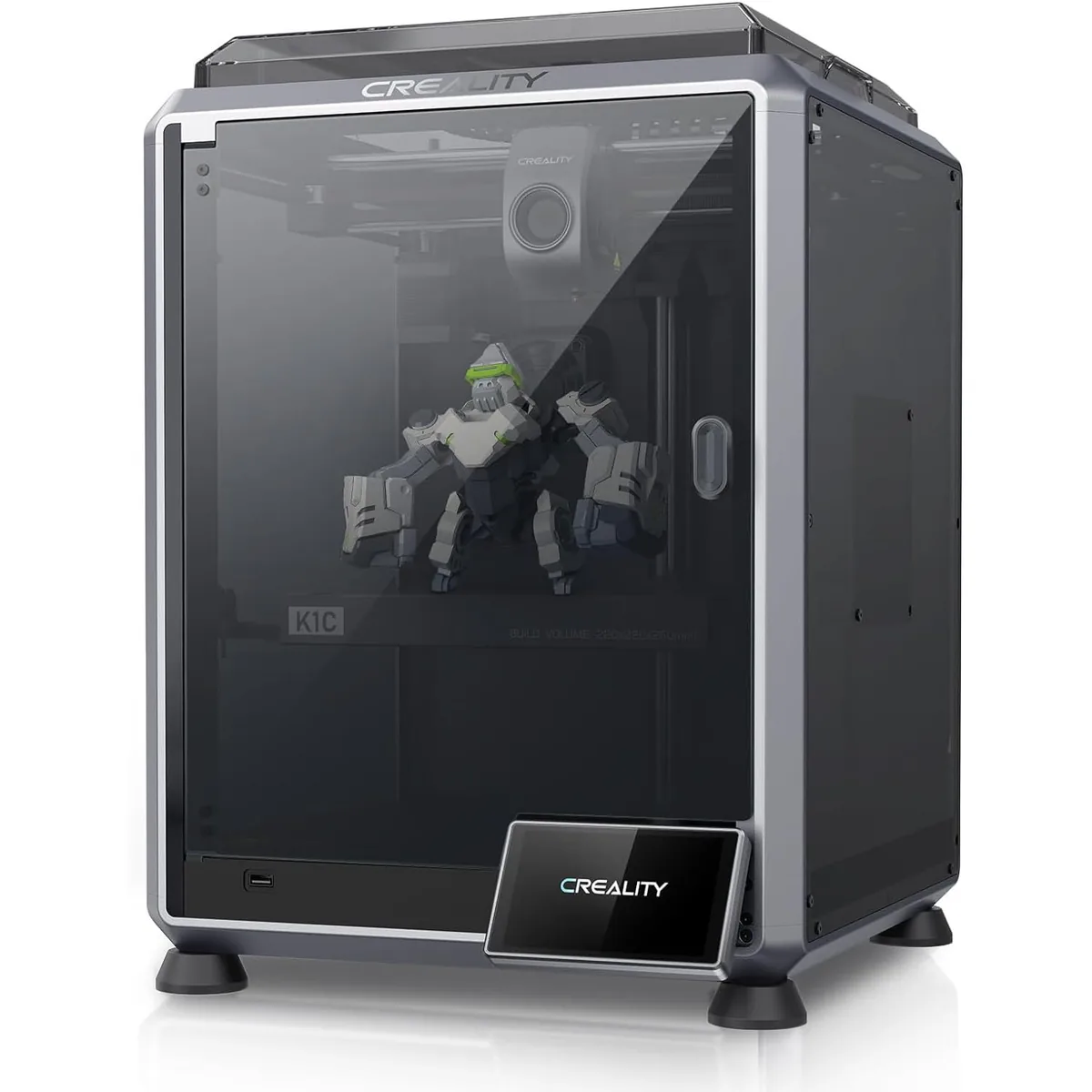
The Creality K1C is a perfect example of this tier’s value proposition. It packages high-speed CoreXY mechanics, an all-metal hotend, and a fully enclosed build into an aggressive price point.
Creality K1C Carbon Fiber 3D Printer
Pros
- Hardened steel tri-metal Unicorn nozzle handles abrasive PA-CF and PET-CF without wear, Integrated AI camera provides automated spaghetti failure detection and time-lapses, 600mm/s CoreXY speed with 20,000mm/s² acceleration, Open-source Klipper-based Creality OS allows custom macros and root access
- Out-of-the-box support for carbon fiber composites.
- Fully assembled and pre-calibrated.
Cons
- Build volume (220x220x250mm) is slightly smaller than Bambu P1S
- Passive chamber relies on bed heat to reach ~48°C
The jump to this tier is worth it if your primary bottleneck is print time or if you want to move beyond PLA without extensive modifications.
Prosumer ($700 - $1500): Engineering Materials and Multi-Material
Here, the focus shifts from raw speed to specialized capabilities and ecosystem integration. These printers are built for users who need to produce complex, multi-material parts or work with difficult engineering-grade filaments.
Typical Hardware & Capabilities:
- Multi-Material Systems: The ability to print with up to four or more different colors or materials in a single print job. This also enables the use of soluble support materials for impossibly complex geometries.
- Advanced Hotends: Hardened steel nozzles and all-metal extruder gears become standard to handle abrasive filaments like carbon-fiber-filled nylon (CF-Nylon) and glass-fiber-filled PC.
- Chamber Temperature Control: Some printers in this range, especially at the higher end, introduce active chamber heating. A dedicated heater and sensor maintain a stable ambient temperature (e.g., 60°C), which is critical for preventing large ABS, ASA, and PC parts from warping and cracking.
- Process Control & AI: Lidar sensors for micro-calibrating flow rates, spaghetti detection cameras that automatically pause failed prints, and integrated filament management that tracks material type and usage.
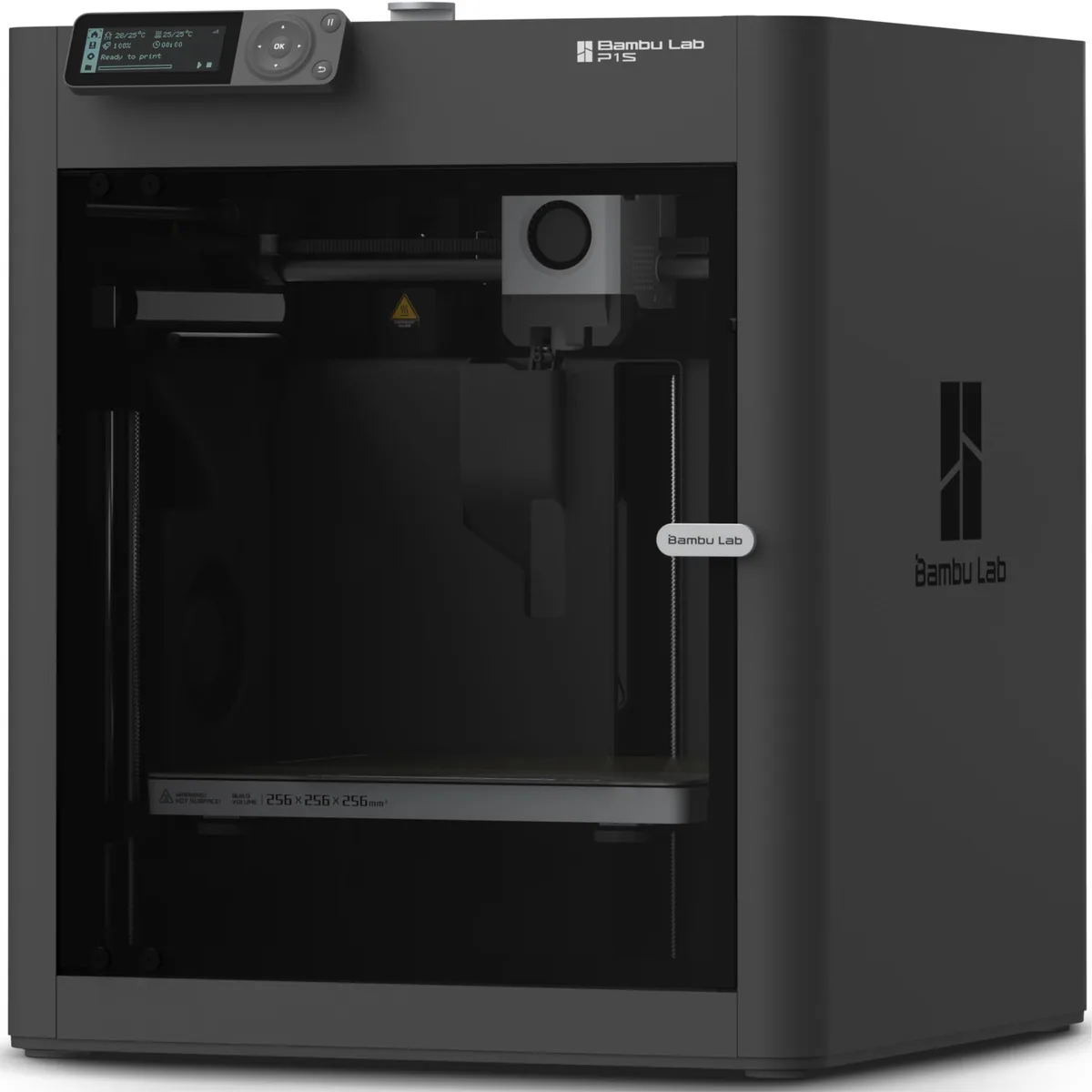
The Bambu Lab P1S, especially with its AMS combo, defines this category. It combines the speed of a mid-range CoreXY with a robust multi-material system, making it a formidable tool for both advanced hobbyists and small businesses.

Bambu Lab P1S Enclosed 3D Printer
Pros
- Fully enclosed CoreXY chassis with auxiliary cooling fan, Smooth multi-color / multi-material integration with Bambu AMS, Reliable out-of-the-box first layers with dual automated bed leveling, Active vibration compensation and belt tension monitoring
- Highly polished software and user experience.
- Excellent print quality out of the box.
Cons
- Proprietary closed ecosystem
- Chamber is passively heated by the bed rather than a dedicated PTC heater
- Upgrading to hardened nozzle for carbon fiber requires separate swap
You upgrade to this tier when your projects demand capabilities an ordinary printer simply doesn’t have.
Professional (>$1500): Industrial-Grade Reliability
This is the territory of manufacturing, high-end engineering, and research. The price tag is high, and so are the expectations. These are not hobby machines.
Typical Hardware & Capabilities:
- High-Temperature Printing: The ability to print PEEK, PEKK, and ULTEM. This requires hotend temperatures exceeding 400°C and actively heated chambers that can hold 120°C or more.
- Build & Components: Precision-machined gantries, ball screws instead of belts, and industrial-grade electronics. Everything is over-engineered for tens of thousands of hours of continuous operation with minimal deviation.
- Integrated Systems: Onboard filament drying systems that precondition material during printing, vacuum-held build plates, and solvent-based part removal stations.
- Service & Support: The cost often includes professional installation, training, and service contracts with guaranteed response times. You are buying a manufacturing tool with a support infrastructure.
For a hobbyist, a professional printer is massive overkill. Its primary advantage, printing ultra-polymers, is not relevant for PLA and PETG. Its speed for common materials is often no better than a prosumer model. You buy these machines for certified, repeatable results with materials that can replace machined metal parts.
Comparison Table: Where Your Money Really Goes
| Feature | Entry-Level (<$300) | Mid-Range ($300-$700) | Prosumer ($700-$1500) | Professional (>$1500) |
|---|---|---|---|---|
| Price Range | < $300 | $300 - $700 | $700 - $1500 | $1500 - $50,000+ |
| Kinematics | Bed-Slinger (i3) | CoreXY | CoreXY | CoreXY, Delta, etc. |
| Typical Speed | 60-150 mm/s | 300-600 mm/s | 300-600 mm/s | Varies by Process |
| Hotend Temp | ~240°C (PTFE-lined) | ~300°C (All-Metal) | ~300°C (Hardened Steel) | >400°C (Water-Cooled) |
| Chamber Heat | None (Open Frame) | Passive (Enclosed) | Passive or Active (~65°C) | Active (>120°C) |
| Key Capability | Learning the Basics | High-Speed Printing | Multi-Material & Engineering Mats | High-Temp Ultra-Polymers |
| Primary Material | PLA | PETG, ABS, ASA | CF-Nylon, PC | PEEK, ULTEM |
Decision Framework: Which Tier is Right for You?
Choosing a printer is about matching the machine’s capabilities to your project goals. Don’t overspend, but don’t under-buy and create frustration.
- You want to print miniatures, fun models, and simple organizers: An Entry-Level printer is perfect. You will learn a ton, and the print quality for PLA can be excellent with proper tuning.
- You want to print functional parts quickly and experiment with ABS: Go straight to the Mid-Range. The speed increase and enclosed frame are the most significant quality-of-life upgrades in 3D printing today. This is the sweet spot for value.
- You need multi-color branding on parts, or you design complex models that need soluble supports: Your starting point is the Prosumer tier. The cost is for the multi-material system, which is a specialized tool.
- You are prototyping parts for aerospace, medical, or high-temperature automotive applications: You need a Professional machine. The cost is for the material capability and the certification that the 100th part will be identical to the first.
The most common mistake is thinking more money always equals a better Benchy. It does not. The money buys you access to higher temperatures, more exotic materials, and faster print times. If your needs are simple, a simple printer is often the best choice. But if your ambitions involve speed and engineering-grade materials, every dollar spent moving up a tier unlocks a new level of tangible capability. You can also evaluate these models with a side-by-side 3D printer comparison. Understanding hardware differences is key to predicting 3D printer ownership cost over time. Read more in our other printer comparison articles.