
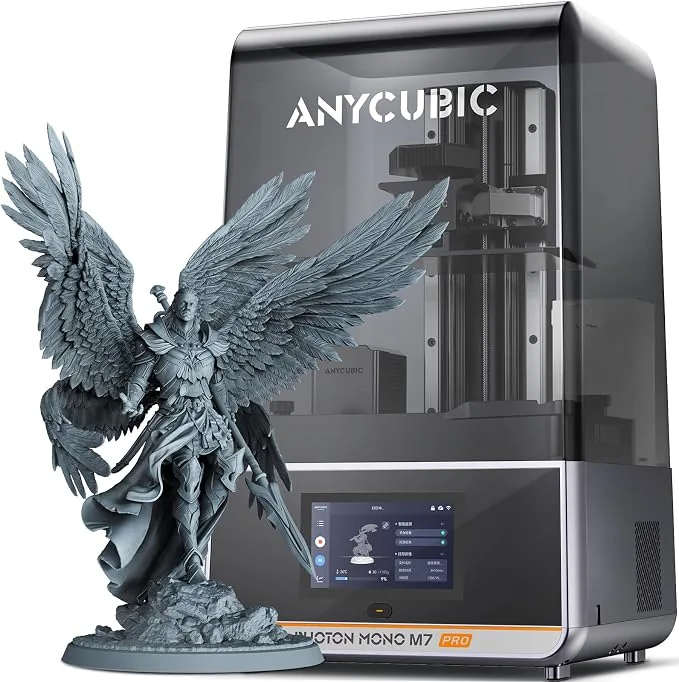
The best 3D printer for miniatures is typically a liquid resin printer because it resolves fine details like faces and armor trim better than a filament printer. Miniatures are small, so minor imperfections stand out once painted. Choosing the right machine comes down to detail, consistency, and ease of use. Tiny details and smooth surfaces matter far more than speed or size when producing tabletop figures. This guide compares resin and filament workflows, explains the real impact of screen resolution, outlines the importance of light sources, and reviews top options. It covers the costs of printing and material choices to help buyers make an informed decision.
What Is the Best 3D Printer for Miniatures?
The best 3D printer for miniatures is widely considered to be a resin printer because it handles fine details extremely well. Resin printers use light to cure liquid resin into solid layers. The liquid resin process resolves fine features like chainmail and cloak folds at standard tabletop gaming scales. According to the Siraya Tech buying guide, fine layer heights help capture facial features and sharp edges that give miniatures a clean look. Filament printers still have uses, but they are not ideal when sharp detail is the absolute priority.
How Do Resin and FDM Printers Compare for Miniatures?
Resin and FDM printers compare very differently when evaluating their use for miniatures. An FDM printer melts a plastic filament and draws the object one line at a time. The machine builds the model upwards like a controlled hot glue gun. A resin printer hardens liquid resin with light and builds the object in thin layers.
On a small gaming figure, the lines of plastic from an FDM printer are much harder to hide. Drybrushing and washes are particularly good at revealing unwanted surface texture. A wash runs into grooves whether the sculptor intended them or the printer added them. Fauxhammer reports that a print which looks acceptable in a distant photograph can become frustrating to paint.
For terrain, scenery, organizers, and large props, FDM becomes much more appealing. Users can make large structures without filling them solid, and there is no uncured liquid resin to wash off. Both technologies are complementary. Resin produces the nicest results for small figures, while FDM handles the gaming tables they fight over. FDM printing requires removing plastic supports, but resin printing requires draining the liquid, washing the model in cleaning fluid, drying it, and completing a UV cure. The post processing steps for resin are more involved but necessary for the smooth surfaces miniatures require.
What Is the Real Impact of Resolution and Pixels (AVC)?
The real impact of resolution on miniatures depends on the physical size of the pixels rather than the marketing resolution number. According to Fauxhammer, printer advertisements often display 14K and 16K as though a bigger number automatically produces better miniatures. Fauxhammer clarifies that the K number only describes roughly how many pixels run across the screen. It does not communicate the size of the screen or the size of each individual pixel.
Instead of looking at the K number, buyers should evaluate the Anisotropic Voxel Constraint. Many screens have rectangular pixels, meaning the X and Y measurements are different. The Anisotropic Voxel Constraint looks at the larger of the two pixel dimensions to provide a fair baseline. For example, according to Fauxhammer, the Anycubic Photon Mono 4 features square 17 by 17 micron pixels, making its Anisotropic Voxel Constraint 17 microns.
A higher K number does not automatically provide more printing space or a better miniature. According to Fauxhammer, the Elegoo Saturn 4 Ultra 16K uses a 10 inch panel with a 211.68 by 118.37 millimeter print area. Fauxhammer also states the Anycubic Photon Mono M7 provides a 223 by 126 millimeter print area on a 14K panel. Buyers comparing these numbers must check the actual screen specifications to understand how the resolution translates into physical detail on the miniature. The screen acts like a stencil, and smaller pixels allow for tighter constraints on the cured resin layers.
Why Does the Light Source Matter for Miniature Details?
The light source matters for miniature details because light spread causes fuzzy edges on small components. The screen tells the light where to go, but the light source dictates how much light stays inside the intended shape. If the light is well controlled, the shape has a clear edge. If the light spreads around that edge, the shape loses definition. A narrow gap might fill in, shallow armor engraving might lose definition, or a sharp corner might become rounded.
The two main light configurations are Chip on Board and matrix array. The Chip on Board arrangement packs lots of tiny lights together in one central place. A matrix array spreads multiple smaller lamps out beneath the screen. Both setups aim to light the whole printing area evenly. Small adjustments to exposure settings help preserve fine features. According to Siraya Tech, users must fine tune exposure for strong supports and clean details. A properly configured light source working with correct exposure settings ensures that the printer captures the fine resolution of the screen without light bleed ruining the surface texture.
Recommended 3D Printers for Miniatures in 2026
The recommended 3D printers for miniatures balance the quality of the figures they produce with the experience of owning them. The market offers a range of options from compact entry level machines to large format workstations. Choosing a printer with reliable performance across long print sessions and strong community support helps ensure dependable results. Miniature printing does not require a massive build volume, so smaller, precise machines frequently outrank larger models that sacrifice detail.
Best Resin 3D Printers for Detail
The best resin 3D printers for detail prioritize sharp screen resolution and precise light control. These machines handle the tiny textures of tabletop gaming figures with ease. Resin printers consistently deliver the finest detail for small figures. The ELEGOO Mars 5 Ultra provides a compact desktop form factor with sharp output. The Anycubic Photon Mono M7 Pro offers advanced features like dynamic resin filling and vat heating. A heated vat maintains ideal resin viscosity in colder environments, reducing print failures and improving the consistency of the miniature layers.
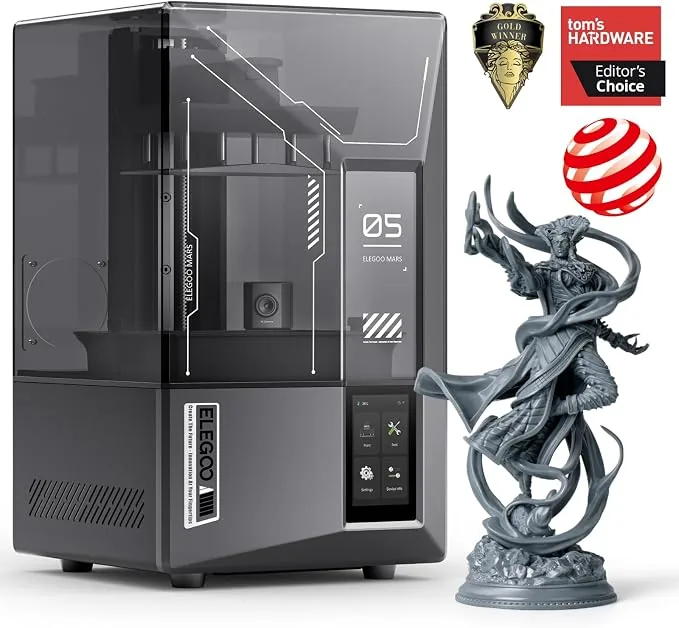
ELEGOO Mars 5 Ultra 9K Resin 3D Printer
Pros
- Tilt-release mechanism brought down to compact desktop form factor, 9K resolution produces razor-sharp tabletop miniatures without layer lines
- One-click self-check and automated mechanical leveling
- Built-in AI camera for real-time monitoring and time-lapse capture
Cons
- Smaller build envelope suited for miniatures rather than large busts
- Requires gentle wash due to delicate high-resolution details
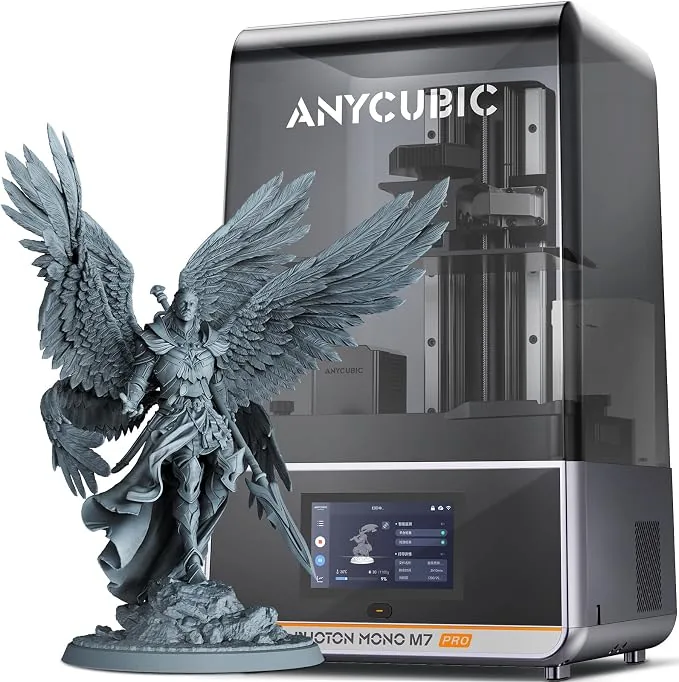
Anycubic Photon Mono M7 Pro 14K Resin 3D Printer
Pros
- Industry-first 14K mono LCD delivers unmatched 16.8x24.8 micron XY precision
- Dynamic peristaltic resin auto-fill and auto-recycle system eliminates mid-print running out
- Built-in vat heating element maintains optimal 25°C viscosity in cold workshops
- Advanced LightTurbo 3.0 COB optical system ensures uniform 90%+ UV exposure
Cons
- Higher initial price point for hobbyists
- Anycubic slicer ecosystem requires familiarity
Best FDM 3D Printers for Terrain and Miniatures
The best FDM 3D printers for terrain and miniatures provide stability and easy material handling. These machines suit players who need to print large castles, dungeon tiles, and gaming boards. Users looking to print functional parts alongside their hobby projects often start here. To expand your search beyond this list, review the Best CoreXY 3D Printers Under $600 for more fast and stable filament options. The Bambu Lab A1 Mini Combo offers a compact footprint with multi color capabilities, making it a strong choice for players who want colorful gaming accessories without painting.
Bambu Lab A1 Mini Combo
Pros
- All-metal hot end with hardened steel extruder gears
- Monitoring camera supports up to 1080p timelapse
- Closed loop control for part cooling fan
Cons
- Build volume is limited to 180mm cubic
- Max build plate temperature caps at 80 ℃, ABS and ASA are not recommended
What Are the True Costs of Printing Miniatures?
The true costs of printing miniatures include the machine, the consumable materials, and the required post processing equipment. The printer is only part of the investment. Resin refills, replacement parts, cleaning fluids, and safety supplies add to the long term cost. Buyers must purchase isopropyl alcohol or dedicated wash fluids to clean the liquid resin off their models. They also need a UV curing station or a reliable UV light source to finalize the parts. You can reference a 3D printer comparison chart to weigh the base machine costs against these recurring material expenses.
Printing miniatures at home often becomes cost effective over time. The cost per model is usually much lower than buying pre made figures from retail stores. FDM printers incur costs for filament rolls, replacement nozzles, and maintenance parts. Reliable materials help reduce wasted prints and save money over time. Using poor quality resins or filaments causes brittle prints and lost detail, leading to repeated print failures and higher overall spending.
Which Material Is Better for Beginners?
PLA filament and standard resins are the better materials for beginners. PLA prints at lower temperatures and resists warping, making it the easiest entry point for FDM machines. For users prioritizing detail, standard and tough resins provide a forgiving workflow. Siraya Tech notes that durable resin blends help reduce breakage when removing supports. Standard resin requires proper ventilation and protective gloves, but it captures the highest level of detail for those entering the hobby. For a deeper look at resin options, read about the Best Resin 3D Printers for Miniatures and Tabletop Models. Flexible resin additives can balance strength with fine detail, preventing small weapons or staffs on the miniature from snapping during the cleanup phase.
How to Choose Between Entry-Level and High-End Models?
Choosing between entry-level and high-end models comes down to the desired print volume, advanced features, and budget. Beginners benefit most from printers that are easy to understand and forgiving of mistakes. Simple setup reduces failed prints and wasted material. Features like automated mechanical leveling and self check functions remove much of the initial learning curve. High-end models offer larger build plates, heated resin vats, and intelligent material feeding systems. If you plan to print large armies or massive display statues, the extra investment in a larger high-end machine pays off. For those solely focused on single character miniatures, an entry-level compact resin printer delivers identical detail at a fraction of the cost. Check side-by-side 3D printer comparisons to align your specific workflow needs with the right machine tier.