
The best resin 3D printers are the ELEGOO Saturn 4 Ultra, Anycubic Photon Mono M7 Pro, and ELEGOO Mars 5 Ultra because they combine high resolution screens with automated calibration systems. Desktop photopolymerization machines cure liquid resin using a masked LCD screen, producing extremely thin layer lines. According to manufacturers like Anycubic and Elegoo, the current generation of Resin 3D Printers features 9K to 16K resolutions, integrated vat heating, and mechanical tilt release mechanisms that increase print speed while reducing peel forces. Modern resin printing equipment replaces manual Z offset tuning with smart sensors and automatic leveling. Buyers evaluate resin 3D printers based on their screen resolution, build volume, print speed, and the safety requirements of their operational workspace.
What is the Best Resin 3D Printer?
According to the product specifications, the best resin 3D printer is the ELEGOO Saturn 4 Ultra for its 16K resolution and built in tilt release system, or the Anycubic Photon Mono M7 Pro for its 14K resolution and dynamic auto fill mechanism. A desktop resin 3D printer uses a monochromatic LCD screen to mask an ultraviolet light source, curing liquid resin layer by layer onto an inverted build plate. The resolution of the masking screen dictates the dimensional accuracy and surface smoothness of the final print. According to Anycubic specs, a 16K screen packs more pixels into the same physical area than a 9K screen, resulting in smaller pixel sizes.
Print speed in resin machines depends on how quickly the build plate can lift and separate the newly cured layer from the bottom release film. Traditional systems pull the plate straight up, which creates immense suction forces. Newer machines employ tilt release or wave release technology to gently peel the layer from the film at an angle. This mechanical action allows the printer to move faster without tearing the model. Additional workflow features include heated vats that maintain optimal fluid viscosity in cold rooms and automated pumps that refill the vat during large prints.
ELEGOO Saturn 4 Ultra 16K
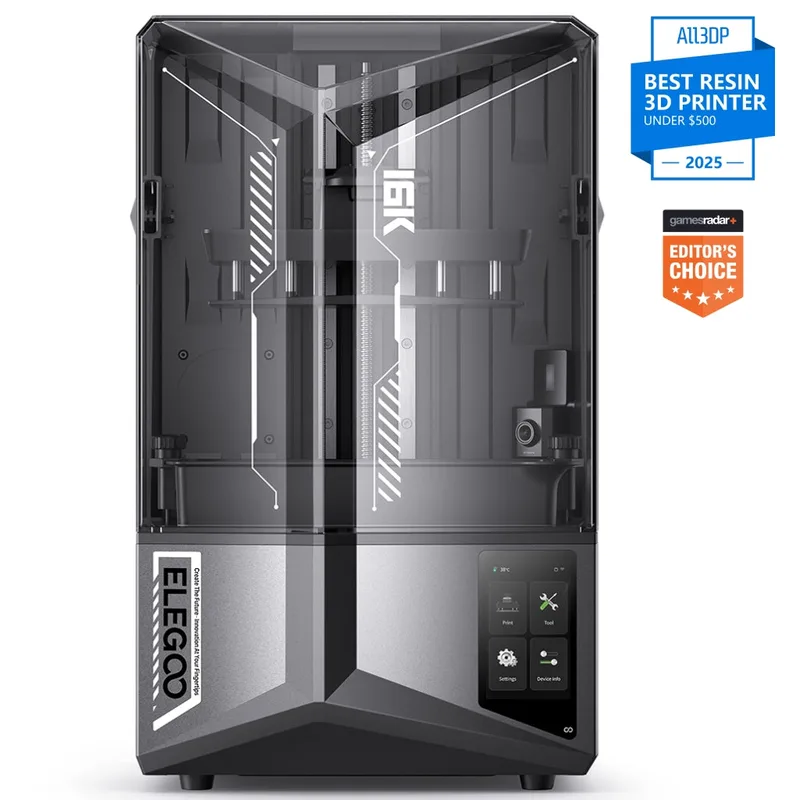
The manufacturer states the ELEGOO Saturn 4 Ultra 16K is a high resolution resin 3D printer equipped with a 10 inch 16K monochrome LCD screen and a smart tank heating system. The machine provides a large printing size of 8.33 by 4.66 by 8.66 inches, accommodating substantial models or multiple smaller parts in a single batch. ELEGOO integrates tilt release technology into the Saturn 4 Ultra. This mechanism rocks the resin vat at an angle after every layer is cured, peeling the film away from the print rather than pulling it straight up. This action minimizes the peel force exerted on delicate supports, permitting print speeds up to 150 mm/h, according to Elegoo.
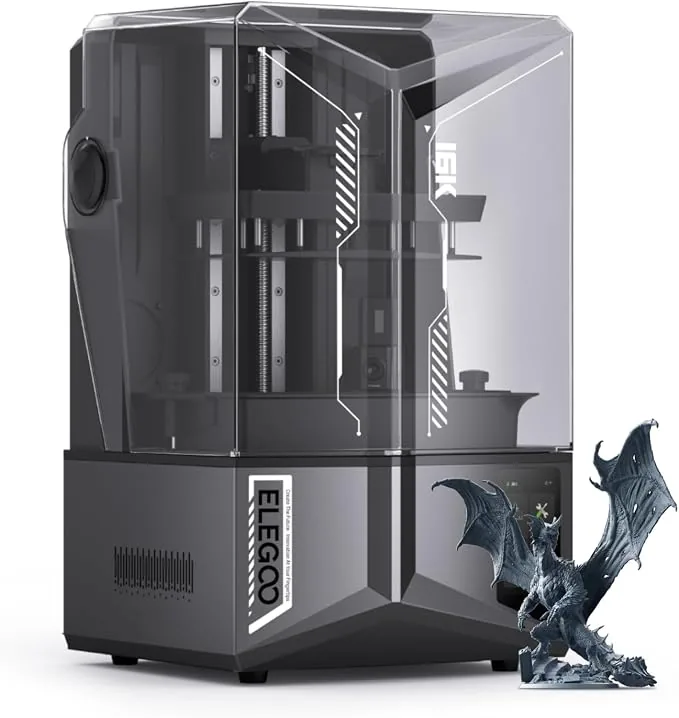
The printer features smart tank heating that holds the resin temperature at exactly 30 degrees Celsius. Maintaining a consistent temperature ensures the resin remains at its optimal liquid viscosity, which prevents print failures caused by cold ambient air. A flip up lid design saves vertical clearance space on the workbench compared to traditional removable acrylic covers. A live camera with an integrated light allows operators to monitor print progress remotely and capture timelapse videos. One limitation of this model is that consumables like the FEP release film and the LCD screen carry limited or no warranty.
ELEGOO Saturn 4 Ultra 16K
Pros
- 16K resolution LCD
- Smart tank heating holds 30 degrees Celsius
- Live camera with light for monitoring and timelapse
Cons
- Consumables like FEP and LCD screens have limited or no warranty
Anycubic Photon Mono M7 Pro 14K
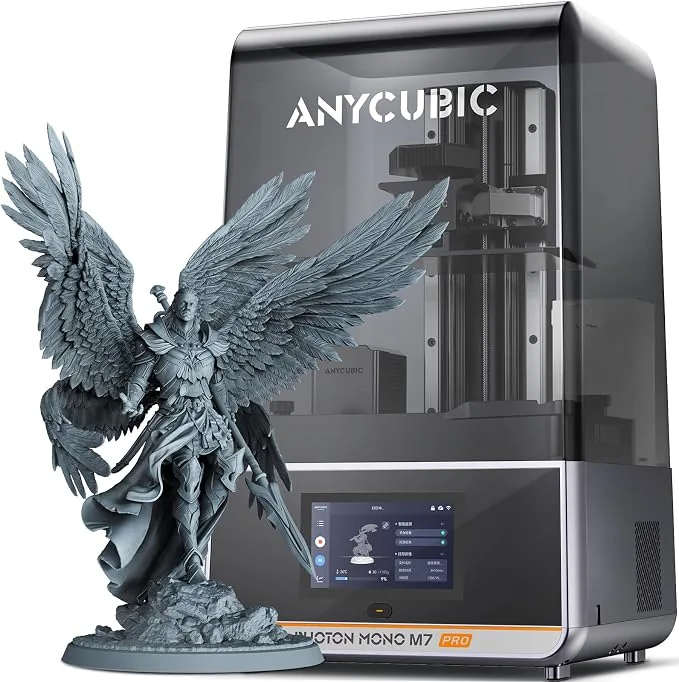
Anycubic lists the Photon Mono M7 Pro 14K as a flagship resin 3D printer featuring a 10.1 inch monochrome LCD with a resolution of 13312 by 5120 pixels. According to Anycubic, this 14K screen delivers fine XY precision, rendering microscopic details on complex geometries. Anycubic engineered the LightTurbo 3.0 COB optical system to ensure a uniform UV exposure rate of over 90 percent across the entire build area. This optical consistency prevents shrinkage variance between parts placed in the center of the plate and those placed at the corners. The Anycubic product page states the machine operates at high speeds up to 170 mm/h.
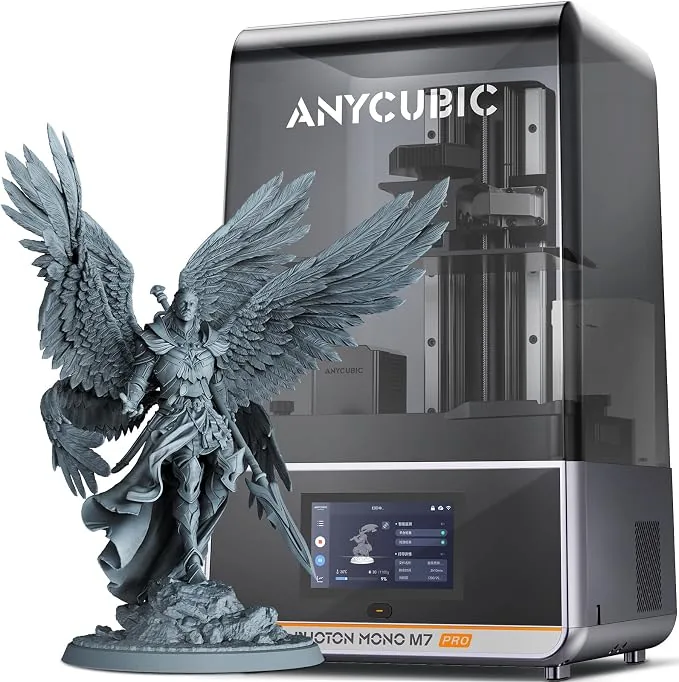
To support uninterrupted high speed printing, the Mono M7 Pro includes a dynamic peristaltic resin auto fill and auto recycle system. This pump automatically adds fresh resin to the vat during long print jobs, eliminating the risk of a print failing midway due to an empty tank. A built in vat heating element dynamically controls the flow and temperature, maintaining a 25 degrees Celsius viscosity level even in unheated workshops. Buyers face a higher initial price point for these automated features, and transitioning to the Anycubic slicer ecosystem requires some familiarity.
Anycubic Photon Mono M7 Pro 14K Resin 3D Printer
Pros
- Industry-first 14K mono LCD delivers unmatched 16.8x24.8 micron XY precision
- Dynamic peristaltic resin auto-fill and auto-recycle system eliminates mid-print running out
- Built-in vat heating element maintains optimal 25°C viscosity in cold workshops
- Advanced LightTurbo 3.0 COB optical system ensures uniform 90%+ UV exposure
Cons
- Higher initial price point for hobbyists
- Anycubic slicer ecosystem requires familiarity
Anycubic Photon P1 14K
The Anycubic Photon P1 14K is a desktop resin 3D printer, and Anycubic lists what it calls wave release technology to separate printed layers from the vat film. According to Anycubic, this wave release technology reduces peel force by up to 60 percent compared to standard vertical lift mechanisms. According to Anycubic, the printer uses a 10.1 inch monochrome LCD screen with 14K resolution, providing high XY precision over a 223 by 126 mm build area. Anycubic states the machine achieves a steady printing speed of 25 to 35 mm/h using its dynamic release 3.0 system, which monitors real time layer separation forces.
The Photon P1 utilizes a LighTurbo 4.0 optical engine that features an aspherical Fresnel lens. This lens design collimates the UV light so the rays strike the LCD screen perpendicularly to eliminate light bleed and sharpen model edges. While the core machine is highly capable, several advanced features require separate purchases. The dual material print kit is an optional add on, and the base machine does not support automatic recognition and heating functions for dual platform cartridges. The Airpure 2.0 purifier is an optional accessory rather than an included component.
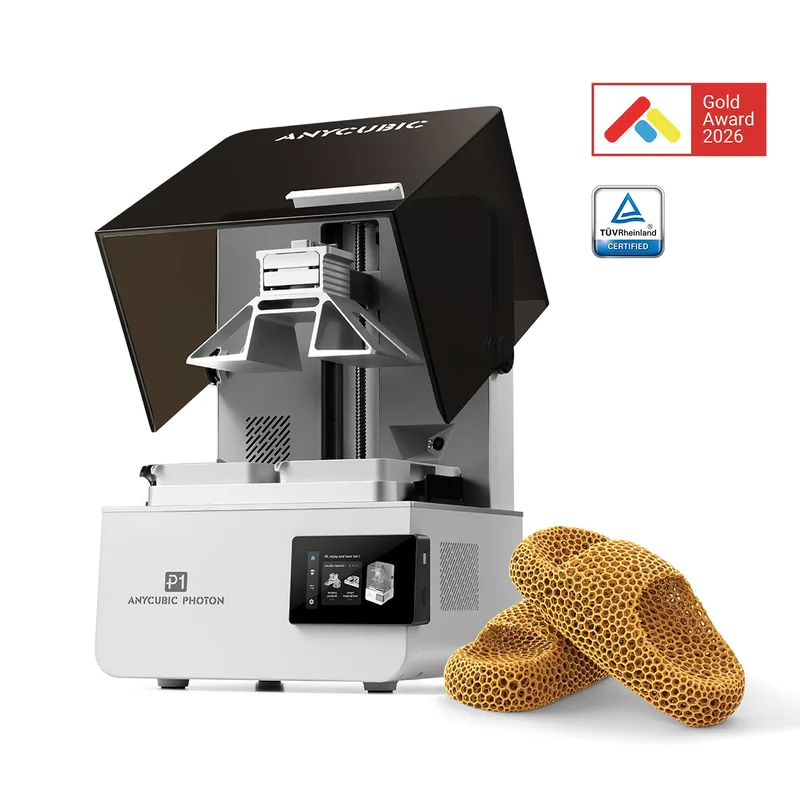
Anycubic Photon P1 14K
Pros
- Wave release technology reduces peel force by up to 60 percent
- Dynamic release 3.0 monitors real-time layer separation forces
- LighTurbo 4.0 optical engine features an aspherical Fresnel lens
Cons
- Dual-material print kit is an optional add-on
- Does not support automatic recognition and heating functions for dual-platform cartridges
- Airpure 2.0 purifier is an optional accessory
Anycubic Photon Mono M7 Max
The Anycubic Photon Mono M7 Max is an extra large format resin 3D printer offering a massive 14.7 liter build volume. The manufacturer lists the physical printing envelope as 298 by 164 by 300 mm, allowing makers to produce full scale cosplay helmets, large architectural models, or massive batches of tabletop terrain in a single run. According to Anycubic, the machine utilizes a 13.6 inch monochrome LCD screen with 7K resolution. At this size, Anycubic lists a 46 by 46 micron pixel size for the 7K screen. That pixel size is larger than on the 14K models Anycubic lists, though 3DWithUs reports it is hard to see on large prints. Knowing Resin vs Filament 3D Printing: Printers, Materials and Workflow helps makers decide if an extra large resin printer is necessary over a large FDM machine.
Anycubic equips the Mono M7 Max with a resin auto recycling management system and dynamic temperature control. Managing a 14.7 liter vat requires strict temperature regulation to prevent the large volume of fluid from cooling unevenly. A hinged flip cover supports one handed operation and hovers at angles over 45 degrees, which is a critical ergonomic feature given the physical size of the printer’s hood. According to Anycubic, the machine is capable of speeds up to 63 mm/h, but the high speed mode is only supported when using the Photon Workshop slicer version 3.3.1 and above. The air purifier is an optional accessory.
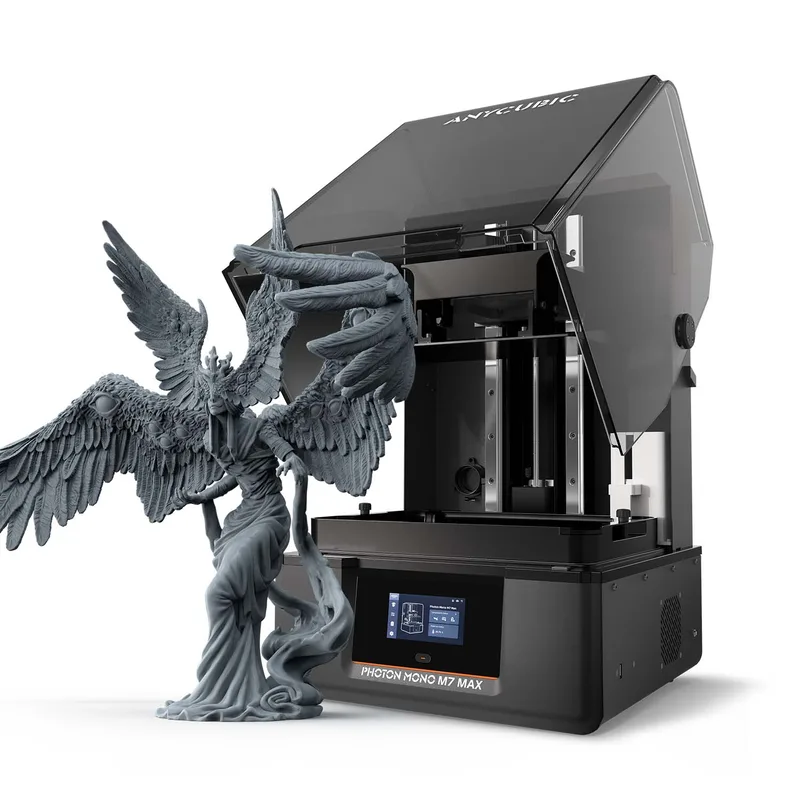
Anycubic Photon Mono M7 Max
Pros
- 14.7L extra-large build volume
- Resin auto-recycling management and dynamic temperature control
- Hinged flip cover supports one-handed operation and hovers at angles over 45 degrees
Cons
- High-speed mode is only supported in photon workshop version 3.3.1 and above, 7k resolution yields 46 by 46 micron pixel precision
- Air purifier is an optional accessory
Anycubic Photon Mono 4 Ultra 10K
The Anycubic Photon Mono 4 Ultra 10K is an entry level resin 3D printer that packs what the maker lists as 10K resolution into a compact desktop format. The machine features a 7 inch monochrome LCD screen and a LighTurbo Matrix light source. According to Anycubic, this hardware combination delivers a maximum print speed of up to 120 mm/h. Anycubic achieves this high print speed by utilizing an ACF release film in the vat, which features a lower surface tension than standard FEP film, allowing layers to separate with less physical resistance.
The printer includes a user friendly touchscreen interface equipped with automatic level checks, simplifying the initial setup process for beginners. The Mono 4 Ultra operates effectively as a dedicated machine for jewelry making or highly detailed character busts. The primary limitation of this model is its smaller build envelope compared to 10 inch flagship models. Makers focused on large terrain pieces or batch production will find the 7 inch screen restrictive.
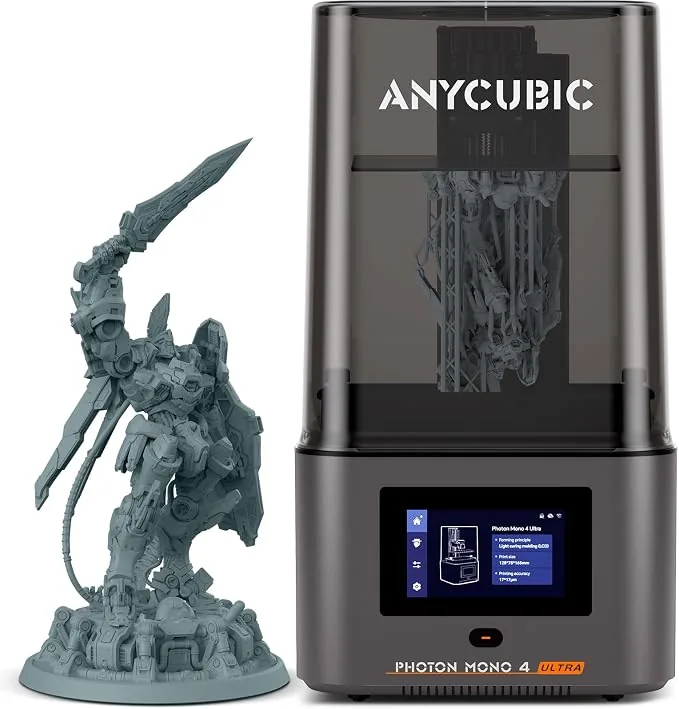
Anycubic Photon Mono 4 Ultra 10K Resin 3D Printer
Pros
- Sharp 10K resolution in a compact desktop format
- High print speed with ACF release film
- User-friendly touchscreen interface with automatic level checks
Cons
- Smaller build envelope compared to 10-inch flagships
Anycubic Photon Mono 4
The Anycubic Photon Mono 4 is a budget focused 10K resin 3D printer, per its manufacturer specs, designed for cost conscious makers. According to Anycubic, the machine utilizes a 7 inch monochrome LCD screen that provides 17 by 17 micron pixels across a 153.4 by 87 by 165 mm build volume (2.2 liters). The printer operates at a maximum speed of 50 mm/h and relies on a manual 4 point leveling system rather than the automated sensors found on the Ultra version. A hinged cover supports one handed operation, making it convenient to access the build plate while holding tools.
By stripping away premium automation features, Anycubic offers the Photon Mono 4 at a highly accessible entry price. However, the machine does not support dynamic temperature control for the resin vat, and the resin auto fill unit is not supported. Users must manually monitor the fluid level during long prints and heat their workspace during cold weather. The activated carbon air purifier is sold separately, meaning buyers must arrange their own ventilation solutions out of the box.
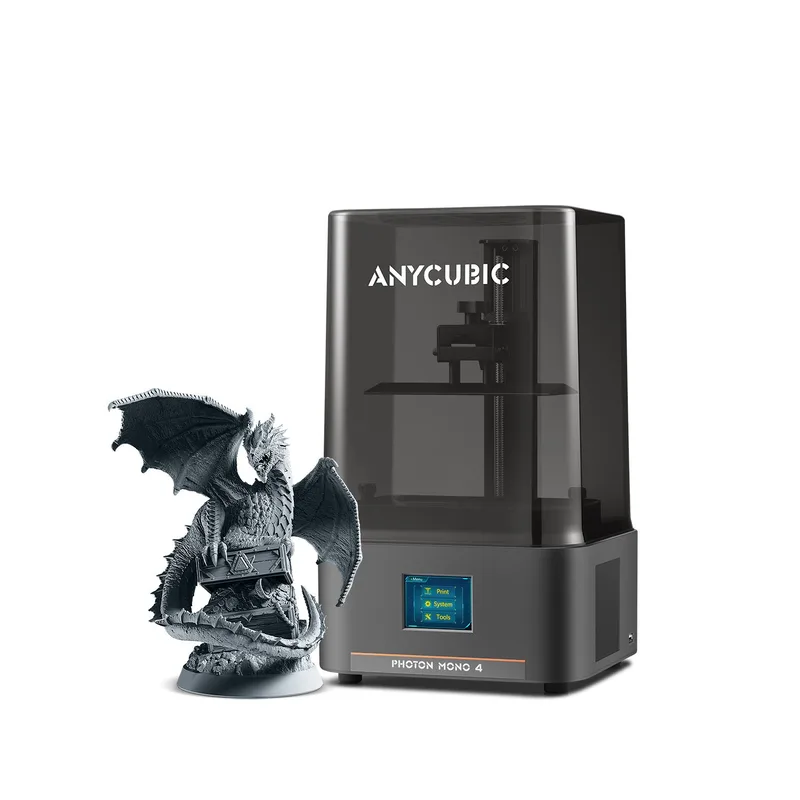
Anycubic Photon Mono 4
Pros
- 10K screen gives 17 x 17 micron pixels, 4-point leveling
- Hinged cover supports one-handed operation
Cons
- Dynamic temperature control resin vat is not supported
- Resin auto-fill unit is not supported
- Activated carbon air purifier is sold separately
ELEGOO Mars 5 Ultra 9K
The ELEGOO Mars 5 Ultra 9K is a compact resin 3D printer that, according to Elegoo, incorporates a mechanical tilt release mechanism previously reserved for larger machines. Elegoo lists the printer as featuring a 7 inch monochrome LCD screen with a 9K resolution of 8520 by 4320 pixels. This dense pixel grid produces razor sharp tabletop miniatures without visible layer lines. By bringing tilt release technology down to a compact desktop form factor, ELEGOO enables the Mars 5 Ultra to reach printing speeds of up to 150 mm/h, according to the product page. Elegoo states the build volume measures 153.36 by 77.76 by 165 mm.
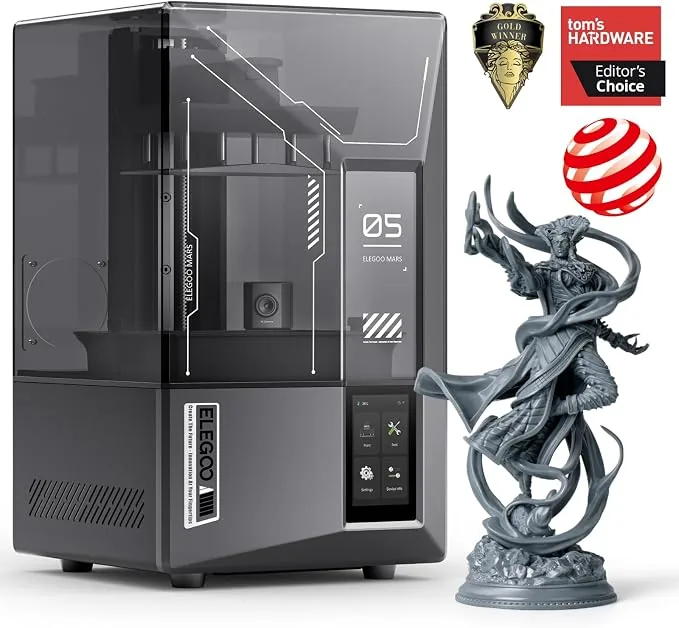
The machine features automated mechanical leveling and a one click self check routine, entirely removing manual screw adjustments from the calibration process. A built in AI camera provides real time monitoring and automatic time lapse capture. The smaller build envelope is suited exclusively for miniatures, jewelry, and dental models rather than large busts. ELEGOO lists a 9K screen for this model, and parts with fine features need a gentle wash so thin details do not snap before they are fully cured.
ELEGOO Mars 5 Ultra 9K Resin 3D Printer
Pros
- Tilt-release mechanism brought down to compact desktop form factor, 9K resolution produces razor-sharp tabletop miniatures without layer lines
- One-click self-check and automated mechanical leveling
- Built-in AI camera for real-time monitoring and time-lapse capture
Cons
- Smaller build envelope suited for miniatures rather than large busts
- Requires gentle wash due to delicate high-resolution details
What are the Disadvantages of Resin 3D Printers?
The disadvantages of resin 3D printers involve hazardous chemical handling, extensive post processing requirements, and brittle material properties. Unlike thermoplastic filaments that melt and cool safely, liquid photopolymer resins emit volatile organic compounds (VOCs) that require strict safety protocols. The primary disadvantages of resin 3D printing are listed below.
- Chemical Handling: Uncured liquid resin is a toxic skin irritant. Operators must wear nitrile gloves and safety glasses whenever handling the vat, the build plate, or the printed model before it is washed and cured.
- Post Processing Time: A resin print is not finished when the printer stops. The model must be washed in high concentration isopropyl alcohol (IPA) to remove uncured liquid, dried completely, and then exposed to a dedicated UV curing station to finalize the polymerization process.
- Material Brittleness: Standard 3D printing resins cure into rigid but brittle plastics. Dropping a standard resin miniature often results in shattered parts, unlike the durable deformation seen in PETG or ABS plastics.
- Consumable Costs: Operating a resin printer requires ongoing purchases of nitrile gloves, paper towels, large volumes of isopropyl alcohol, replacement FEP films for the vat, and eventually replacement LCD masking screens, which degrade after several hundred hours of UV exposure.
Is it Safe to Use a Resin 3D Printer Indoors?
Resin 3D printers are not safe to use indoors in unventilated living spaces like bedrooms or family rooms. Liquid resins emit toxic fumes and VOCs during the printing process and while sitting idle in the vat. To operate a resin printer safely indoors, users must place the machine in a dedicated, well ventilated workspace such as a garage or a hobby room equipped with an active exhaust system. Many modern printers include activated carbon air purifiers, but these scrubbers do not eliminate all hazardous emissions.
Users must properly isolate their resin workspace from areas where food is prepared or consumed. The post processing steps involving 99 percent isopropyl alcohol generate highly flammable fumes that also require active ventilation. Managing the temperature of the indoor workspace is critical, as cold air causes print failures. Makers often rely on Best Filament Dryers: Material, Temperature and Spool Capacity to maintain their filament, but resin requires heated vats or ambient room heaters to stay at 25 to 30 degrees Celsius. Ensure the workspace is completely isolated and actively ventilated to the outside before beginning a resin print.