
Wet filament ruins prints when absorbed moisture turns to vapor in the hotend, disrupts extrusion, and contributes to voids, stringing, surface defects, and weak layer bonds. The sections below explain the mechanism, identify audible and visual signs, compare documented moisture effects, separate active drying from passive storage, provide a repeatable drying procedure, and finish with a workflow-based decision.
Most 3D printing filaments are hygroscopic, which means they absorb moisture from surrounding air. Moisture sensitivity varies by polymer and blend. Nylon and Polycarbonate usually demand tighter handling than PLA, but any spool can become suspect when popping, hissing, unusual stringing, rough surfaces, or unexplained under-extrusion appear.
The Physics of Wet Filament: What’s Happening in Your Hotend?
Wet filament changes the thermodynamic and flow conditions inside the hotend because absorbed water becomes vapor as the polymer is heated.
At the nozzle, absorbed H₂O molecules undergo a phase change from liquid to gas. This expansion is incredibly powerful. It violently pushes molten plastic out of the way, creating voids in your extrusion. This single event causes a cascade of failures.
The Audible and Visual Signs of Wet Filament
- Audible Popping/Crackling: This is the sound of steam explosions at your nozzle tip. If you hear your printer sizzling or popping during extrusion, your filament is wet. It is not a subtle sound.
- Excessive Stringing and Oozing: The inconsistent pressure from steam explosions pushes out plastic when it shouldn’t, leaving fine (or thick) strings between travel moves.
- Poor Surface Finish (Zits and Blobs): The voids created by steam show up on your print’s surface as ugly zits, blobs, and inconsistent layer lines. The surface might look rough or even fuzzy.
- Terrible Layer Adhesion and Brittle Parts: Steam voids prevent molten layers from properly fusing. This creates a weak interlayer bond, and the final part will be fragile and snap easily along the layer lines. The process, called hydrolysis, can also chemically break down the polymer chains, making the material itself weaker.
Different filaments absorb moisture at different rates. Nylon and Polycarbonate are notoriously bad, soaking up water like a sponge. But even “easy” materials like PLA are highly susceptible.
Documented Moisture Effects and a Repeatable Check
Documented moisture effects are identified by comparing the same spool, model, and printer profile before and after a filament-maker-approved drying cycle.
Controlled check:
- Record the material: Note the polymer, brand, grade, spool material, storage history, and drying limits printed by the maker.
- Hold the print constant: Use the same printer, nozzle, model, layer height, temperature, retraction, cooling, and travel settings before and after drying.
- Record observable symptoms: Listen for popping or hissing and inspect stringing, surface pits, extrusion consistency, and breaks along layer lines.
- Dry within the listed range: Use the maker’s temperature and duration, then repeat the same model without changing slicer variables.
| Observation | Dry-filament baseline | Moisture-related warning |
|---|---|---|
| Nozzle sound | Stable extrusion sound | Popping, crackling, or hissing |
| Travel moves | Limited material trails | New or unusually heavy stringing |
| Surface | Consistent roads and walls | Pits, bubbles, roughness, or blobs |
| Flow | Stable line width | Intermittent under-extrusion or oozing |
| Layer bond | Break pattern matches the design | Unexpected separation along layer lines |
No universal 30% or 20% room-RH threshold predicts failure across PLA, PETG, Nylon, and every blend. Moisture uptake depends on exposure time, temperature, polymer chemistry, fillers, winding, packaging, and humidity around the spool. A controlled before-and-after print is more useful than assigning an unsupported diameter increase or failure percentage.
Drying will not repair a loose belt, clogged nozzle, damaged PTFE path, or incorrect retraction profile. The specific print failure triage guide separates material symptoms from hardware, model, and slicer faults.
Active Drying vs. Passive Storage: A Head-to-Head Comparison
Active drying removes absorbed moisture with heat and airflow, while passive storage slows new moisture uptake after a spool is dry.
-
Passive Storage: This means putting your spool in a sealed container, often with a desiccant packet. Desiccant absorbs ambient moisture inside the container. This is great for keeping dry filament dry. It is very bad at making wet filament dry. The process is slow and can’t pull deeply absorbed water out of the polymer.
-
Active Drying: This involves using a dedicated device that combines heat and air circulation. Heat gives the water molecules the energy they need to break their bonds with the polymer. The circulating air then carries the moisture away from the spool. This is the only reliable way to restore a moisture-saturated spool.
For anyone printing with materials beyond basic PLA, an active dryer is not a luxury. It is a fundamental piece of workshop equipment, just like a set of calipers or a PEI build plate. Learn more about choosing a filament dryer to evaluate models that fit your production volume.

Creality Space Pi Plus Dual-Spool Filament Dryer
Pros
- 160W double PTC heating system warms two 1kg spools simultaneously, Independent roller bearings allow smooth feeding for two separate extruders or AMS Lite, Real-time dual humidity monitoring with automated timer shutoff, Accommodates both 1.75mm and 2.85mm spools
- Large capacity holds two 1kg spools.
- Precise digital controls for temperature and time.
Cons
- Takes up larger workbench footprint (approx. 315 x 240 x 300 mm)
- Weighs 2.2kg empty
Active Dryer Procedure and Verification
An active dryer procedure sets temperature and time from the filament maker, provides a vapor path, and verifies the result with the same print conditions used before drying.
Example starting settings for PLA when the maker permits them:
- Material: PLA
- Temperature: 55°C
- Time: 4 to 6 hours
Record the dryer’s displayed temperature and humidity as operational indicators, not direct measurements of moisture inside the filament core. Keep the spool below the softening limit of both the filament and spool material. If the dryer instructions call for a vent position, use it so released vapor does not remain trapped in the chamber.
After the cycle, print the same calibration model with the unchanged slicer profile. Improvement in popping, stringing, surface pits, and layer separation supports moisture as a contributor. Persistent defects call for another maker-approved cycle or a return to hardware and slicer diagnosis; active drying does not guarantee full restoration of polymer that has chemically degraded.
Recommended Drying Profiles
Filament polymers and spool materials have different heat limits. Use this table as a summary of commonly published maker ranges, then follow the exact material datasheet; very wet spools may need a longer permitted cycle.
| Filament Type | Recommended Temp (°C) | Recommended Time (Hours) | Max Safe Temp (°C) |
|---|---|---|---|
| PLA / PLA+ | 50 - 55 | 4 - 6 | 60 |
| PETG | 60 - 65 | 4 - 8 | 70 |
| ABS / ASA | 65 - 75 | 6 - 10 | 80 |
| TPU (Flexible) | 50 - 55 | 6 - 12 | 60 |
| Nylon (PA) | 70 - 80 | 12 - 24 | 85 |
| Polycarbonate (PC) | 70 - 80 | 12 - 24+ | 85 |
Warning: Always check your spool’s material. A plastic spool made of ABS can handle higher drying temperatures, but a spool made from recycled plastic or even PLA could warp if you try to dry Nylon at 80°C.
Choosing Your Solution: A Maker’s Decision Framework
The right moisture-control setup depends on print frequency, polymer sensitivity, spool count, storage time, and the types of Filaments & Resins in use. Consult the Filament Drying, Storage, Shelf Life and Disposal Guide to learn how proper storage extends material lifespan.
Level 1: The Casual Hobbyist You print occasionally, mostly with PLA, on one or two machines. Print failures are annoying but not a business loss.
- Your Solution: Start with a good passive system. Get one or two airtight storage bins and a bulk pack of rechargeable desiccant packs. When you open a new spool, use it, and put it directly into the dry box when done. If a roll of PLA gets “old” and starts printing poorly, a budget single-spool dryer is a worthwhile upgrade.
Level 2: The Prosumer or Print Farm Operator You have multiple printers running constantly. You use a mix of materials, including engineering-grade filaments like PETG, ASA, or Nylon. Downtime costs money.
- Your Solution: Active drying is non-negotiable. You need a system that can handle your throughput. A large-capacity dryer is an essential investment. You should have one set of spools printing while the next set is in the dryer. This workflow eliminates moisture as a variable, saving you hours of troubleshooting and failed prints.
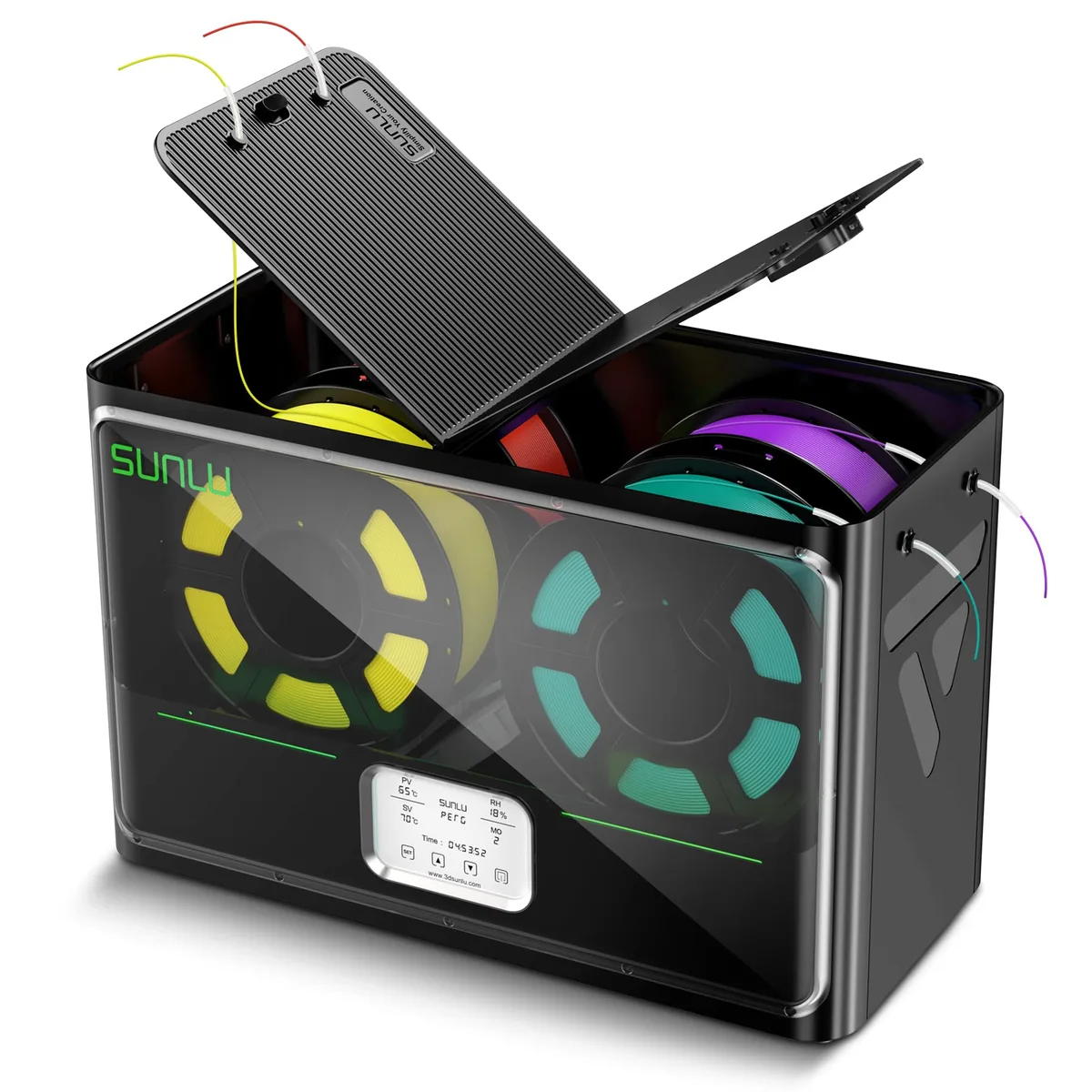
SUNLU S4 Pro 4-Spool Filament Dryer & Drybox
Pros
- Massive 4-spool capacity dries 4 rolls simultaneously for Bambu Lab AMS or multi-printer setups, 350W rapid PTC heating with three high-flow circulation fans, 8 dedicated filament feed ports with PTFE tubing for direct printing from drybox, Automated humidity maintain mode re-triggers heating when ambient humidity exceeds threshold
- Powerful heater and multiple fans dry spools quickly.
- Can feed filament directly to multiple printers.
Cons
- Higher upfront cost (~$149)
- Requires dedicated 515 x 267 x 268 mm desktop shelf space
Wet-filament control starts with symptom recognition, maker-approved active drying, sealed storage, and a repeatable print comparison. Moisture is only one failure class, so unchanged defects after drying should return the diagnosis to the nozzle, filament path, motion system, model, and slicer. You can explore a variety of filament dryer guides to maintain optimal printing conditions.