
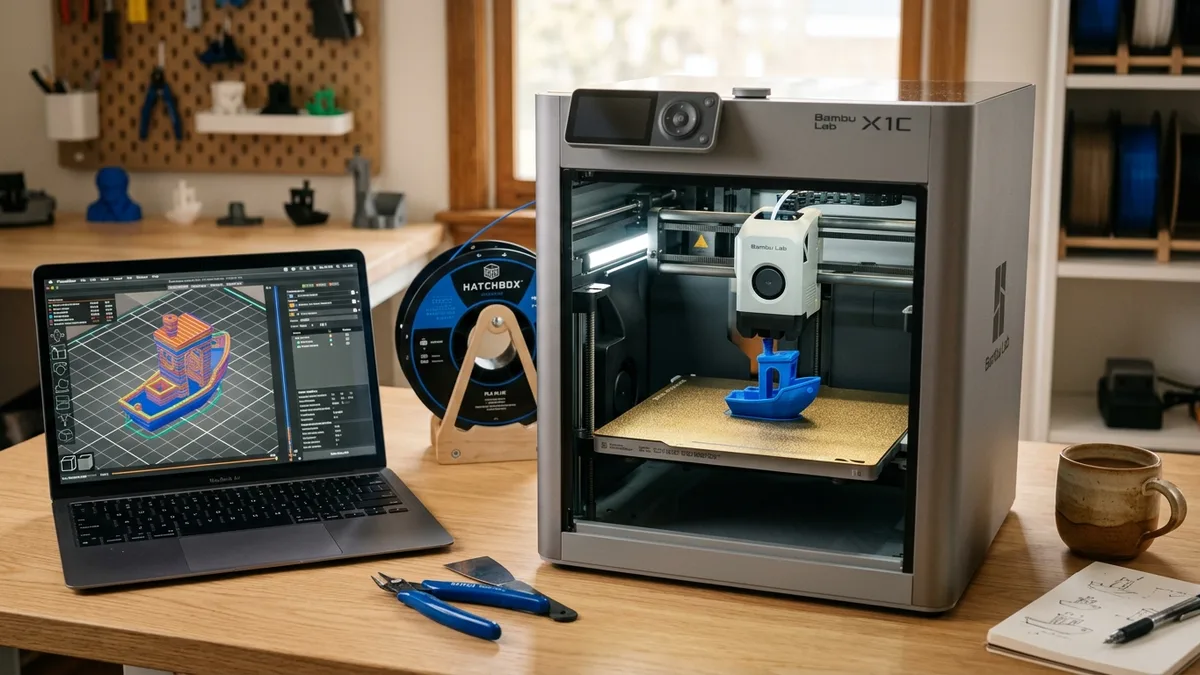
The complete idea-to-part 3D printing workflow is a structured process that moves a concept from digital design to a physical object through strict requirements definition, CAD modeling, slicing, and controlled printing. Following the same steps used in professional machine shops eliminates guesswork and ensures reliable engineering results.
Step 1: Define the Requirements
Defining part requirements is the most important step in the workflow. Skip it, and you’re just making plastic shapes. Get it right, and you’re engineering a solution. Before you even think about a 3D model, you need a specification sheet, even if it’s just a mental one.
- Function: What does this part actually do? Is it a jig to hold a circuit board? A replacement gear for a small appliance? A decorative shell? The function determines everything that follows.
- Environment: Where will the part live? A part for inside a car’s engine bay needs to withstand high temperatures, so you’d choose ABS or ASA. A part for a desk organizer can be made from simple PLA. Outdoor use demands UV resistance, pointing again to ASA.
- Mechanical Loads: What forces will it experience? Tension, compression, torsion, or impact? This directly impacts your choice of material, print orientation, and infill percentage. A simple bracket under compression is very different from a snap-fit clip that needs to flex.
- Tolerances: How precise does it need to be? If two parts must slide together, you need a clearance of about 0.2-0.3mm. If they need to be press-fit, you might design a 0.1mm interference. Your digital calipers are your best friend here.
Answering these questions first saves hours of failed prints and wasted filament. Consulting a 3D printer buyer’s guide helps ensure your equipment matches these fundamental requirements before you begin.
Step 2: Acquire the 3D Model
Acquiring a 3D model involves obtaining a digital file of your part through CAD software, downloading, or 3D scanning. This typically comes from one of three sources.
Design From Scratch (CAD)
This is the most powerful path. Using Computer-Aided Design (CAD) software like Fusion 360, Onshape, or SolidWorks gives you complete control. You can design the part precisely to your specifications. A key skill here is Design for Additive Manufacturing (DFAM). This means designing with the printing process in mind. For example, use chamfers instead of fillets on bottom edges to avoid ugly first layers, and design overhangs to be self-supporting (under 60 degrees) where possible.
Download a Model
The fastest way to get a file is to download it. Websites like Printables, Thingiverse, and Thangs have millions of user-submitted models. The trade-off is a loss of control. Models can have geometric errors or may not be designed for strength. Always inspect a downloaded STL file in your slicer or a tool like Windows 3D Builder to check for errors before printing.
3D Scan an Object
If you need to replicate an existing object, 3D scanning is an option. Technologies range from phone-based photogrammetry to dedicated structured light scanners. Be prepared for significant post-processing work. Scans create mesh files that are often noisy and require cleanup and repair before they are ready for printing.
Step 3: Slicing: The Digital-to-Physical Bridge
The slicer is a piece of software that translates your 3D model (like an STL or STEP file) into G-code, which is a set of instructions your 3D printer can understand. This is where you make critical decisions that determine the final part’s quality and strength. Popular slicers include Bambu Studio, OrcaSlicer, PrusaSlicer, and Cura.
Critical Slicer Settings
- Print Orientation: This is the single most important setting for strength. A 3D print is weakest between its layers. Always orient your part so that mechanical stress is applied along the length of the extruded lines, not trying to pull the layers apart.
- Material Profile: Select the correct filament (PLA, PETG, ASA, etc.). This loads baseline temperatures and print speeds.
- Layer Height: Determines the vertical resolution. A 0.2mm layer height is a good standard for speed and quality. For fine details, drop to 0.12mm or 0.1mm, but expect longer print times.
- Infill: For most parts, 15-20% infill with a pattern like Gyroid or Cubic is sufficient. For parts under high stress, increase this to 40% or more and add more wall perimeters (3-4 is a good start).
- Supports: Any part of your model that overhangs more than about 50-60 degrees from vertical needs support. Tree supports are often easier to remove and use less material than standard grid supports.
- Temperature and Speed: For PLA, a nozzle temperature of 215-225°C and a bed temperature of 60-65°C on a PEI sheet is typical. Modern CoreXY printers can handle speeds of 200-500 mm/s, but watch your first layer speed. Keep it slow (50-75 mm/s) to ensure good adhesion.
| Setting | PLA (General Use) | PETG (Functional) | ABS/ASA (Engineering) |
|---|---|---|---|
| Nozzle Temp | 215-225°C | 235-250°C | 250-270°C |
| Bed Temp | 60-65°C | 75-90°C | 100-110°C |
| Cooling Fan | 100% | 30-50% | 0-20% (Requires Enclosure) |
| Drying | Recommended | Required | Required |
Step 4: Printing: Execution and Monitoring
Executing and monitoring the print requires strict pre-flight checks of filament condition and bed preparation before starting the machine. Preparation is everything.
Pre-Flight Checks
-
Filament Condition: Most print failures blamed on the printer are actually caused by wet filament. Materials like PETG, Nylon, and ASA are extremely hygroscopic, meaning they absorb moisture from the air. This moisture turns to steam in the hotend, causing popping sounds, terrible stringing, and extremely weak parts. You need a filament dryer.
-
Bed Preparation: Make sure your build plate is clean. A wipe with 99% isopropyl alcohol before every print is the best practice for PEI sheets. For materials like ABS and ASA that require an enclosed, heated environment to prevent warping, a modern CoreXY printer is the right tool. They maintain a stable chamber temperature, which is crucial for layer adhesion. If you are serious about printing engineering-grade materials, you need an enclosed machine.
The Print
Start the print and watch the first layer. This is non-negotiable. The first layer tells you everything. It should be perfectly uniform, slightly squished, with clean lines and no peeling corners. If the first layer is perfect, you have a 90% chance of a successful print.
Modern printers make this process incredibly reliable. Machines that offer auto bed leveling, input shaping, and pressure advance take the guesswork out of calibration.

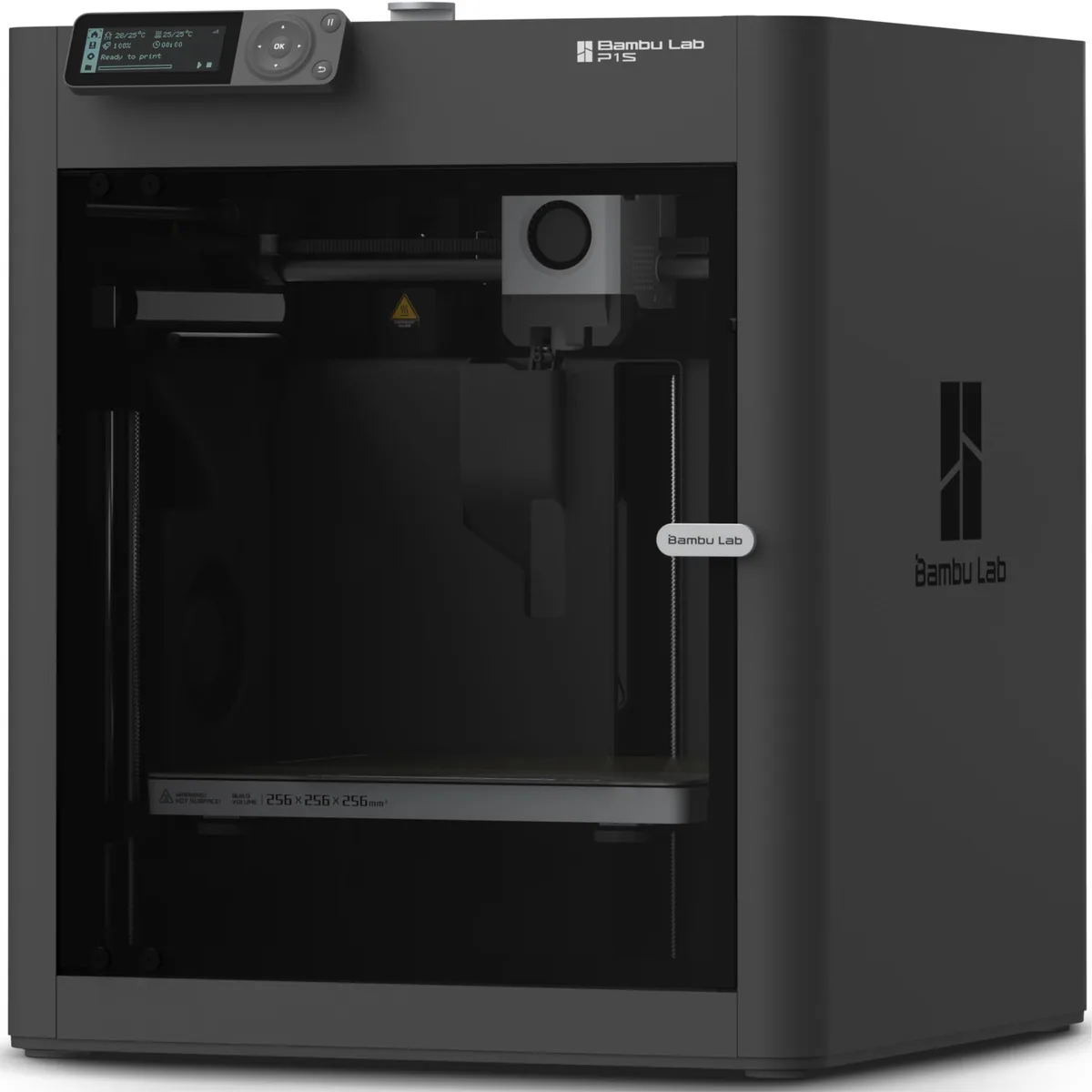
Bambu Lab P1S Enclosed 3D Printer
Pros
- Fully enclosed CoreXY chassis with auxiliary cooling fan, Smooth multi-color / multi-material integration with Bambu AMS, Reliable out-of-the-box first layers with dual automated bed leveling, Active vibration compensation and belt tension monitoring
- The enclosure is ideal for printing ABS, ASA, and other warp-prone materials.
- Produces excellent print quality at high speeds.
Cons
- Proprietary closed ecosystem
- Chamber is passively heated by the bed rather than a dedicated PTC heater
- Upgrading to hardened nozzle for carbon fiber requires separate swap
Use the printer’s built-in camera or a webcam to monitor progress, especially for long prints. Look for signs of trouble like layer shifts or spaghetti.
Step 5: Post-Processing: From Print to Part
Post-processing turns a raw print into a finished part through support removal, surface sanding, and assembly. The printer finishing its job is not the end.
- Part Removal: Let the build plate cool completely. On a flexible PEI sheet, the part will often pop right off once the bed is at room temperature.
- Support Removal: This requires patience. Use a combination of flush cutters, needle-nose pliers, and a deburring tool. Good support settings in your slicer (like a 0.2mm Z-gap) make this process much easier.
- Surface Finishing: To remove layer lines, you can sand the part. Start with a low grit (150-220) and work your way up to a higher grit (400-600) for a smooth surface. For materials like ABS and ASA, you can use acetone vapor smoothing for a glossy, injection-molded finish, but this process requires a proper, well-ventilated setup and extreme care.
- Assembly: For multi-part projects, you might need to install heat-set threaded inserts (a fantastic way to add durable threads to plastic) or bond pieces together. A good cyanoacrylate (CA) glue with an activator works well for PLA and PETG.
Step 6: Inspection and Validation
Inspection and validation close the loop by verifying dimensional accuracy and functional performance against the initial requirements. Go back to the requirements you defined in Step 1.
- Dimensional Accuracy: Use your digital calipers. Is that hole 5mm as designed? Is the overall length within the +/- 0.2mm tolerance you specified? Measure everything critical.
- Functional Testing: Put the part into service. Does the bracket hold the weight? Does the gear mesh properly? Does the snap-fit clip engage without breaking?
- Iterate: If the part fails inspection or testing, it is not a failure. It is data. Use that data to refine your design. Maybe the wall was too thin (go back to CAD). Maybe the orientation was wrong (go back to the slicer). Maybe the material wasn’t strong enough (go back to material selection). This iterative loop is the heart of rapid prototyping and engineering design.
How to Use a 3D Printer
Mastering the foundational workflow prevents common errors when moving from digital models to physical objects. You can follow How to Use a 3D Printer: A Beginner’s Step-by-Step Guide to build good habits before tackling advanced engineering materials.
By following this disciplined workflow, you move from just printing things to engineering functional parts that solve real problems. You can find additional step-by-step 3D printing guides to refine your entire production cycle.