
The marketing is seductive. “Bring manufacturing home!” “Print on demand and save the planet!” We hear these claims all the time. As technicians who live and breathe this technology, we know the reality is far more complex. The idea of printing a replacement part for your dishwasher, saving it from a landfill, feels like a huge environmental win. And it can be.
But what about the kilowatt-hours your printer burned? The spool of plastic shipped from halfway across the world? The pile of stringy, failed prints in your waste bin?
Sustainability is not a feeling. It is a number. To get to the truth, we need to perform a lifecycle audit, weighing the genuine benefits against the hard costs. Let’s put on our steel-toed boots, grab a digital caliper, and measure the real impact of desktop 3D printing.
The Undisputed Win: On-Demand Spares and Life Extension
This is the strongest argument for desktop printing, and it is a powerful one. Every year, functional appliances, tools, and electronics are thrown away because of a single, tiny, broken plastic part. A latch, a gear, a bracket. Often, the manufacturer no longer makes the spare part, forcing you into a costly and wasteful full replacement.
This is where your printer becomes a sustainability superpower.
I recently had a clip on my dishwasher’s cutlery basket snap. The basket was otherwise fine. A replacement basket was $70. A replacement clip was not available. I spent 15 minutes with a caliper, 30 minutes in Fusion 360, and printed a new clip in PETG for about 32 cents in material and 11 cents in electricity.
- Cost Avoided: $69.57
- Waste Avoided: One large dishwasher basket, plus all the packaging and shipping emissions of its replacement.
- Result: A perfectly functional appliance saved from the scrapyard.
This scenario, repeated millions of time in workshops around the world, represents a real, measurable dent in the cycle of planned obsolescence and consumer waste. Printing a durable, functional replacement part is the single most sustainable act you can perform with a 3D printer.
The Energy Equation: Your Workshop’s Power Draw
A 3D printer does not run on hopes and dreams. It runs on electricity. Typical consumption figures for desktop printers, based on manufacturer power ratings and common heater sizes, look like this.
- Idle: A modern printer with a color screen and Wi-Fi sits at around 10-15W.
- Initial Heat-Up: This is the big spike. Heating a 220x220mm bed to 60°C and a hotend to 215°C can pull 250-350W for about 3-5 minutes.
- Steady-State Printing: Once at temperature, the heaters cycle on and off. A well-tuned printer like a Bambu Lab P1S averages around 150-180W printing PLA. An older, open-frame Ender 3 might be slightly lower, around 120-150W.
An 8-hour print job will consume between 1.0 and 1.5 kilowatt-hours (kWh). At an average US electricity price of $0.17/kWh, that is about 25 cents. The energy cost is trivial. The bigger question is where that energy comes from. If your grid is powered by renewables, your print is cleaner than one made on a coal-powered grid.
Don’t Forget the Support Staff
Your printer is not alone.
- Filament Dryer: A crucial tool for print quality. It is also an energy user. A device like the SUNLU S4 runs at about 45W. Running it for 8 hours to prep a spool uses ~0.36 kWh.
- Ventilation: Printing with ABS or ASA requires ventilation. An inline fan can pull another 20-30W continuously.
- PC/Laptop: Your slicer and monitoring station also consume power.
The bottom line: The energy used is not zero, but compared to the energy required for mass manufacturing and global logistics for a single part, local printing is often far more efficient.
Material World: The Truth About PLA and Plastic Spools
The material you choose is a huge part of the sustainability equation. The conversation starts and ends with PLA for many people, but the details matter.
PLA: The “Eco-Friendly” Plastic?
Polylactic Acid (PLA) is a bioplastic derived from fermented plant starch, usually from corn or sugarcane. This is a clear advantage over petroleum-based plastics like ABS or PETG. Its production uses less energy and generates fewer greenhouse gases.
But here is the hard truth: PLA is not biodegradable in your backyard.
The term you see is “industrially compostable.” This means it requires a commercial composting facility that maintains temperatures above 140°F (60°C) and specific humidity levels. These facilities are rare. If you throw a PLA print in your garden compost pile, it will still be there years later. If you throw it in the trash, it goes to a landfill. Trapped without oxygen in a landfill, it can release methane, a potent greenhouse gas.
PETG, ABS, and ASA: The Durable Workhorses
These plastics are derived from petroleum. There is no green marketing story here. Their sustainability claim comes from their performance. If you are printing that dishwasher clip, PETG’s water resistance and durability are essential. An ASA part used on a car’s exterior will resist UV light and heat for years.
Durability is a form of sustainability. A part that doesn’t break is a part that doesn’t need to be replaced, saving material and energy a second time.
The Waste Ledger: Accounting for Every Gram
The finished print is only a fraction of the plastic used. A true accounting must include all the waste.
Failed Prints: The Elephant in the Room
This is the single largest source of waste in any print farm. A 12-hour print that fails at hour 11 due to a layer shift, clog, or poor bed adhesion creates a massive amount of scrap.
The number one cause of failures we see is wet filament. PLA and especially PETG are hygroscopic; they absorb moisture from the air. When printed, this water turns to steam in the hotend, causing pops, sizzles, poor layer adhesion, and stringing. The result is a weak, ugly, and often failed print.
This waste is almost entirely preventable. A dedicated filament dryer is not an accessory; it is essential equipment for anyone serious about reducing waste.

SUNLU S4 Pro 4-Spool Filament Dryer & Drybox
Pros
- Massive 4-spool capacity dries 4 rolls simultaneously for multi-color or multi-printer setups.
- 350W rapid PTC heating with three high-flow circulation fans up to 70°C.
- 8 dedicated filament feed ports with PTFE tubing allow direct printing while drying.
Cons
- Requires dedicated 515 x 267 x 268 mm desktop shelf space.
Keeping your filament bone-dry by running it through a cycle in a dryer like the SUNLU S4 Pro (ASIN: B0CQJMV71Z) before every major print is the best investment you can make in waste reduction.
Purge, Support, and Rafts
This is unavoidable waste.
- Purge Lines & Skirts: A few grams of plastic used at the start of a print to ensure the nozzle is primed. Minimal waste.
- Support Material: Necessary for complex overhangs. You can minimize this by orienting your part carefully and using tree/organic supports in your slicer, which use significantly less material than traditional grid supports. These strategies align with best practices from Design for 3D Printing: Walls, Holes, and Overhangs.
- Multi-Material Purge Blocks: This is a major issue with systems like Bambu Lab’s AMS. When changing colors, the printer purges a significant amount of filament into a “purge block” to clear the old color. It is not uncommon for the purge block to weigh more than the multi-color print itself. While fast and convenient, this is a massive step backward for material efficiency.

Bambu Lab P1S Enclosed 3D Printer
Pros
- Fully enclosed CoreXY chassis with auxiliary cooling fan, Smooth multi-color / multi-material integration with Bambu AMS, Reliable out-of-the-box first layers with dual automated bed leveling, Active vibration compensation and belt tension monitoring
- “Enclosure allows for printing high-temp materials like ABS/ASA.”
- “Excellent print quality with minimal tuning.”
Cons
- Proprietary closed ecosystem
- Chamber is passively heated by the bed rather than a dedicated PTC heater
- Upgrading to hardened nozzle for carbon fiber requires separate swap
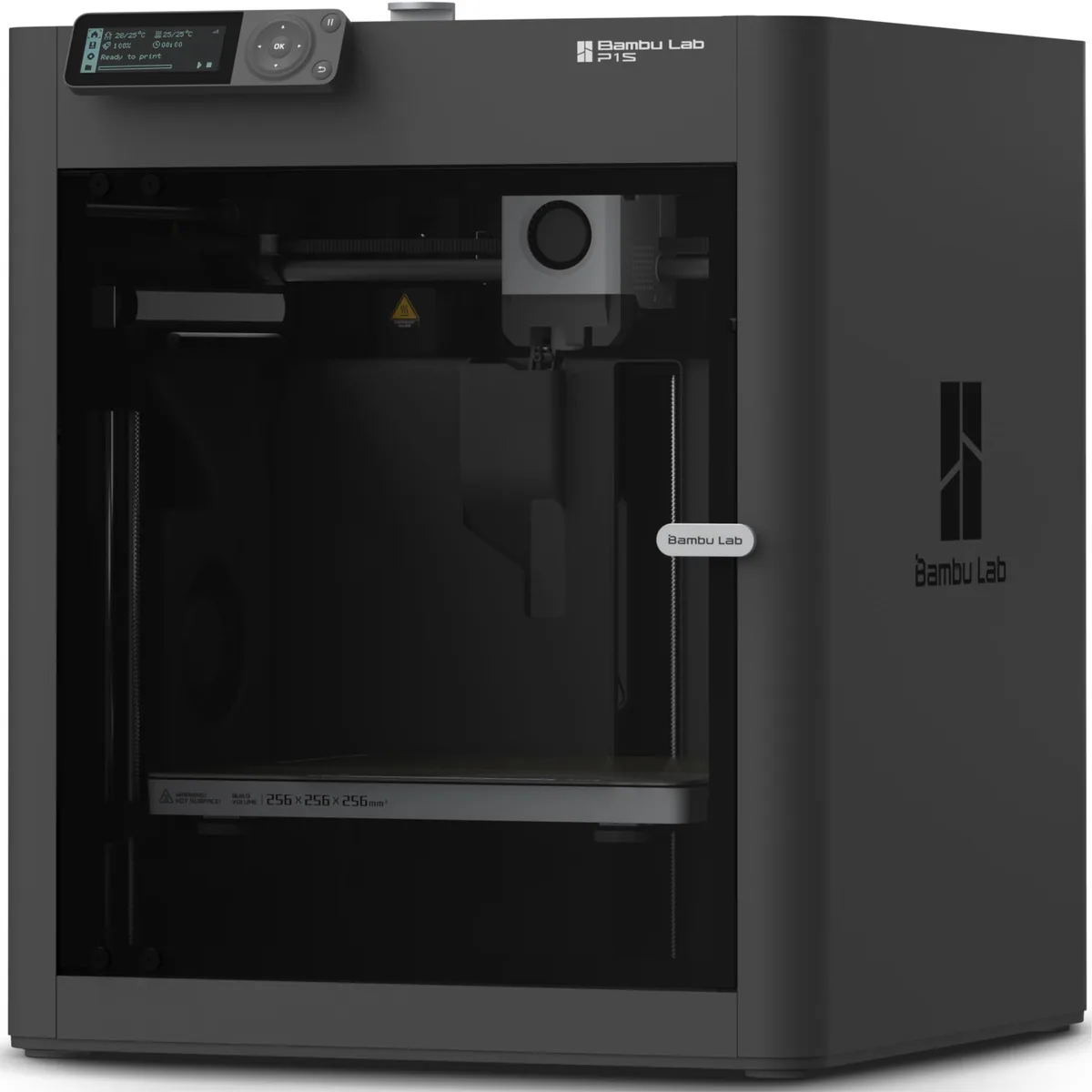
The Bambu Lab P1S (ASIN: B0CHDM8VVZ) is a phenomenal machine for its speed and reliability. An enclosed CoreXY design is also more energy-efficient for materials like ABS that require a stable, hot environment. However, if you plan to do a lot of multi-color printing with its AMS unit, you must be prepared to generate a mountain of purge blocks.
The Verdict: A Tool, Not a Panacea
So, is desktop 3D printing sustainable? The answer is: it depends entirely on how you use it.
A printer used to churn out low-effort trinkets from virgin plastic, with a high failure rate and lots of multi-color purge waste, is an environmental negative. No question.
A well-maintained printer used to create durable, functional parts that extend the life of other products is an incredible force for sustainability.
Here is a practical framework for tilting the balance in favor of sustainability.
| Factor | Bad Practice | Better Practice | Best Practice |
|---|---|---|---|
| Purpose | Printing disposable trinkets | Prototyping new designs | Printing durable repair parts |
| Material | Virgin ABS/PETG for everything | PLA for non-functional parts | Recycled PETG, or the right material for the job’s lifespan |
| Waste | High failure rate, grid supports | Dry filament, tree supports | Optimized orientation, minimal infill, no failed prints |
| Energy | Un-tuned printer, printing 24/7 | PID tuned, printing multiple parts on one bed | Enclosed printer for efficiency, powered by renewables |
| End of Life | All waste to landfill | Separate PLA waste (even if it goes to landfill) | Re-use empty spools, find a local recycler for PET/PETG |
3D printing gives you the power of a factory on your desktop. With that power comes responsibility. Print with purpose. Optimize for efficiency. Minimize waste. If you do, your 3D printer can be one of the most effective tools for positive environmental impact in your entire workshop. These lifecycle factors should influence how to pick a 3D printer for your workshop. Review our practical 3D printing guides methodologies.