
You modeled a perfect 10mm peg and a 10mm hole. You hit print. Hours later, you have two plastic parts that refuse to fit. This is the moment every maker faces. It’s the gap between digital design and physical reality.
The problem isn’t your design. It’s the process. Fused Deposition Modeling (FDM) is a process of controlled melting and cooling, and that process has variables. To make parts that fit, you must design for those variables. This guide is a no-nonsense breakdown of how to design functional clearances, press fits, snap fits, and threads that just work.
Dimensional Accuracy: What You Model vs. What You Print
First, accept a hard truth. A part designed to be 20.00mm wide will almost never measure exactly 20.00mm off the print bed. It might be 19.92mm, or it might be 20.08mm. This deviation is your dimensional error, and several factors cause this:
- Thermal Contraction: All plastics shrink as they cool. ABS shrinks a lot (around 0.8%), while PLA shrinks much less (around 0.2%). This means a large ABS part will be significantly smaller than its modeled dimensions.
- Filament Swell & Line Width: Your slicer calculates toolpaths based on a specific line width (e.g., 0.45mm for a 0.4mm nozzle). But factors like printing temperature and extrusion multiplier can cause that line to be slightly thicker or thinner.
- Mechanical Imperfections: A slightly loose belt, a bit of wobble in the gantry, or backlash in a Z-axis lead screw can all introduce small errors.
- Hole Shrinkage: Holes are a special case. They consistently print smaller than designed because the plastic strands on the inner perimeter shrink inwards.
Your goal is not to achieve a perfect ±0.00mm accuracy. That’s impossible on a desktop FDM printer. Your goal is to achieve consistency. A printer that is consistently -0.1mm on all X/Y features is predictable. You can easily design around that.
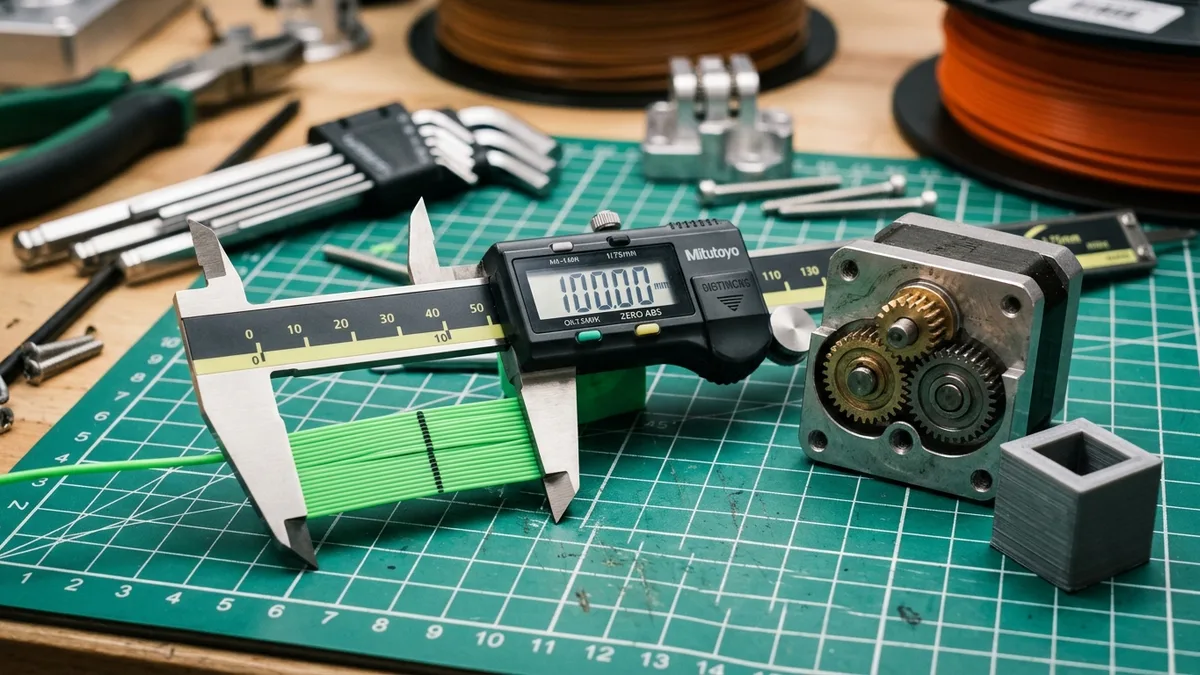
Before you design a single mating part, print a calibration cube (a simple 20mm x 20mm x 20mm cube) and measure it with a good pair of digital calipers. This gives you your baseline deviation. If your printer isn’t producing consistent parts, you need to focus on basic machine health first.
Tolerances and Fits: Designing for Assembly
Tolerance is the acceptable range of deviation for a given dimension. A “fit” is the type of connection you get between two parts based on their designed tolerances. There are three main categories.
Clearance Fits (The “Loose” Fit)
Clearance fits are for parts that need to slide, rotate, or be easily removed. The hole is intentionally designed to be larger than the peg.
- Loose Sliding Fit: For parts that need to move with very little friction.
- Action: Design a radial gap of +0.2mm to +0.4mm. (A 10mm peg would go into a 10.4mm to 10.8mm hole).
- Snug Sliding Fit: For smooth, controlled motion with minimal wobble, like a linear bearing on a rod.
- Action: Design a radial gap of +0.1mm to +0.2mm. This is the sweet spot for many functional parts.
Transition Fits (The “Just Right” Fit)
Transition fits may require light force (tapping with your hand) to assemble and will not fall apart on their own.
- Action: Design a radial gap of 0.0mm to +0.1mm. This is often called a “line-to-line” fit. It’s risky and requires a very well-calibrated printer.
Interference Fits (The “Press Fit”)
Interference fits are for permanent or semi-permanent assemblies where you want the parts joined by friction alone. The peg is intentionally designed to be larger than the hole.
- Action: Design a radial interference of -0.05mm to -0.2mm. (A 10.2mm peg is forced into a 10.0mm hole). The deformation of the plastic creates immense holding pressure.
Important: For press fits, layer orientation is critical. The force should be applied perpendicular to the layer lines of the part with the hole. Pressing parallel to the layer lines will split the part instantly.
Here is a summary table for a standard 0.4mm nozzle setup:
| Fit Type | Description | Design Gap (Radial) | Example (10mm Peg) |
|---|---|---|---|
| Clearance | Parts slide freely | +0.2mm to +0.4mm | Peg: 10.0mm, Hole: 10.4mm |
| Snug Fit | Smooth motion, no wobble | +0.1mm to +0.2mm | Peg: 10.0mm, Hole: 10.2mm |
| Transition | Light force to assemble | 0.0mm to +0.1mm | Peg: 10.0mm, Hole: 10.0mm |
| Press Fit | Requires force/tools | -0.1mm to -0.2mm | Peg: 10.2mm, Hole: 10.0mm |
Pro Tip: Design and print a tolerance test piece for your specific machine and filament. It’s a small print that has a series of pegs and holes with different clearances (e.g., 0.1mm, 0.2mm, 0.3mm). It will tell you exactly what your machine can handle.
The Special Case of Snap Fits
Snap fits are clever geometric features that act as springs, allowing parts to be joined and sometimes disassembled. The classic example is a cantilever hook, like on a battery cover.
- Material Matters: PLA is brittle and makes for terrible snap fits; they will break after a few uses. Use a more flexible and durable material like PETG, ABS, or ASA.
- Geometry is Key: The beam of the snap fit needs to be long enough to flex without exceeding the material’s strain limit. A good starting point for a PETG cantilever hook is a beam length at least 5 times its thickness. For a 2mm thick beam, make it at least 10mm long.
- Angles: The lead-in angle should be gentle (30-45 degrees) to allow for easy assembly. The locking face should be a sharp 90 degrees for a secure lock.
Printing durable materials like ABS and ASA requires managing temperature to prevent warping and layer separation. An enclosed printer is a must. The stability offered by an enclosed CoreXY system helps ensure that the delicate geometry of snap-fits forms correctly.

Bambu Lab P1S Enclosed 3D Printer
Pros
- Fully enclosed CoreXY chassis with auxiliary cooling fan, Smooth multi-color / multi-material integration with Bambu AMS, Reliable out-of-the-box first layers with dual automated bed leveling, Active vibration compensation and belt tension monitoring
- CoreXY kinematics provide high speed and excellent dimensional consistency.
- Out-of-the-box performance reduces the need for extensive tuning.
Cons
- Proprietary closed ecosystem
- Chamber is passively heated by the bed rather than a dedicated PTC heater
- Upgrading to hardened nozzle for carbon fiber requires separate swap
An enclosure traps heat, which raises the ambient temperature around the part. This reduces thermal stress and warping, leading to much better layer adhesion and dimensional stability, which are critical for snap-fits that work.
Getting Threads Right
3D printing threads is tricky. Standard metric threads (like on an M3 bolt) have very fine, sharp crests that FDM printers struggle to reproduce cleanly.
- Go Big: Avoid printing threads smaller than M4. M6 and larger are much more reliable.
- Model for Printing: If your CAD software allows it, model threads with a slightly rounded or truncated profile instead of a sharp “V”. This is more forgiving. Sometimes called “stub” or “acme” profiles.
- Slicer Settings: Use a smaller layer height (e.g., 0.12mm or 0.16mm) to get better resolution on the thread’s incline. Ensure your print speed isn’t too high.
- Orientation: Always print screws and tapped holes vertically. Printing them on their side results in messy, weak threads due to overhangs.
- Post-Processing: Be prepared to “chase” the threads after printing. For a printed bolt, run a corresponding metal die over it. For a printed hole, use a metal tap. This cleans up any blobs or zits and ensures a smooth fit.
For any application that requires strength or repeated use, use heat-set inserts. These are small, threaded brass inserts that you melt into a slightly undersized hole using a soldering iron. They provide durable, machine-quality metal threads in your plastic part. It is the professional solution.
The Hidden Variable: Filament Moisture
You can have the most perfectly calibrated printer and the best-designed tolerances, but it all falls apart if your filament is wet.
Moisture absorbed by the filament (especially PETG, Nylon, and TPU) turns to steam in the hotend. This causes:
- Inconsistent Extrusion: The steam creates bubbles, leading to pops and crackles during printing.
- Poor Surface Finish: Blobs and zits cover the part surface.
- Swelling & Warping: The part’s dimensions can swell unpredictably.
- Weakness: Poor layer-to-layer adhesion.
A part printed with wet filament will have a terrible surface finish and unpredictable dimensions, making it impossible for any clearance or fit to work as designed. A filament dryer isn’t an optional accessory; it’s a core piece of equipment for anyone serious about functional printing.
Drying your filament, especially before a long print of a critical part, removes this variable completely. It ensures your extrusion is consistent, which is the foundation of dimensional accuracy.
A Practical Decision Framework
Stop guessing. Use this checklist when designing your next project.
- Calibrate First: Print a 20mm cube. Do you know your printer’s typical deviation?
- Choose Your Fit:
- Need it to move? Start with a +0.3mm radial clearance.
- Need it to be permanent? Use a -0.15mm interference (press fit).
- Need it to clip together? Design a snap fit and print in PETG or ABS.
- Check Your Threads:
- Is the thread M6 or larger? You can try printing it vertically with a 0.16mm layer height.
- Is the thread M5 or smaller? Don’t print it. Design a hole for a heat-set insert.
- Dry Your Filament: Is the spool fresh out of the vacuum bag? If not, put it in a dryer for at least 4-6 hours at the recommended temperature.
Mastering these concepts transforms 3D printing from a hobby of making trinkets into a powerful engineering tool. You can build real machines, enclosures, and functional prototypes right on your workbench. It just takes a little planning and respect for the physics of the process. This knowledge is also essential when choosing your first 3D printer or when comparing 3D printer specs for an upgrade. Learn more in our other 3D printing how-to guides and related topics.