
The Prusa Mini review shows this machine is an open-frame desktop 3D printer designed for spaces with limited room. We look at the specifications of the Prusa Mini, examine its build volume and motion system, detail its material limits, compare it to budget alternatives, and discuss its cost constraints.
What is the Prusa Mini desktop 3D printer?
The Prusa Mini desktop 3D printer is a compact, open-frame manufacturing tool engineered by Prusa Research. This machine utilizes a single Z-axis cantilever design, which suspends the X-axis arm from one vertical support extrusion instead of two. Tom’s 3D reviews the printer as a simplified alternative to the larger Prusa i3 models, featuring a custom 32-bit controller board and a full-color LCD display. According to Prusa’s specifications, the machine processes standard 1.75 mm filament spools using a Bowden extruder setup mounted to the Z-axis column, separating the heavy stepper motor from the moving hotend assembly. Maker Hacks notes that the system includes network connectivity via an RJ-45 Ethernet port, replacing the older SD card interfaces with USB stick compatibility for file transfers. These integrated components form a functional entry point before analyzing the exact Prusa Mini+ specifications and control features. The open design allows quick access to the print bed, but leaves the components exposed to dust and ambient air drafts.
Prusa Research provides PrusaSlicer, an open-source software application that prepares 3D models for printing. This software contains pre-tuned material profiles for the Mini, removing the guesswork from setting temperatures and retraction distances. The printer’s firmware receives regular updates from the manufacturer, adding features and resolving bugs over time. Users appreciate this closed-loop ecosystem where the hardware manufacturer also develops the slicing software.
Prusa Mini+ Specifications and Print Quality Features
Prusa Mini+ specifications define the physical capabilities and control systems built into the device. The updated ”+” model introduces minor hardware revisions, such as the SuperPINDA probe, while maintaining the core architecture of the original release. According to Prusa’s official documentation, the system features a 2.8-inch graphic color screen capable of 65k colors, which provides visual G-Code previews before starting a print. The control system relies on a fast 32-bit controller board equipped with silent Trinamic 2209 stepper drivers, allowing the machine to operate quietly in office environments without emitting loud motor whining noises. PrusaSlicer software integrates directly with these specifications, offering pre-tuned material profiles that optimize the hardware’s output without manual tweaking.
The primary specifications of the Prusa Mini+ include:
- A custom 32-bit motherboard for advanced motion calculation.
- Sensorless homing on the X and Y axes to reduce mechanical wear.
- An automatic mesh bed calibration system using the SuperPINDA temperature-independent probe.
- A Bowden extruder with a 3:1 gear ratio for consistent filament feeding.
- Network printing capabilities through Ethernet or an optional ESP Wi-Fi module upgrade.
- Three dedicated thermistors and fan RPM sensors to monitor operating health.
The 2.8-inch display replaces the older monochromatic LCDs found on earlier Prusa models, bringing a modern interface that displays real-time print progress and thumbnail images of the selected model. The 32-bit architecture allows for faster processing of complex G-Code instructions, preventing the printer from stalling during complex curves. The SuperPINDA probe, an inductive sensor, measures the distance to the steel sheet across multiple points before every print, creating a virtual mesh to compensate for any slight unevenness in the print bed. This auto-bed leveling process ensures that the first layer adheres securely to the surface, which is critical for print success.
Print Volume and Workspace Dimensions
The Prusa Mini print volume measures exactly 180x180x180 mm, or roughly a 7-inch cubic space. Prusa lists the physical footprint of the assembled machine at 380 x 330 x 380 mm without the spool holder. Maker Hacks reports that this footprint requires about 35 x 45 cm of operational desk space, making it easy to fit into tight quarters like an Ikea Metod cabinet. The removable magnetic spring steel sheets, which come in textured and smooth PEI options, slide directly into this small envelope to simplify print removal. Prusa’s specified 180 mm build volume restricts the production of large cosplay helmets or continuous long functional parts, but it accommodates the majority of standard hobbyist figurines, brackets, and household replacement components.
When comparing Prusa’s 180 mm build envelope to the standard 220 mm beds of the Creality Ender 3 series, users lose a noticeable amount of space across all axes. This reduction means that large helmets, long architectural models, and full-sized cosplay props must be cut into smaller pieces using the slicer software, printed separately, and glued together afterward. However, for users producing tabletop miniatures, mechanical brackets, drone parts, or small toys, the 180 mm space listed by Prusa is more than sufficient. The smaller bed also heats up faster and consumes less electricity during long prints, making it an efficient choice for batch-producing small items.
Print Speed and Motion System
The print speed on the Prusa Mini maxes out at 200+ mm/s for travel moves, according to the manufacturer’s specifications. The motion system relies on a cantilevered X-axis supported by a single Z-axis stepper motor, eliminating the need for dual lead screws. Tom’s 3D indicates that the inertia from the lightweight toolhead is manageable, keeping the single arm stable during standard printing operations as long as the machine is not physically bumped. The printer relies on sensorless homing for the X and Y axes, meaning it bumps into the physical ends of the frame to determine its starting position rather than clicking a mechanical endstop switch. This motion setup provides reliable positioning accuracy, though the maximum printing speeds fall behind modern Klipper-based CoreXY machines.
The 200+ mm/s travel speed specification indicates how fast the printhead can move when it is not actively extruding plastic. Actual printing speeds for laying down PLA or PETG typically require moderate pacing to maintain optimal layer adhesion and surface finish. The Bowden extruder system separates the heavy extruder motor from the moving printhead, reducing the mass on the X-axis. This reduction in weight minimizes ghosting and ringing artifacts on the printed model’s surface when the printhead changes direction rapidly. However, the long PTFE tube between the extruder gear and the hotend introduces a slight delay in filament retraction, which can lead to stringing if the slicer settings are not perfectly tuned.
Material Compatibility and PTFE Tube Limits
The material compatibility of the Prusa Mini includes PLA, PETG, ASA, ABS, and flexible TPU, bounded by specific hardware temperature limits. According to Prusa’s product page, the maximum nozzle temperature reaches 280°C, and the heatbed can heat up to 100°C. Tom’s 3D explains that the hotend uses a PTFE-lined heatbreak rather than an all-metal design, stopping the PTFE tube halfway between the heater block and the heatsink. This specific hotend design protects the PTFE tube from rapidly degrading near Prusa’s stated 280°C maximum limit, but it still prevents the printer from safely extruding engineering-grade polymers like PEEK or Polycarbonate blends that require higher temperatures. The geared Bowden extruder handles standard stiff plastics perfectly, but flexible filaments require much slower print speeds to prevent buckling inside the long PTFE guide tube.
According to Prusa, the heatbed’s 100°C maximum temperature allows the printer to handle materials that are prone to warping, such as ABS and ASA. These high-temperature plastics require a hot surface to prevent the edges of the print from lifting and detaching mid-print. However, printing ABS successfully often requires an ambient temperature enclosure to prevent drafts from cracking the layers, and the Prusa Mini’s open-frame design does not provide this protection natively. For standard PLA and PETG, the open frame provides excellent part cooling, allowing the cooling fan to solidify the extruded plastic quickly for sharp overhangs and clean bridging. The machine is not recommended for abrasive materials like carbon fiber or glow-in-the-dark filaments out of the box, as the stock brass nozzle will wear out rapidly; upgrading to a hardened steel nozzle is required for those composites.
How does the Prusa Mini compare to budget alternatives?
Comparing the Prusa Mini to budget alternatives reveals differences in structural design and standard features across the desktop market. While the Mini relies on a cantilever arm and a Bowden tube, competing models at lower price points often implement dual Z-axis supports and direct-drive toolheads. Knowing how to compare 3D printers helps you understand why these hardware choices impact material handling and long-term rigidity. Newer printers often include automated bed leveling with strain gauges and fully integrated direct-drive systems, shifting the standard expectation for entry-level machines.
Prusa Mini vs Bambu Lab A1 Mini
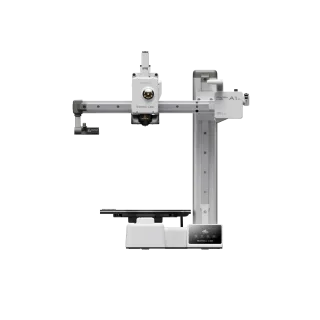
The Prusa Mini versus the Bambu Lab A1 Mini compares two cantilever-style printers designed for small desktop spaces. Both machines feature a similar 180 mm cubed build volume according to their respective manufacturers, and a single Z-axis arm, but their motion systems differ significantly. The A1 Mini utilizes a direct-drive extruder and all-metal linear rails, enabling much faster acceleration and printing speeds compared to the Prusa Mini’s V-slot wheels and Bowden setup. The Bambu Lab machine includes a fully automated calibration suite that handles Z-offset and flow dynamics without user input, whereas the Prusa requires manual live Z-adjustments during the first layer.
Bambu Lab A1 Mini Combo
Pros
- All-metal hot end with hardened steel extruder gears
- Monitoring camera supports up to 1080p timelapse
- Closed loop control for part cooling fan
Cons
- Build volume is limited to 180mm cubic
- Max build plate temperature caps at 80 ℃, ABS and ASA are not recommended
Prusa Mini vs Creality Ender 3 V3 SE
The Prusa Mini versus the Creality Ender 3 V3 SE highlights a trade-off between physical size and extrusion technology. The Ender 3 V3 SE offers a larger 220x220x250 mm build volume and dual Z-axis lead screws, providing a sturdier frame for taller prints. The Ender 3 utilizes a Sprite direct-drive extruder, which handles flexible filaments more reliably than the Bowden system on the Prusa Mini. The Creality machine also incorporates a strain gauge for automated Z-offset calibration, eliminating the need for manual first-layer adjustments that the Prusa Mini still requires.
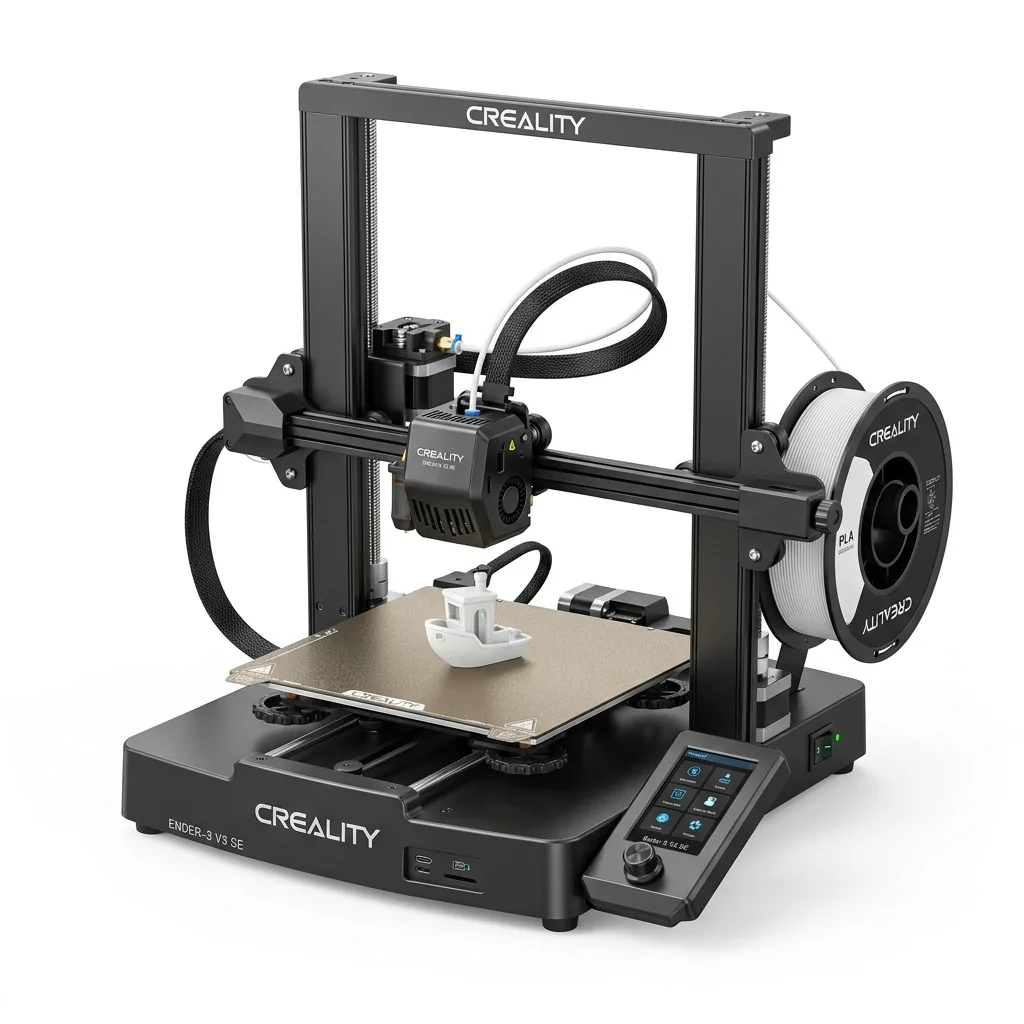
Creality Ender 3 V3 SE 3D Printer
Pros
- Hands-free auto bed leveling and Z-offset calibration
- Reliable Sprite direct drive extruder handles PLA, PETG, and TPU
- Dual Z-axis lead screws ensure high stability
- Incredible sub-$200 value
Cons
- Bowden PTFE inside hotend limits temperature to 250°C
- Open frame not ideal for ABS
For further analysis of this alternative, read the Creality Ender 3 V3 SE Research-Based Review.
What are the main disadvantages of the Prusa Mini?
The main disadvantages of the Prusa Mini center around its single-sided frame, its Bowden extruder configuration, and its limited build volume. The cantilever Z-axis design leaves the X-axis arm unsupported on one side, which can introduce vibrations and layer artifacts if the printer is bumped during operation. The Bowden extruder forces the filament through a long PTFE tube before reaching the hotend, making the printing of flexible materials like TPU much slower and more prone to jamming than on a direct-drive machine. Prusa’s 180 mm build volume is significantly smaller than the 220 mm square bed standard set by Creality’s cheaper entry-level printers, restricting the maximum size of printed objects. The printer also lacks native wireless connectivity out of the box, requiring an optional ESP module for Wi-Fi.
Another limitation is the single-sided Z-axis, which can cause the X-axis arm to sag slightly on the unsupported end if heavy modifications are added to the toolhead. While the factory setup accounts for this weight and maintains a level plane relative to the bed, users cannot easily upgrade to heavier direct-drive extruders without introducing significant mechanical droop. The reliance on a USB thumb drive for file transfers, while an upgrade over SD cards, still requires physically moving a storage device between the computer and the printer unless the user configures the network interface. The power supply is an external brick, similar to a laptop charger, which adds clutter to the workspace compared to printers with internally integrated power supplies.
What is the total cost of owning a Prusa Mini?
The total cost of owning a Prusa Mini begins with a base price of $429 for the semi-assembled version, according to Prusa’s web store. Shipping costs and import duties increase the final initial investment, depending on your geographic location. While the upfront price is higher than many Chinese budget printers, reviewers like Maker Hacks note that the reliable hardware often requires fewer replacement parts over time, potentially lowering long-term maintenance expenses. The machine consumes standard 1.75 mm filament, as listed by Prusa, allowing users to buy affordable third-party spools to keep operating costs low. A printed part’s cost is mostly the electricity and the raw plastic, both of which are minimal on a machine of this size.
The initial $429 price tag places the Prusa Mini in a premium budget category, costing more than twice as much as some entry-level competitors. However, the total cost of ownership extends beyond the purchase price to include the value of the user’s time. Prusa machines are known for their reliability, meaning users spend fewer hours troubleshooting clogs, leveling beds manually, or replacing worn-out components. The package includes a high-quality spring steel sheet, which outlasts glass beds or basic adhesive surfaces, reducing the frequency of replacement purchases. Prusa’s customer support and warranty service also provide a safety net that is often absent in cheaper imported machines to replace defective parts without forcing the user to buy aftermarket solutions. Find more evaluations of hardware limits and pricing in our research-based 3D printer reviews.