
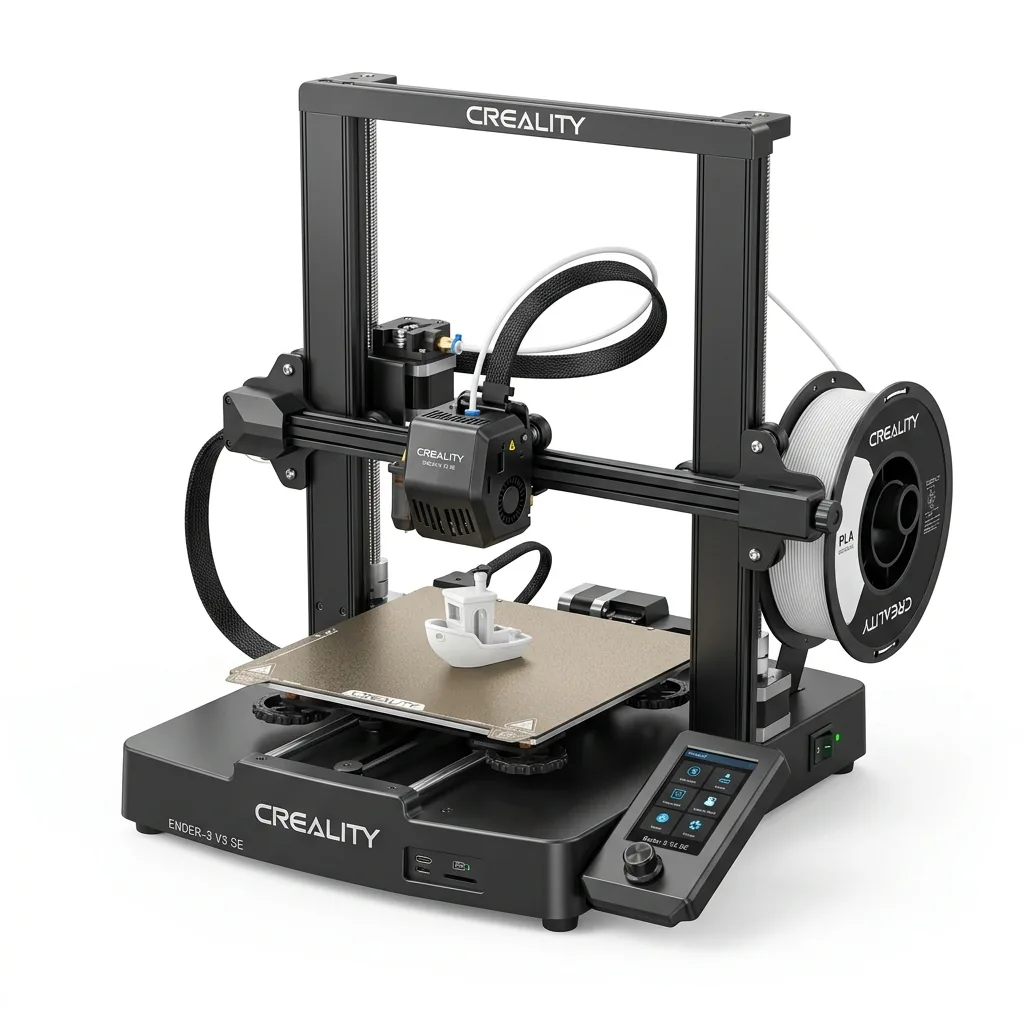
The Creality Ender 3 V3 SE offers a compelling entry point for beginners by combining automatic bed leveling and a direct-drive extruder at a budget-friendly price. This article covers its design and assembly process, the auto-leveling system, print speed capabilities, material compatibility, and how it compares to alternative models.
| What We Liked (Pros) | Where It Falls Short (Cons) |
|---|---|
| CR Touch auto-leveling with strain-sensor automatic Z-offset, zero manual bed tramming required | Open-frame construction causes warping when attempting ABS or ASA prints |
| Sprite direct-drive extruder reliably handles PLA, PETG, and flexible TPU | No filament runout sensor included from the factory |
| Pre-assembled gantry enables complete unboxing-to-printing setup in ~20 minutes | Advertised 250 mm/s is maximum; sweet spot for high surface quality is 150–180 mm/s |
| Dual rigid Z-axis lead screws and dual linear steel Y-axis shafts prevent layer shifts | PC spring steel build sheet works well but PEI upgrades offer longer durability |
| Street price regularly under $200 delivers unbeatable budget value | 3.2-inch color screen uses a rotary dial rather than a modern touchscreen |
Technical Specifications
| Printing Technology | FDM (Fused Deposition Modeling) |
| Build Volume | 220 × 220 × 250 mm (8.66 × 8.66 × 9.84 in) |
| Maximum Print Speed | 250 mm/s (Typical quality speed: 150–180 mm/s) |
| Max Acceleration | 2,500 mm/s² |
| Extruder Mechanism | “Sprite” Direct Drive (dual-gear steel reduction) |
| Nozzle & Maximum Temp | 0.4 mm brass nozzle (standard MK8), up to 260°C |
| Heated Bed Maximum Temp | 100°C |
| Bed Leveling | CR Touch optical probe + automated Z-offset strain gauge |
| Build Surface | Flexible magnetic PC spring steel plate |
| Motion Hardware | Dual synchronized Z-axis lead screws, dual 8mm steel linear shafts on Y-axis |
| Supported Filaments | PLA, PETG, TPU (95A) |
| Connectivity | Full-size SD Card, USB-C |
Design and Assembly: A Fast, Beginner-Proof Setup
The Creality Ender 3 V3 SE features a fast, beginner-proof setup that takes approximately 15 to 20 minutes from unboxing to powering on. For years, getting into 3D printing with a budget Creality machine meant spending three to four hours assembling loose extrusions, adjusting eccentric nuts, and hoping the frame was squared correctly.
The printer arrives virtually pre-assembled in two primary modules: the sturdy base housing the motherboard, power supply, and Y-axis carriage, and the pre-strung vertical gantry with the X and Z axes already squared. Assembly involves just four straightforward steps:
- Slot the vertical gantry into the base and secure it with four bolts from underneath.
- Mount the 3.2-inch display screen with two bracket screws.
- Attach the top-mounted spool holder and filament guide.
- Connect three clearly keyed cable bundles (color-coded so you physically cannot plug them in wrong).
From opening the box to pressing the power switch takes approximately 15 to 20 minutes. A complete toolkit with hex wrenches, side cutters, and nozzle needles is included in the box.
Auto-Leveling and Auto Z-Offset: The Major Upgrade
The V3 SE solves bed leveling frustration through a comprehensive dual-sensor leveling system that operates completely hands-free. Bed leveling has historically been the primary cause of failed prints and frustration for beginner makers.
Unlike older budget models that rely on manual bed leveling knobs beneath the print surface, the V3 SE has a completely fixed bed. During its automated leveling cycle, two sensors work in tandem:
- Strain Gauge Sensor: The nozzle presses directly onto the build plate at a specific point to calculate the exact mechanical Z-offset automatically. You no longer need to slide a sheet of paper under the nozzle to guess the friction.
- CR Touch Optical Sensor: The probe measures 16 distinct points across the build plate to generate a real-time mesh compensation map for any microscopic surface variations.
Across verified user benchmarks, first-layer adhesion with PLA and PETG is consistently reliable straight out of the box, with uniform layer squish across the entire 220 × 220 mm bed.
Print Speed and Quality Capabilities
Creality advertises a maximum print speed of 250 mm/s with 2,500 mm/s² acceleration. While the machine can physically travel at that velocity, general community consensus shows that optimal print quality and dimensional tolerance are achieved between 150 mm/s and 180 mm/s.
At these speeds, a standard 3DBenchy benchmark boat finishes in approximately 32 minutes using 0.2 mm layer height, roughly three times faster than an original Ender 3 or Ender 3 V2.
Surface quality is remarkably clean for a bed-slinger under $200. Creality upgraded the Y-axis from cheap rubber V-slot wheels to dual 8 mm hardened steel linear shafts, significantly reducing bed wobble and ghosting artifacts on the Y carriage. Dual synchronized Z-axis lead screws keep the X-gantry level across tall prints, preventing the sagging that plagued older single-Z printers.
Extruder and Material Compatibility
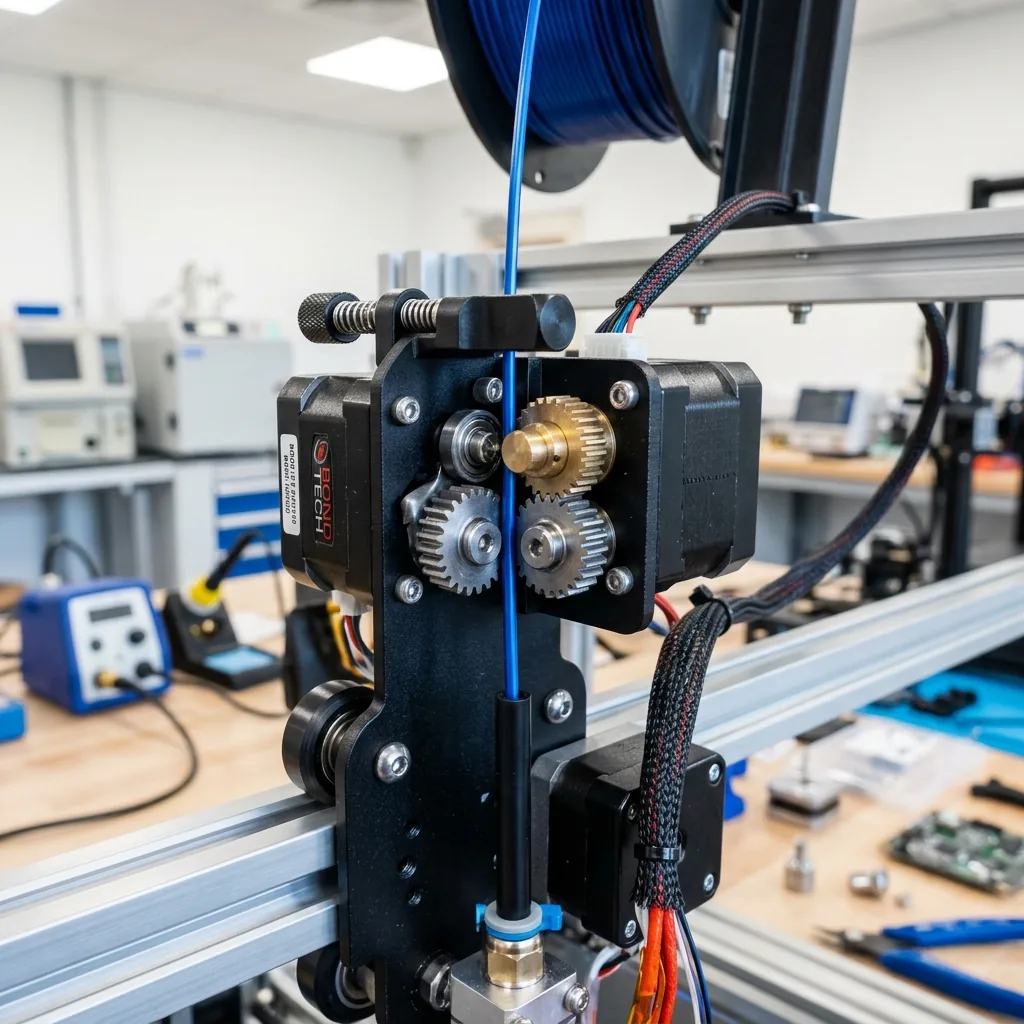
The V3 SE provides broad material compatibility using Creality’s proven “Sprite” direct-drive extruder with dual hardened steel gears and a 1:3.5 reduction ratio. Having the extruder mounted directly above the hotend rather than through a long Bowden tube provides several crucial benefits:
- Flexible TPU (95A): Feeds reliably without buckling or getting tangled in the drive gears, making the V3 SE one of the cheapest dependable TPU printers on the market.
- PLA and PLA+: Smooth, consistent extrusion with sharp retraction settings (typically 0.8 mm at 40 mm/s), practically eliminating stringing and oozing.
- PETG: Excellent layer bonding at 230–240°C with bed temperatures set to 70–80°C.
Material Limitation Note: Because the printer is an open-frame design and the hotend is capped at 260°C with a PTFE liner inside the heatbreak, this printer is not designed for high-temperature engineering plastics like ABS, ASA, Nylon, or Polycarbonate without an external enclosure and an all-metal hotend upgrade.
Head-to-Head: How the Ender 3 V3 SE Compares
| Model | Build Volume | Max Speed | Auto Leveling | Est. Price | Best Verdict |
|---|---|---|---|---|---|
| Creality Ender 3 V3 SE | 220 × 220 × 250 mm | 250 mm/s | CR Touch + Auto Z | ~$199 | Best Budget Standard Build Size |
| Bambu Lab A1 Mini | 180 × 180 × 180 mm | 500 mm/s | Full Sensor Array | ~$199 to $249 | Faster & multi-color capable, but smaller build area |
| Elegoo Neptune 4 | 225 × 225 × 265 mm | 500 mm/s | Inductive + Manual | ~$239 to $259 | Includes Klipper firmware, but requires manual knob tuning |
To learn more about how we evaluate build volume and other metrics, view our Desktop 3D Printer Comparison Chart: Build Volume, Materials, Workspace and Total Cost.
For a detailed look at an enclosed alternative in a similar price tier, read the Flashforge Adventurer 3 Research-Based Review: Specs, Limits and Alternatives.
Recommended Starter Bundle
A recommended starter bundle includes high-speed filament and precision calipers so you can start printing immediately without extra trips to the hardware store:
- Primary Machine: Creality Ender 3 V3 SE 3D Printer: The reliable workhorse.
- High-Speed Filament: Creality Hyper PLA (1kg Spool): Formulated for rapid melting and cooling at 150 to 250 mm/s.
- Precision Measurement: 6-Inch Stainless Steel Digital Calipers: Essential for checking part tolerances and calibrating flow.
Frequently Asked Questions
Is the Ender 3 V3 SE good for complete beginners?
Yes. The automated CR Touch leveling combined with the strain-gauge automatic Z-offset removes the steepest learning curve in 3D printing. Most beginners have their first test print running within 25 minutes of unboxing.
Can the Ender 3 V3 SE print flexible TPU filament?
Yes. Thanks to the Sprite direct-drive extruder, flexible filaments like 95A TPU feed smoothly without buckling. For best results, print TPU at 30–40 mm/s with bed heating set to 50°C.
What is the difference between the Ender 3 V3 SE and Ender 3 V3 KE?
The V3 KE costs approximately $80 more and adds Klipper-based Creality OS, a 4.3-inch touchscreen, Wi-Fi printing, an all-metal hotend rated to 300°C, and higher 500 mm/s print speeds. If you primarily print PLA and PETG on a budget, the SE provides roughly 85% of the practical performance for significantly less money.
Does the Ender 3 V3 SE require manual bed leveling?
No. The print bed is permanently bolted to the carriage without springs or adjustment knobs. Leveling and height compensation are handled 100% automatically through software mesh mapping.
Final Recommendation: Should You Buy the Ender 3 V3 SE?
If your budget is capped under $200 and you want a standard 220 × 220 × 250 mm build volume, the Creality Ender 3 V3 SE remains the undisputed budget benchmark. It eliminates the manual calibration headaches of previous Ender iterations while delivering three times the speed and a reliable direct-drive extruder.
For makers looking to produce functional household parts, cosplay props, tabletop terrain, or school STEM projects with PLA, PETG, and TPU, this machine delivers dependable performance at a price that leaves plenty of room for filament.
For more detailed breakdowns on similar machines, browse our 3D Printer Reviews.
View Creality Ender 3 V3 SE on Amazon
Last updated: September 3, 2026. Prices and availability sourced from Amazon.com; subject to change. As an Amazon Associate, babageecalicoprinting.com earns from qualifying purchases.