
Upgrade a 3D printer by matching the nozzle and hotend to the filament, the build plate to adhesion and release needs, and spare parts to likely downtime. This guide covers extrusion components first, then build plates, essential spares, filament management, and a goal-based upgrade order.
Cosmetic changes do not expand material compatibility or correct a failing feed path. Nozzles, hotends, plates, heaters, sensors, belts, fans, and dry-storage equipment affect defined printer functions, so each change should solve a documented limitation.
The Heart of Extrusion: Hotends and Nozzles
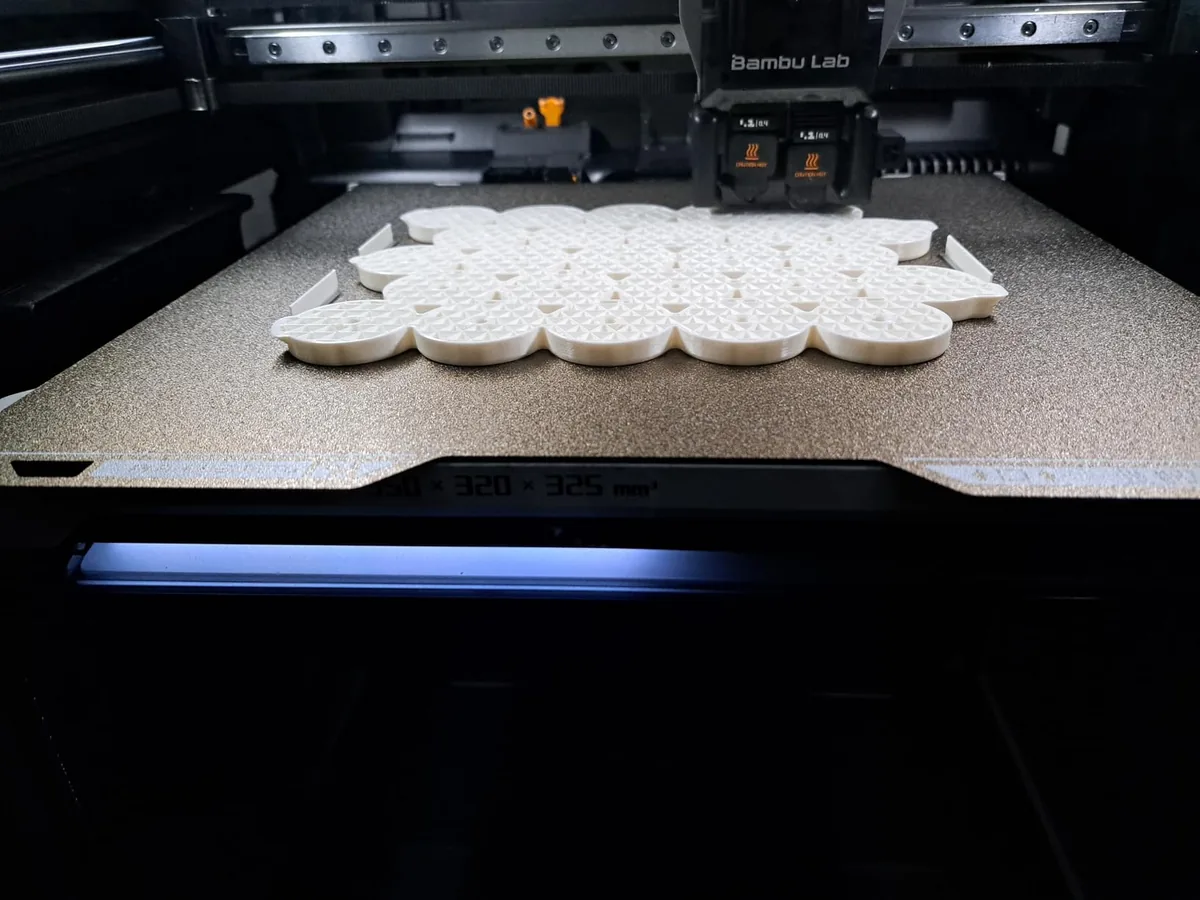
Hotends and nozzles control melt temperature, volumetric flow, abrasion resistance, extrusion width, and material compatibility. The two components work as a system, so a nozzle change may require a compatible heater, heat break, sensor, or slicer profile.
Nozzle Deep Dive: Material, Diameter, and Geometry
Nozzle material, diameter, and internal geometry determine wear resistance, flow capacity, feature size, and heat transfer at the final point of extrusion.
Nozzle Material
- Brass: Brass has high thermal conductivity and suits non-abrasive filaments such as PLA, PETG, and ABS. Abrasive carbon-fiber, glass-fiber, glow, and wood-filled materials shorten its service life; the wear rate varies by formulation and material volume.
- Hardened Steel: This is your workhorse for abrasive filaments. It easily handles filled materials (wood, carbon fiber, glass) that would ruin a brass tip. The trade-off is lower thermal conductivity. You will likely need to increase your printing temperature by 5-10°C and may see a slight reduction in maximum print speed.
- Tungsten Carbide / Ruby Tipped: These are premium, high-performance options. They combine the extreme wear resistance needed for constant abrasive use with thermal conductivity that is much closer to brass. The cost is significantly higher, so these are best for industrial or heavy-use applications.
Nozzle Diameter
- 0.4mm: The universal standard. It provides a great balance between fine detail and reasonable print times. Most slicer profiles are optimized for it.
- 0.25mm or smaller: Use this for extreme detail, such as printing miniatures or text. Be prepared for longer print times and a higher sensitivity to filament quality and clogs.
- 0.6mm or larger: The choice for speed and strength. A 0.6mm nozzle printing 0.3mm layers can put down plastic much faster than a 0.4mm nozzle. The wider extrusion lines also create stronger layer-to-layer bonds, making for tougher functional parts.
Hotend Technology: All-Metal vs. PTFE-Lined
Hotend construction determines whether PTFE reaches the hot zone and sets the safe temperature range published for the complete assembly.
- PTFE-Lined: Common in entry-level printers, a PTFE tube runs directly into the top of the heat block. This design is simple and effective for low-temperature filaments. Its limit is around 240-245°C. Above this, the PTFE tube begins to degrade, releasing harmful fumes and causing difficult-to-diagnose clogs. This is a primary maintenance bottleneck. For a complete overview of upkeep, our 3D printer maintenance tips guide is a valuable resource.
- All-Metal: Here, the PTFE tube stops in the cold end, and a metal heat break (often titanium or a bimetal composite) isolates the melt zone. This design is essential for printing high-temperature materials like Nylon, PC, and other composites that require temperatures of 250°C and higher. The main challenge with all-metal hotends is managing heat creep, so a powerful hotend fan is critical.
Modern printers, especially in the CoreXY category, almost exclusively use all-metal hotends to achieve high speeds and material versatility right out of the box.
The Foundation of Every Print: Build Plates
Build plates must hold the first layer during printing and release the cooled part without damaging the surface or model.
Surface Materials: From Glass to PEI
Build-plate surface materials differ in flatness, adhesion behavior, release method, mass, and compatibility with each polymer.
- Glass / Carborundum: Once the pinnacle of flatness, glass beds provide a beautiful, smooth bottom finish. Their downside is poor adhesion without help (glue stick, hairspray) and long cooldown times required for parts to self-release. They are also heavy and brittle.
- PEI (Polyetherimide): This is the modern standard for good reason. It offers fantastic adhesion for most materials when heated.
- Smooth PEI: Delivers a glossy, glass-like bottom finish. It’s perfect for PLA. Be careful with PETG, as it can bond so well that it tears chunks out of the PEI surface. A barrier like a glue stick is recommended for PETG.
- Textured PEI: This powder-coated surface is a major upgrade. It has a slight texture that hides minor first-layer imperfections and offers a forgiving level of adhesion. It’s particularly great for PETG, as parts pop right off once the plate cools.
Flexible Steel Sheets: The Real Upgrade
Flexible steel sheets combine a removable spring-steel base with a compatible print surface. A magnetic base holds the sheet on the heatbed; after cooling, flexing the sheet can release the part without scraping. This removable design is standard on printers such as the Bambu Lab P1S (ASIN B0CHDM8VVZ).
Essential Spare Parts: Your Uptime Insurance Policy
Essential spare parts reduce downtime when a known consumable or model-specific electrical component fails and a compatible replacement is not locally available.
The “Must-Have” Spares Kit
- Nozzles: These are consumables. Keep at least two spare 0.4mm brass nozzles on hand. If you plan to print with anything abrasive, have a spare hardened steel nozzle ready to swap in.
- PTFE Tube: Even on all-metal hotends, short guide tubes are common. High-quality Capricorn XS tubing has tighter tolerances and reduced friction. Buy a one-meter length; it’s cheap and will last for many repairs.
- Thermistor & Heater Cartridge: These components fail without warning. Having one of each, specific to your printer’s voltage (12V or 24V) and physical dimensions, can save a weekend project.
- Belts: GT2 timing belts stretch and fray over time. Keep a spare length and the necessary connectors or crimps in your kit.
- Fans: Hotend fans and part cooling fans are the only moving parts that run 100% of the time. They will eventually fail. Identify the size (e.g., 4010), voltage, and type (axial vs. blower) and order a spare.
The Overlooked Upgrade: Filament Management
You can have the best hardware in the world, but if your filament is wet, your prints will fail. Most filaments are hygroscopic, meaning they absorb moisture from the air. This moisture flashes to steam in the hotend, causing pops, hisses, extreme stringing, poor layer adhesion, and nozzle clogs.
Nylon, TPU, and PETG are particularly bad offenders. Even PLA benefits from being kept dry. A dedicated filament dryer is not an optional accessory; it is a required tool for anyone serious about printing with engineering-grade materials.

Creality Space Pi Filament Dryer
Pros
- “Surround heating is more effective than a simple heated baseplate.”
- “Adjustable temperature and timer accommodates different filament types.”
- “Acts as a dry box, allowing direct feeding from the unit.”
Cons
- “Only holds a single spool at a time.”
Decision Framework: What to Upgrade First?
The first upgrade should solve the printer’s current limitation or add one defined material, speed, adhesion, detail, or uptime capability.
| Goal | Upgrade Priority #1 | Upgrade Priority #2 | Upgrade Priority #3 |
|---|---|---|---|
| Print Carbon Fiber Nylon | All-Metal Hotend | Hardened Steel Nozzle (0.6mm) | Filament Dryer |
| Increase PLA Print Speed | High-Flow Hotend | 0.6mm Brass Nozzle | Upgraded Part Cooling Fan (5015) |
| Improve Reliability | Flex PEI Steel Plate | Stock up on Spares | All-Metal Hotend |
| Print High-Detail Minis | 0.25mm Brass Nozzle | Calibrate E-steps & Flow | Slicer Profile Tuning |
Start with a single hardware change. After installation, run your calibrations. This includes a PID tune for any new hotend components and a first-layer calibration for a new build surface. Print a few test models to confirm the machine is running correctly before moving to the next upgrade. This methodical approach helps you isolate variables and truly understand the impact of each new part.
Many modern machines integrate an all-metal hotend and a removable PEI plate, while abrasive filament may still require a compatible hardened nozzle upgrade. The Bambu Lab P1S follows that general platform approach. The Bambu Lab P1S vs Creality K1C comparison covers two enclosed implementations. Choose the upgrade order from the material and failure mode, then calibrate one changed component before installing the next.