
In the workshop, two printers are generating a lot of noise, and for good reason. The Bambu Lab P1S and the QIDI Q1 Pro represent the new standard for fast, enclosed CoreXY 3D printers. They look similar at a glance, but their published specifications reveal two very different design philosophies.
One is a polished consumer appliance. The other is a Klipper-powered industrial workhorse for your desktop.
This isn’t a spec sheet race. This technical teardown examines the hardware choices for people who need to print functional parts, revealing which machine deserves a spot on your workbench.
Core Specifications: The Tale of the Tape
Let’s get the raw numbers out of the way. These specs define the printers’ fundamental capabilities, but the real story is in how they use them.
| Feature | Bambu Lab P1S | QIDI Q1 Pro |
|---|---|---|
| Build Volume | 256 x 256 x 256 mm | 245 x 245 x 245 mm |
| Motion System | CoreXY | CoreXY |
| Chamber Environment | Enclosed, Passively Heated, Filtered | Enclosed, Actively Heated (60°C), Filtered |
| Max Hotend Temp | 300°C | 350°C |
| Max Bed Temp | 100°C | 120°C |
| Stock Nozzle | 0.4mm Stainless Steel | 0.4mm Hardened Steel + Copper Alloy |
| Bed Leveling | Automatic (Force Sensor) | Automatic (Strain Gauge) + KAMP |
| Firmware | Proprietary | Klipper |
| Connectivity | Wi-Fi, Bluetooth, Bambu-Bus | Wi-Fi, Ethernet Port |
| Frame | Welded Steel, Plastic & Glass Shell | All-Metal Frame, Metal & Acrylic Shell |
| Multi-Material | Yes (with optional AMS) | No |
| ASIN | B0CHDM8VVZ | B0CSDB9QTF |
At a glance, the Q1 Pro takes an early lead on raw temperature and material capability. But the P1S has the trump card of the AMS system. Let’s break down what this means in practice. To understand how these specs translate into performance, read our guide to compare 3D printers.
Chamber Heating: The Deciding Factor for Engineering Materials
This is the single biggest hardware difference. It dictates what materials you can print reliably.
The Bambu Lab P1S has a simple plastic and glass enclosure. The heat from the print bed (max 100°C) passively warms the chamber. On a long print, you might see chamber temps hit 35-40°C. This is great for keeping drafts off PLA and PETG, and it’s borderline acceptable for some ABS parts if you have a perfect brim and low model density.
The QIDI Q1 Pro changes the game entirely with an actively heated chamber. A dedicated PTC heating element brings the entire enclosure up to a stable 60°C. This is not a gimmick.
For high-temperature, high-shrinkage materials, this is non-negotiable.
- ABS & ASA: An active 60°C chamber drastically reduces thermal stress. The result is zero-warp prints and incredible layer adhesion. No more peeling corners or layers splitting 8 hours into a print.
- Nylon & Polycarbonate (PC): These materials demand a hot, stable environment to prevent internal stresses from ruining a part. The Q1 Pro’s chamber provides that environment, allowing you to print large, functional parts that are dimensionally accurate.
Winner: QIDI Q1 Pro. It’s not even a contest. For anyone serious about printing functional parts with engineering-grade filaments, the actively heated chamber is a massive advantage.
Hotend and Extrusion System: Abrasives vs. Accessibility
Both printers use a direct drive extruder, which is what you want for speed and precision. But again, the details matter.
The P1S has a very capable all-metal hotend that reaches 300°C. This covers PLA, PETG, TPU, ABS, ASA, and even some low-temp nylons and carbon fiber composites (with a hardened nozzle upgrade). It’s a fantastic all-rounder. Its weakness? It’s part of a proprietary assembly. Swapping nozzles or clearing a tough clog is more involved than on a standard V6-style hotend.
The Q1 Pro comes out of the box ready for war. The hotend hits 350°C and the bed gets up to 120°C. It includes two nozzles: a copper alloy for high thermal conductivity and a hardened steel nozzle for abrasive filaments like carbon fiber-filled nylon (PA-CF) and glass-filled PETG. You can run these materials for hundreds of hours without worrying about the nozzle wearing out and ruining your print quality.
The Q1 Pro’s hotend is also more accessible for maintenance. It’s a more traditional design, which is a plus for those of us who like to get our hands dirty with calibrations and part swaps.
Winner: QIDI Q1 Pro. A higher max temperature and included hardened steel nozzle make it the superior choice for high-performance and abrasive materials right out of the box.
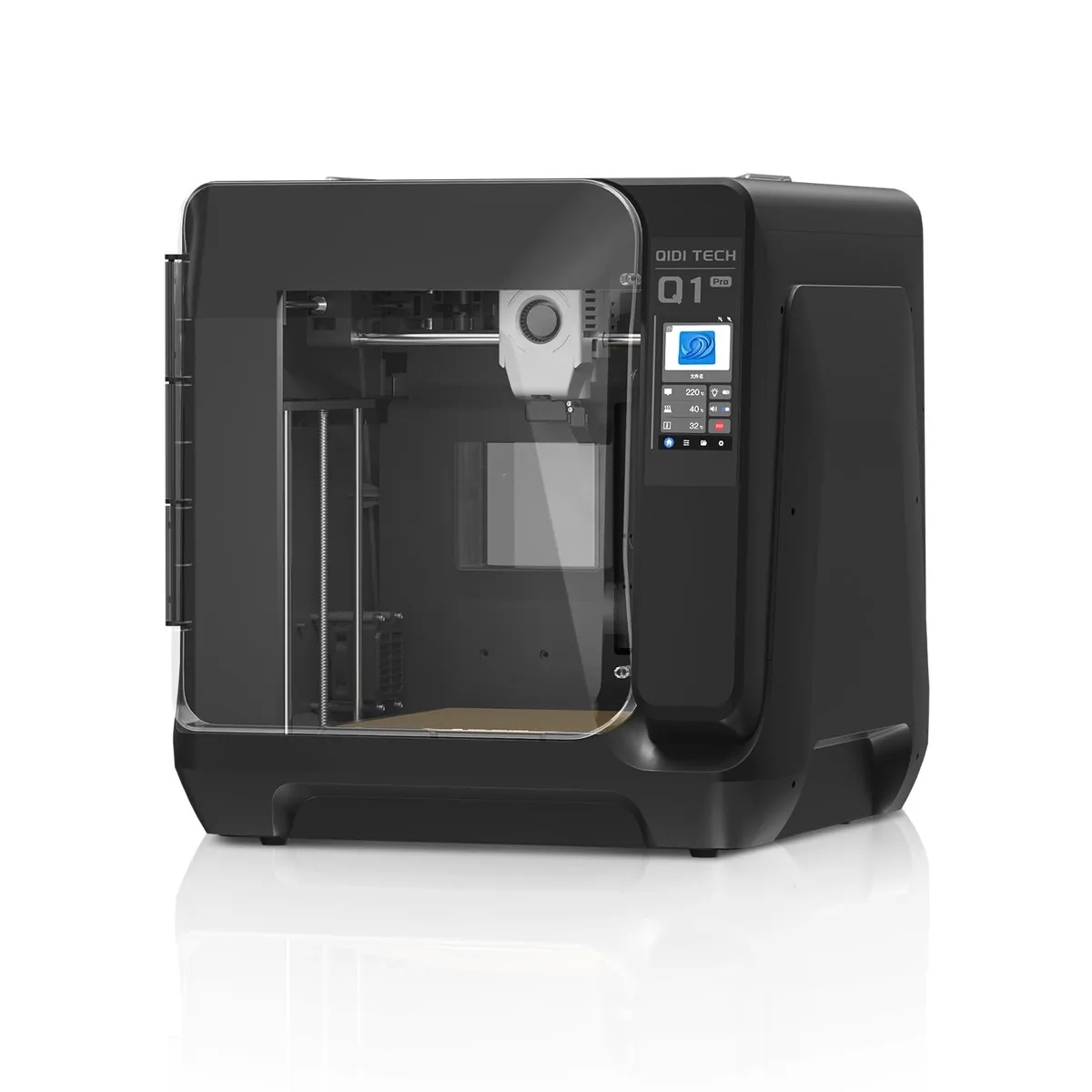
QIDI Q1 Pro High-Temp 3D Printer
Pros
- Dedicated 60°C active PTC chamber heating element eliminates warping on ABS/ASA/Nylon, High-temp bimetal nozzle rated up to 350°C for engineering plastics, Dual independent Z-axis motors with automated bed tilt compensation, Dual filament tangle and runout sensors with integrated chamber camera
- Klipper firmware gives total control to advanced users
- All-metal frame and linear rails for high-speed stability
Cons
- Industrial aesthetics with a bulkier footprint
- QIDI Studio slicer is less beginner-friendly than Bambu Studio
Software and Ecosystem: Walled Garden vs. Open Source Freedom
This is a battle of philosophies.
Bambu Lab has built an “Apple-like” ecosystem. The P1S, Bambu Studio slicer, and the optional AMS work together flawlessly. It’s a closed system. You use their slicer (a good PrusaSlicer fork) and their app. For many, this is a huge benefit. Slicing, sending, and monitoring prints is incredibly smooth. The AMS system for multi-color and multi-material printing is a brilliant piece of engineering that just works. If you want to print in 4, 8, or even 16 colors with minimal hassle, the P1S with AMS is the only answer in this price bracket.
QIDI went the other way. The Q1 Pro runs Klipper firmware. This is a dream for power users.
- Full Control: You have root access. You can fine-tune every single parameter of the machine.
- Advanced Features: Klipper enables things like KAMP (Klipper Adaptive Meshing and Purging), which intelligently probes only the area of the bed you’re printing on. This saves time on every print.
- Slicer Freedom: While QIDI provides a slicer, you can use Cura, PrusaSlicer, or OrcaSlicer and connect it directly to the printer’s web interface (Mainsail or Fluidd).
The trade-off is a slightly higher learning curve. You need to be comfortable with a web interface and configuration files. But the power and flexibility are immense.
Winner: It’s a tie, depending on you.
- For a smooth, multi-material, “it just works” experience: Bambu Lab P1S.
- For ultimate control, customization, and open-source power: QIDI Q1 Pro.
The Real-World Friction: Community Insights on Long-Term Usage
Extended community usage reveals that small hardware details become big things.
The P1S is a speed demon, but its motion system uses carbon rods for the X-axis and steel rods for the Y-axis. This is good, but not as robust as the Q1 Pro’s choice of linear rails on both the X and Y axes. Linear rails provide more rigidity, which can lead to better print quality at extreme speeds and require less maintenance over the long term.
The Q1 Pro’s all-metal frame feels more substantial and industrial than the P1S’s plastic-heavy enclosure. When both printers are running at 20,000 mm/s² acceleration, that extra rigidity on the Q1 Pro is noticeable.
One crucial accessory for either printer, especially the Q1 Pro, is a good filament dryer. Printing engineering-grade materials like Nylon and PC is impossible without bone-dry filament.
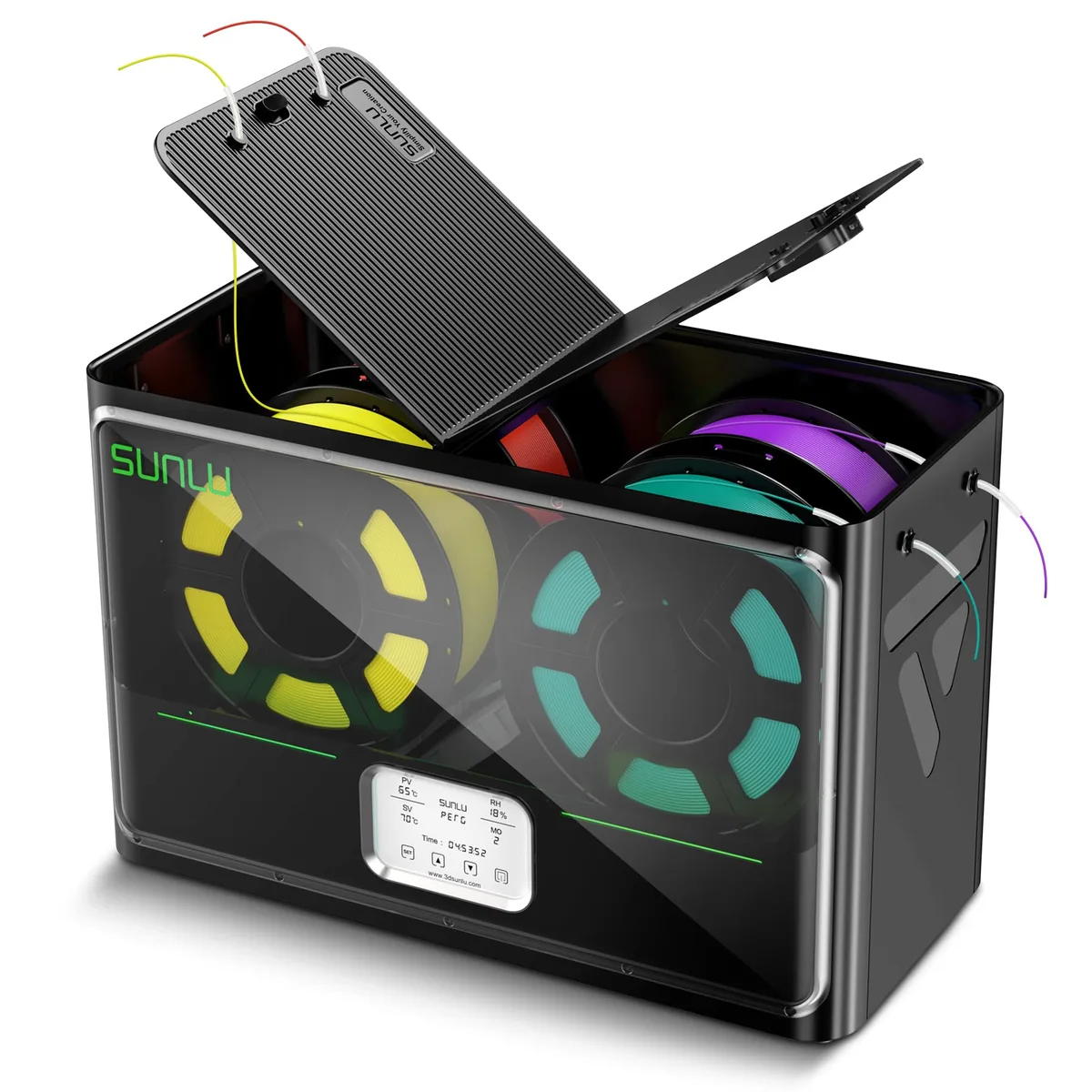
SUNLU S4 Pro 4-Spool Filament Dryer & Drybox
Pros
- Massive 4-spool capacity dries 4 rolls simultaneously for Bambu Lab AMS or multi-printer setups, 350W rapid PTC heating with three high-flow circulation fans, 8 dedicated filament feed ports with PTFE tubing for direct printing from drybox, Automated humidity maintain mode re-triggers heating when ambient humidity exceeds threshold
- Essential for getting high-quality results with hygroscopic filaments
- Large capacity means you’re always ready to print
Cons
- Higher upfront cost (~$149)
- Requires dedicated 515 x 267 x 268 mm desktop shelf space
The Verdict: Who Should Buy Which Printer?
This isn’t about one printer being “better.” It’s about matching the right tool to the right job. We’re fortunate to have two such strong contenders in the FDM 3D printers market.
Buy the Bambu Lab P1S if:
- You primarily print PLA, PETG, and TPU.
- You want the simplest, most streamlined printing experience possible.
- Multi-color and multi-material printing with the AMS is a key feature for you.
- You prefer a polished, closed ecosystem where everything just works together.
|Check Price for Bambu Lab P1S
Buy the QIDI Q1 Pro if:
- You need to print functional, high-strength parts from ABS, ASA, Nylon, PC, and carbon fiber composites.
- The actively heated chamber is a must-have for your work.
- You are a tinkerer who values the power, freedom, and customizability of Klipper firmware.
- You want a machine with a more robust, industrial build quality (all-metal frame, linear rails).
Both printers are incredible pieces of technology that push the boundaries of what’s possible with desktop 3D printing. The Bambu Lab P1S perfected the user experience for the masses. The QIDI Q1 Pro democratized industrial-grade material capabilities for the workshop. Choose the one that matches your projects, and you will not be disappointed. You can find more 3D printer comparison guides to help guide your decision.