
Anycubic and Elegoo both sell resin and FDM desktop 3D printers, and the better choice depends on the exact current models, printing process, project, workspace and ownership requirements. Their resin lines include compact and larger-format machines, while their FDM lines include open moving-bed and enclosed CoreXY designs. A fair verdict therefore compares one process and one size class at a time. Specifications, software, warranty and model status on this page come from named official sources checked on September 29, 2026. A brand name alone does not prove print quality, reliability or value.
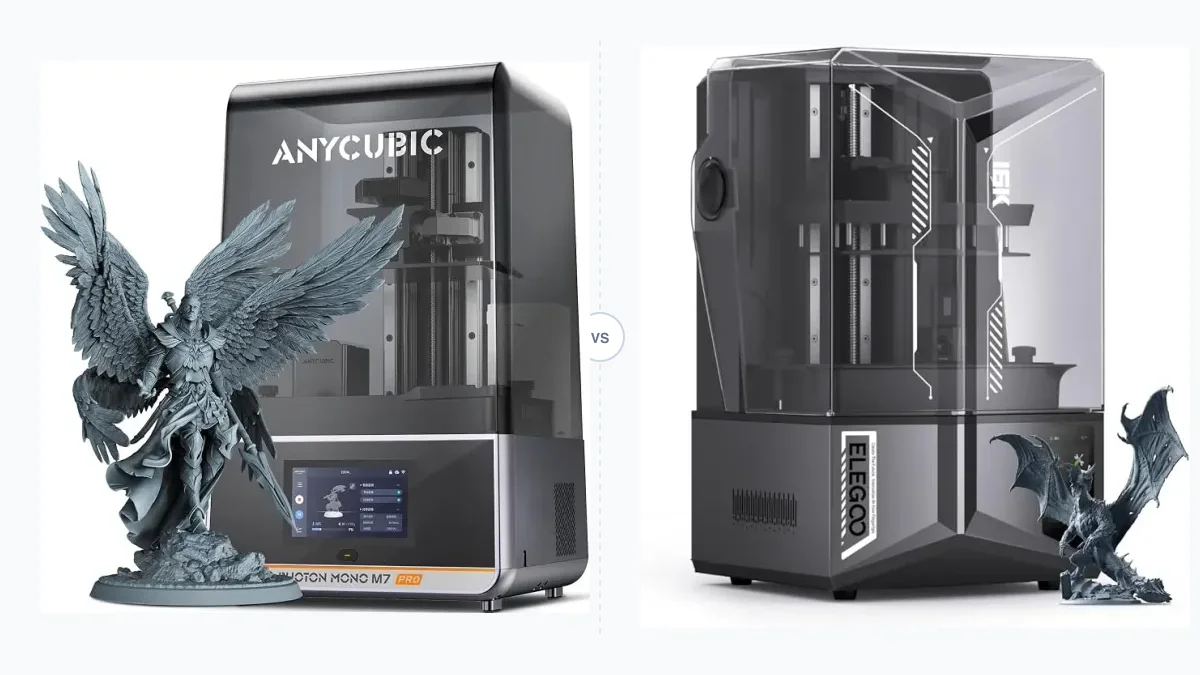
This image illustrates an Anycubic and Elegoo resin printer comparison, not both brands’ full catalogs or measured output.
Which brand is the better fit for your project and workflow?
Choose between Anycubic and Elegoo by matching an exact model to your printing process, part size, material, workspace, software workflow and ownership constraints rather than choosing by brand name alone. The method for comparing desktop 3D printers applies the same attributes before a product claim becomes a recommendation.
Use this sequence to narrow the choice:
- Choose resin or FDM from the part material, surface needs, geometry and post-processing you can manage.
- Define the required build volume from the oriented part, supports, purge structures and clearance.
- Reject machines that exceed the available ventilation, resin-handling, enclosure, noise or moving-bed space.
- Match the exact resin, filament, film, nozzle and temperature requirements to official compatibility documentation.
- Confirm that the slicer has an official profile and that the available USB, LAN, Wi-Fi or cloud path fits your workflow.
- Compare the purchase price together with required post-processing equipment, wear parts, maintenance and service access.
This sequence prevents resin popularity, machine size or a maximum specification from replacing the actual project requirement.
How do Anycubic and Elegoo compare at a glance?
At brand level, the useful comparison is portfolio coverage and documented ownership workflow, not a single specification or a permanent quality score. The table uses representative current family pages and policy documents checked on September 29, 2026. It does not assign ratings.
| Attribute | Anycubic evidence | Elegoo evidence | Buyer implication | Source and check date |
|---|---|---|---|---|
| Resin families | Photon Mono compact and M7-class machines | Mars compact and Saturn larger-format machines | Pair by build class and generation | Official model pages, Sep. 29, 2026 |
| FDM families | Kobra open and enclosed models | Neptune open and Centauri enclosed models | Separate moving-bed from CoreXY comparisons | Official model pages, Sep. 29, 2026 |
| Calibration | Varies from four-point resin leveling to LeviQ 3.0 FDM auto-leveling | Varies from resin auto-leveling to 121-point Neptune 4 Pro bed leveling | Confirm the exact model setup sequence | Official specifications, Sep. 29, 2026 |
| Software | Photon Workshop, Anycubic Slicer Next and model-dependent app control | Chitubox on named resin pages and model-dependent USB, LAN or Wi-Fi paths | Profile and device-control support are separate checks | Official downloads and model pages, Sep. 29, 2026 |
| Warranty | One year for the complete machine, with shorter component periods and consumable exclusions | Twelve months for non-excluded new-machine parts, with shorter LCD and other component periods | Read the component table and sales-channel conditions | Official US terms, Sep. 29, 2026 |
| Consumables | Model-specific resin, film, build plate, nozzle and hotend requirements | Model-specific resin, film, build plate, nozzle and hotend requirements | A marketplace title is not compatibility proof | Official parts pages and manuals, Sep. 29, 2026 |
| Current price | n/a at brand level | n/a at brand level | Check an exact US SKU on the purchase date | No stable brand-wide value |
How should you compare same-class Anycubic and Elegoo models?
A fair model pair uses the same printing process, similar build class, overlapping project purpose and current generation before comparing specifications or price. Start by confirming the full model name and region. Similar family names may hide a different screen, controller, connector, accessory bundle or firmware branch.
A reusable comparison matrix includes these fields:
- Exact model and variant.
- Current US status and check date.
- Printing process and motion architecture.
- Usable build volume.
- Material compatibility and required accessories.
- Calibration and release method.
- Slicer profile, transfer path and account requirement.
- Warranty scope, wear parts and replacement-part route.
- Current exact-SKU price plus required supporting equipment.
Exclude a printer-versus-filament comparison because the entities have different functions. Exclude compact-versus-large and old-versus-current pairs unless that mismatch is the question being answered. A maximum speed can be compared only when both manufacturers publish equivalent conditions. Resin models are addressed first because Photon, Mars and Saturn queries dominate this comparison, but their findings do not transfer to FDM machines.
Which brand offers the better resin printer for your use case?
Neither brand is universally better for resin printing; compare exact Photon and Mars or Saturn-class models by printable volume, XY pixel size, light engine, release mechanism, resin handling, calibration, software and workspace requirements. A nominal 9K, 10K, 14K or 16K screen label describes a pixel grid. It does not establish dimensional accuracy, visible surface detail, failed-print rate or reliability.
Resin workflow includes more than the printer. The oriented part must fit with supports. Uncured resin needs handling defined by its safety data sheet. Printed parts require washing and curing, while the workspace needs suitable ventilation and controlled waste handling. Heated vats, automatic refill systems and tilt release mechanisms change setup and maintenance, but do not guarantee a better result without a controlled comparison.
The next two comparisons use official product specifications checked September 29, 2026. Speed is omitted where equivalent resin, layer, mode and test conditions are not available.
How do compact resin model families compare?
Compact resin models should be compared within a similar screen/build class and generation. The Anycubic Photon Mono 4 Ultra and Elegoo Mars 5 Ultra occupy closely related compact classes, but their build widths and release systems differ.
| Attribute | Anycubic Photon Mono 4 Ultra | Elegoo Mars 5 Ultra |
|---|---|---|
| Build volume | 153.4 × 87 × 165 mm | 153.36 × 77.76 × 165 mm |
| Screen grid | 9024 × 5120, marketed as 10K | 8520 × 4320, marketed as 9K |
| XY pixel size | 17 × 17 µm | 18 × 18 µm |
| Declared layer range | 0.02 to 0.15 mm | 0.01 to 0.2 mm |
| Leveling and release | Four-point manual leveling; conventional vat release | Automatic leveling; tilt release |
| Transfer | USB and Wi-Fi | USB and Wi-Fi |
| Official slicer named | Photon Workshop | Chitubox |
Sources: Anycubic Photon Mono 4 Ultra and Elegoo Mars 5 Ultra. Warranty exclusions and vat dimensions should be checked again for the exact purchased SKU. The table supports a workflow comparison, not a print-quality winner.
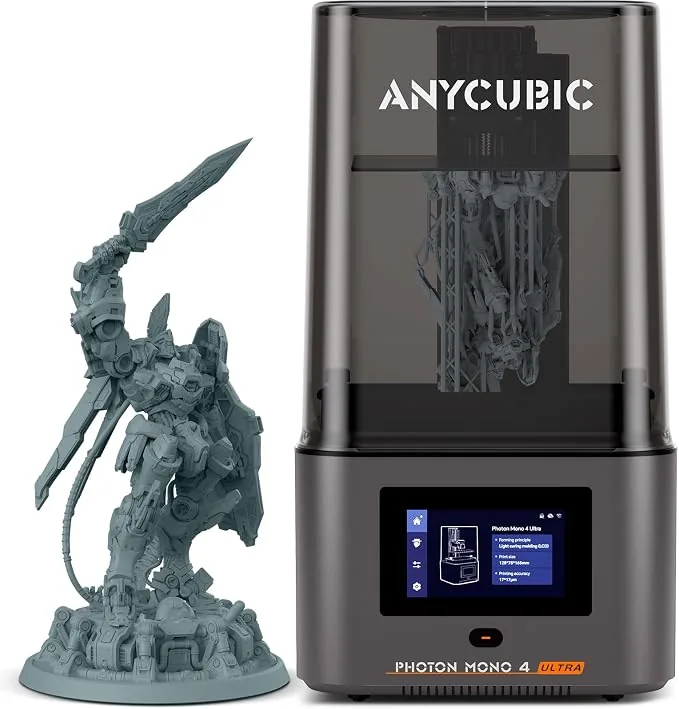
Anycubic Photon Mono 4 Ultra 10K Resin 3D Printer
Pros
- Sharp 10K resolution in a compact desktop format
- High print speed with ACF release film
- User-friendly touchscreen interface with automatic level checks
Cons
- Smaller build envelope compared to 10-inch flagships
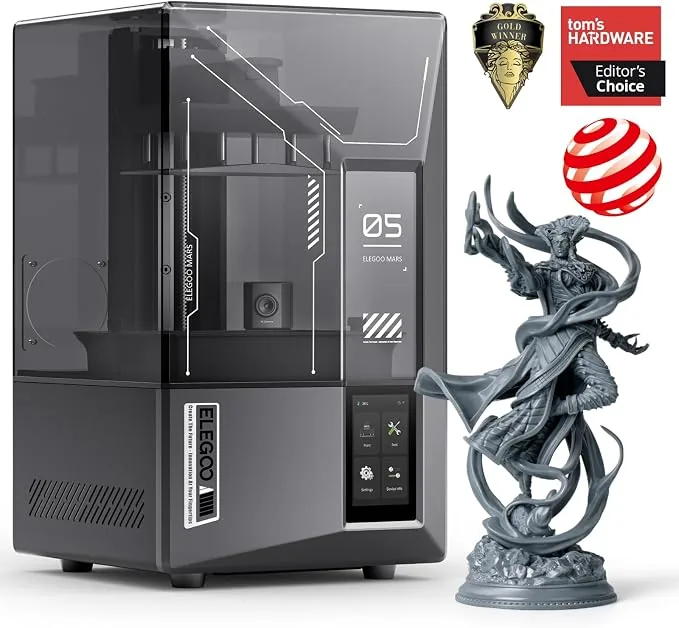
ELEGOO Mars 5 Ultra 9K Resin 3D Printer
Pros
- Tilt-release mechanism brought down to compact desktop form factor, 9K resolution produces razor-sharp tabletop miniatures without layer lines
- One-click self-check and automated mechanical leveling
- Built-in AI camera for real-time monitoring and time-lapse capture
Cons
- Smaller build envelope suited for miniatures rather than large busts
- Requires gentle wash due to delicate high-resolution details
How do mid-size and large resin model families compare?
Mid-size and large resin models trade workspace, resin volume and handling burden against printable area and height.
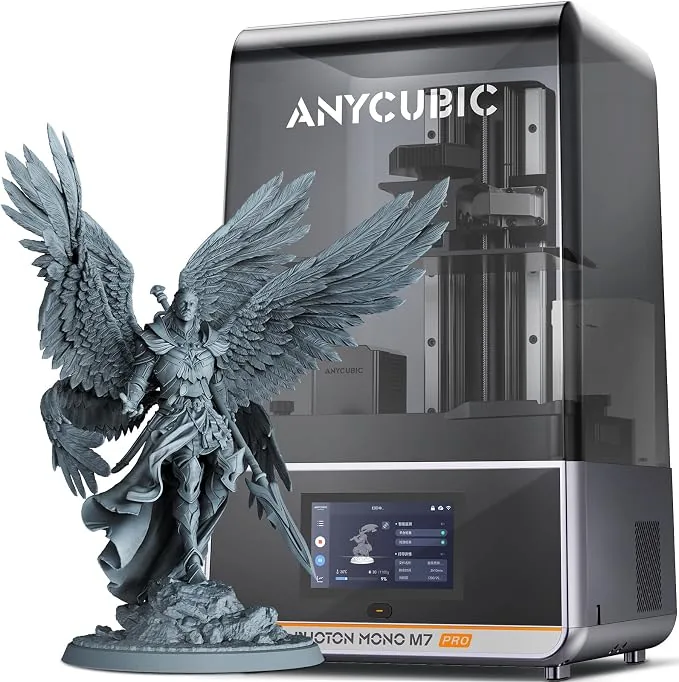
The pictured Anycubic Photon Mono M7 Pro is illustrative and does not provide test evidence. Its official page lists a 223 × 126 × 230 mm build volume, a 14K screen, 16.8 × 24.8 µm XY pixels, a dynamic heated vat and automatic resin refill and recycling.
| Attribute | Anycubic Photon Mono M7 Pro | Elegoo Saturn 4 Ultra 16K |
|---|---|---|
| Build volume | 223 × 126 × 230 mm | 211.68 × 118.37 × 220 mm |
| Screen grid | 14K class | 15120 × 6230, marketed as 16K |
| XY pixel size | 16.8 × 24.8 µm | 14 × 19 µm |
| Vat control | Dynamic heating plus automatic refill and recycling | Heating to 30°C |
| Leveling and release | Leveling-free platform | Automatic leveling and tilt release |
| US current status | n/a from the cited global page | Listed on the Elegoo US page at check time |
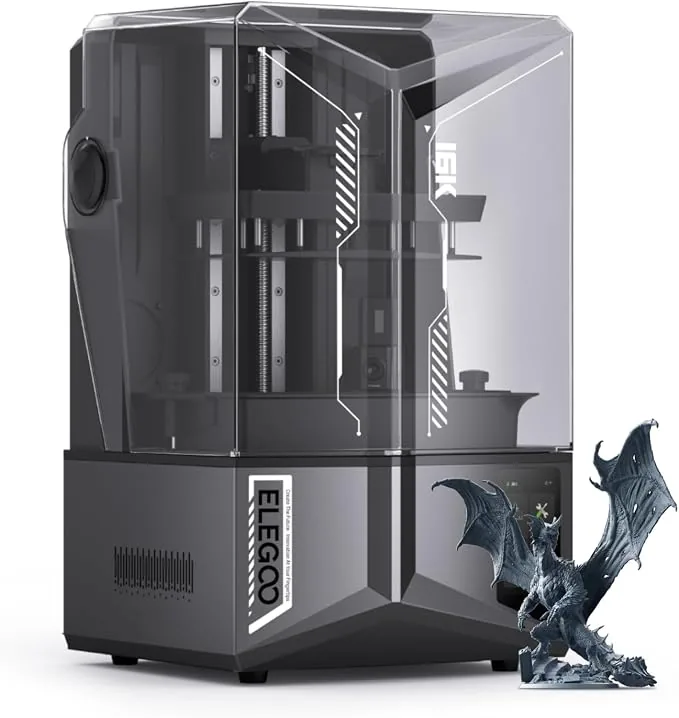
The pictured Elegoo Saturn 4 Ultra is illustrative and does not prove dimensional performance. Sources: Anycubic Photon Mono M7 Pro and Elegoo Saturn 4 Ultra 16K. Either larger vat increases resin inventory, cleaning space and wash-and-cure capacity compared with a compact machine.
Anycubic Photon Mono M7 Pro 14K Resin 3D Printer
Pros
- Industry-first 14K mono LCD delivers unmatched 16.8x24.8 micron XY precision
- Dynamic peristaltic resin auto-fill and auto-recycle system eliminates mid-print running out
- Built-in vat heating element maintains optimal 25°C viscosity in cold workshops
- Advanced LightTurbo 3.0 COB optical system ensures uniform 90%+ UV exposure
Cons
- Higher initial price point for hobbyists
- Anycubic slicer ecosystem requires familiarity
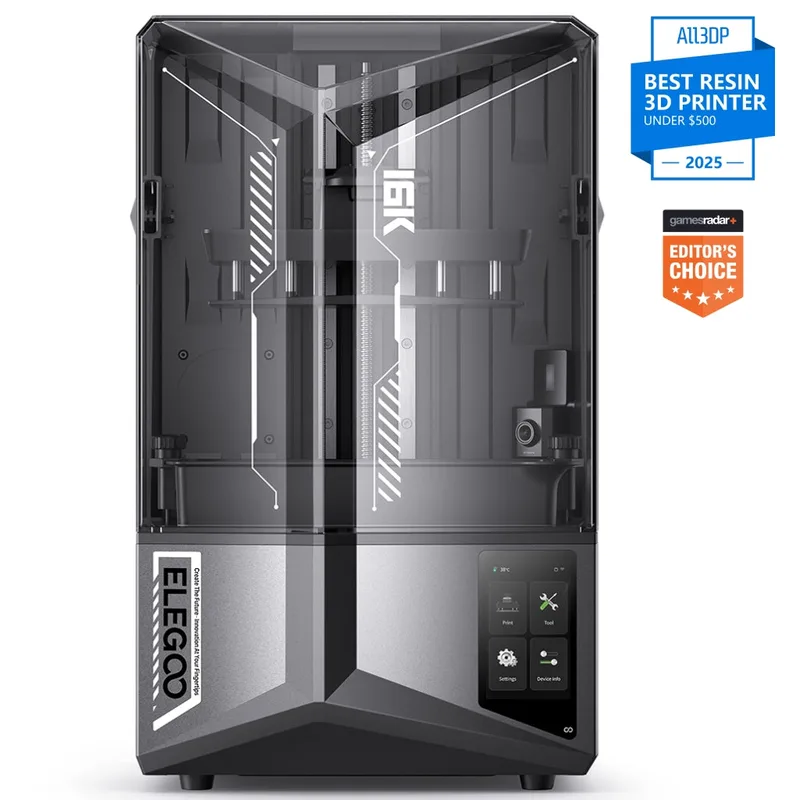
ELEGOO Saturn 4 Ultra 16K
Pros
- 16K resolution LCD
- Smart tank heating holds 30 degrees Celsius
- Live camera with light for monitoring and timelapse
Cons
- Consumables like FEP and LCD screens have limited or no warranty
Which brand offers the better FDM printer for your use case?
For FDM, compare current Kobra, Neptune and Centauri-class machines by architecture, build volume, material limits, hotend and bed specifications, enclosure, calibration, software and parts workflow. Resin screen resolution, vat heating and release mechanisms have no bearing on these machines.
An open moving-bed printer needs clearance for bed travel and may need a separate enclosure when the manufacturer-supported material and local control plan require one. An enclosed CoreXY machine contains motion differently and may support a different material set, yet enclosure alone does not prove chamber temperature, filtration, accuracy or noise. Maximum toolhead speed is not job time. A reproducible performance claim needs material, geometry, layer settings, acceleration, flow, cooling and quality criteria.
FDM ownership includes nozzle wear, build surfaces, extruder parts, filament storage and any multicolor or drying hardware. Exact connector and machine revision matter when replacing parts.
How do open bed-slinger FDM families compare?
Open bed-slinger models belong in a same-class comparison only when build size, hotend/material limits, calibration and price tier overlap. The Anycubic Kobra 3 V2 and Elegoo Neptune 4 Pro are current official-store examples, but they are not identical in size or supported material list.
| Attribute | Anycubic Kobra 3 V2 | Elegoo Neptune 4 Pro |
|---|---|---|
| Build volume | 255 × 255 × 260 mm | 225 × 225 × 265 mm |
| Architecture | Open gantry with moving bed | Open gantry with moving bed |
| Nozzle maximum | 300°C | 300°C |
| Bed maximum | 110°C | 110°C |
| Official materials | PLA, PETG and TPU | PLA, TPU, PETG, ABS, ASA and nylon |
| Calibration | LeviQ 3.0 auto-leveling and Z-offset | 121-point automatic bed leveling |
| Transfer | Printer, slicer, Anycubic app and USB print | USB and LAN |
Sources: Anycubic Kobra 3 V2 Combo specifications and Elegoo Neptune 4 Pro specifications. The broader Neptune material list does not remove the need for material-specific ventilation and enclosure decisions.
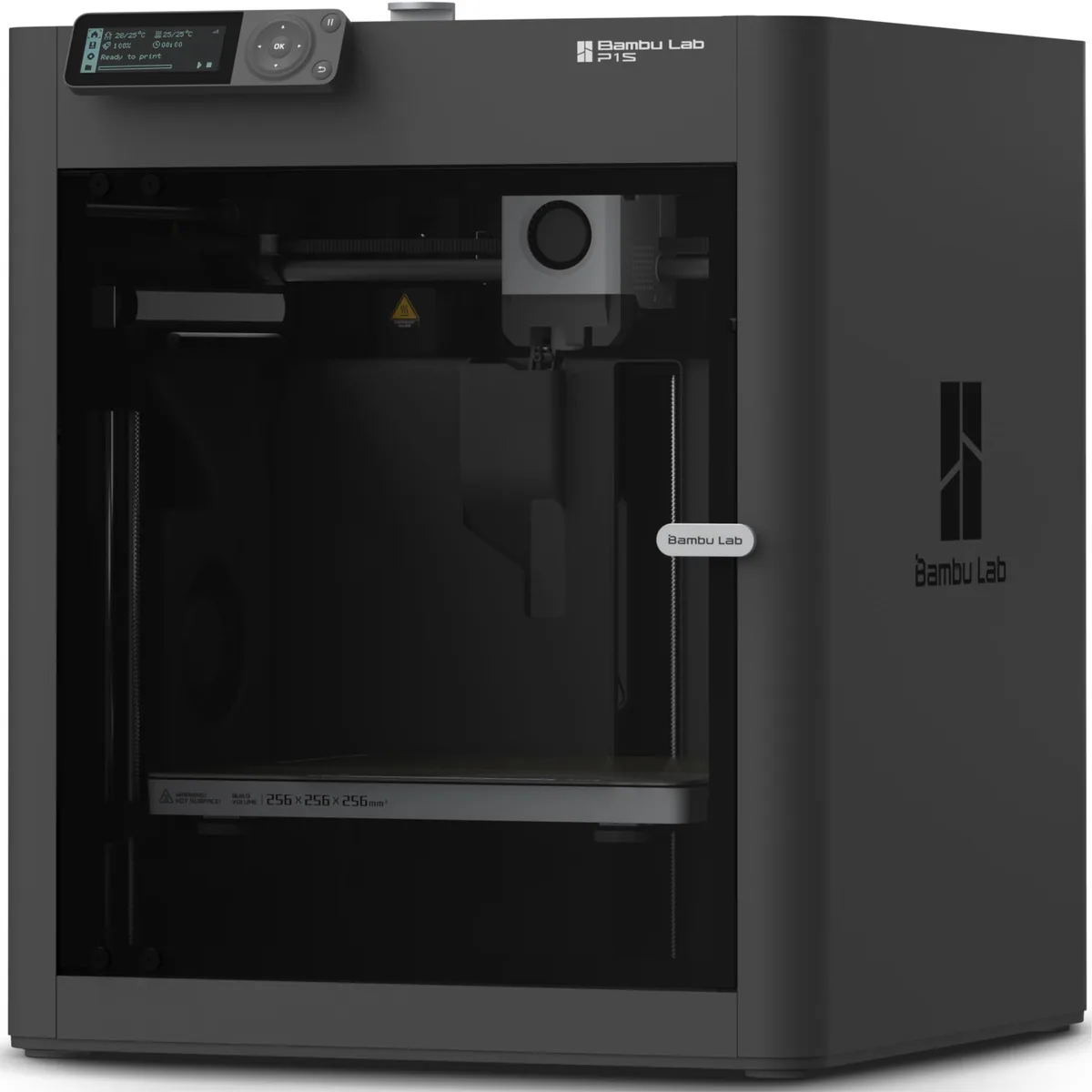
ELEGOO Neptune 4 Pro High-Speed 3D Printer
Pros
- Pre-installed Klipper firmware delivers genuine 500mm/s print speeds
- Independent segmented heated bed saves energy on small models
- All-metal linear rails on X and Y axes provide smooth motion
- Massive auxiliary cooling fan prevents overhang sagging
Cons
- Auxiliary cooling fan can be loud at 100% speed
- Metal wheels require periodic belt tension checks
How do enclosed and CoreXY FDM families compare?
Enclosed or CoreXY models require a separate comparison because motion layout, chamber design and material support change the workflow and workspace. CoreXY coordinates horizontal toolhead motion through paired belts, while a bed slinger moves the build platform along a horizontal axis. Motion system is one attribute, not a brand verdict; CoreXY vs Bed Slinger 3D Printers: Which One Is Best? explains the architecture boundary.
Anycubic’s official Kobra S1 page lists an enclosed CoreXY design, 250 × 250 × 250 mm build volume, 320°C nozzle, 120°C bed, LeviQ 3.0 auto-leveling and PLA, PETG, TPU, ABS and ASA support. Elegoo’s official Centauri Carbon page lists enclosed CoreXY motion, 256 × 256 × 256 mm build volume, a 320°C hardened nozzle, 110°C bed and full-auto calibration. These specifications make them plausible same-class candidates. They do not prove equal chamber behavior, dimensional accuracy, noise or long-term reliability. Sources: Anycubic Kobra S1 and Elegoo Centauri Carbon, checked September 29, 2026.
How do Anycubic and Elegoo software ecosystems differ?
Software differences depend on the exact printer, firmware and checked application version, not only the brand. A slicer may export a printable file without supporting an official profile, direct transfer, camera access or device control.
| Workflow item | Anycubic evidence | Elegoo evidence |
|---|---|---|
| Official desktop software | Photon Workshop 3.6.3 and Anycubic Slicer Next 1.6.1 on the official download page | Chitubox named on Mars 5 Ultra; one current universal version was not established, so n/a |
| Resin transfer | Mono 4 Ultra lists USB and Wi-Fi | Mars 5 Ultra lists USB and Wi-Fi |
| FDM transfer | Kobra 3 V2 lists printer, slicer, app and USB print paths | Neptune 4 Pro lists USB and LAN |
| Profile evidence | Confirm the exact printer in the current Anycubic software release | Confirm the exact printer in the current Elegoo or named slicer profile list |
| Account requirement | Required for some app or cloud functions; local USB remains model-dependent | n/a as a brand-wide rule; check the model and transfer path |
Anycubic version values come from its official firmware and software page, checked September 29, 2026. Buyers needing offline transfer should verify the exact printer, firmware and slicer combination before purchase.
How do materials, consumables and replacement parts differ?
Material and parts compatibility is model-specific, so resin, film, build plate, nozzle, hotend and bed claims must match the exact printer and manufacturer documentation. Resin printers need a compatible wavelength and exposure workflow, plus film and vat parts that match the exact frame. FDM printers need the documented filament, nozzle material, temperature range and enclosure conditions.
The model tables show why brand-wide material claims fail. Kobra 3 V2 and Neptune 4 Pro publish different lists, while Kobra S1 and Centauri Carbon use enclosed workflows and different nozzles. Each claim stays with its exact model.
A replacement part should match the complete model and hardware revision. Elegoo identifies a Type-C Neptune 4 Pro revision; equivalent checks apply to Anycubic hotends, build plates, resin vats and films. A marketplace title or matching dimension does not establish fit. Without an official compatibility table, record n/a and ask the manufacturer.
Which brand has lower total ownership cost?
Neither brand has a permanently lower ownership cost because printer price, required post-processing, consumables, wear parts, software/network requirements and replacement intervals vary by model and date. Brand-wide price labels become stale when discounts, bundles and model generations change. Use the exact US SKU price on the purchase date.
For resin, calculate these inputs:
- Printer and current sales tax or shipping.
- Wash and cure equipment sized for the build.
- Resin, release film, vat or spare vat and build-plate wear.
- Gloves, eye protection, cleaning supplies, ventilation and controlled waste handling.
- Failed-part allowance, cleaning time, maintenance and software or network requirements.
For FDM, calculate these inputs:
- Printer, enclosure or ventilation, filament storage and any multicolor unit.
- Filament, purge waste, nozzles, hotend parts and build surfaces.
- Tools, lubrication, filters and maintenance time.
- Electricity, failed-part allowance and finishing labor.
- Software, account, LAN or cloud requirements that affect the intended workflow.
A lower printer price can still create a higher complete setup cost. No savings percentage or payback period is stated because the necessary part volume, labor rate, failure allowance and comparison service cost are not fixed.
How do warranty, support and documentation compare?
Warranty and support must be compared from current US terms for the exact product, purchase channel and component rather than from isolated user comments. Anycubic’s official policy lists one year for the complete machine, then assigns shorter periods to some components and excludes consumables. Elegoo’s US policy lists twelve months for parts on a new machine unless a component appears in an exclusion or shorter-period table; LCD screens and selected resin-printer components have separate periods.
Read the actual terms before purchase:
- Confirm whether the seller is an authorized channel.
- Record the machine serial number and purchase proof.
- Check the return window separately from the warranty.
- Identify the support route and evidence required for a claim.
- Download the exact manual, firmware and parts documentation.
- Check whether LCD screens, film, nozzles, build plates and other wear items are excluded or covered for less time.
Sources: Anycubic refund and warranty policy and Elegoo US refund and warranty policy, checked September 29, 2026. These terms do not support a conclusion that one support team responds faster or resolves more cases.
What are the disadvantages of Anycubic and Elegoo printers?
Both brands have model-specific trade-offs, so disadvantages must be attached to an exact printer or documented ecosystem requirement rather than the brand as a whole. A feature may reduce one setup step while adding cleaning, software, network or replacement-part dependencies.
Larger resin vats increase material inventory and handling, while tilt, heating and refill systems add components to clean. Open FDM machines need bed-travel clearance; enclosed CoreXY machines may use model-specific hotend or firmware parts. An offline workflow must be verified for the exact firmware and slicer.
The next two sections apply the same evidence standard to each company. Neither converts a model limitation into a company-wide failure rate.
What are Anycubic’s documented limitations?
Anycubic limitations differ across Photon and Kobra families and cannot be generalized from one model. Photon Mono 4 Ultra uses four-point manual leveling, so its setup differs from the automatic leveling listed for Mars 5 Ultra. Photon Mono M7 Pro adds heating and resin handling systems, which increase the number of components that need cleaning and maintenance. Kobra 3 V2’s official material list is PLA, PETG and TPU, so other materials should not be inferred from its 300°C nozzle alone. Anycubic app functions may require an account or network path; buyers needing local-only operation must confirm the exact model workflow.
What are Elegoo’s documented limitations?
Elegoo limitations differ across Mars, Saturn, Neptune and Centauri families and cannot be generalized from one model. Mars 5 Ultra’s tilt release and automatic leveling change the mechanism but do not prove accuracy or reliability. Saturn 4 Ultra 16K needs more resin and post-processing capacity than a compact printer. Neptune 4 Pro is open and moves its bed, so its operating envelope exceeds the nominal platform footprint and material controls remain project-specific. Centauri Carbon’s enclosure and hardened nozzle support a different use case, but the product page does not establish a brand-wide noise, chamber-temperature or durability advantage.
Which brand should you choose?
Choose the exact Anycubic or Elegoo model that meets the documented process, size, material, workflow, workspace and ownership requirements at the time of purchase. Use this decision tree:
- Select resin or FDM from the part and handling workflow.
- Select compact, mid-size, large, open moving-bed or enclosed CoreXY class.
- List must-have build volume, material, transfer and calibration features.
- Reject a model with an unsupported material, inadequate volume, unsafe workspace fit or incompatible software path.
- Verify every remaining specification in the current manual or product page.
- Check the exact US offer, warranty, included accessories and replacement parts on the purchase date.
If two models remain, compare total cost and maintainable setup steps. A screen label or reputation is not a tie-breaker. Related 3D printer comparison guides isolate architecture and buying criteria.
Are Anycubic and Elegoo the same company?
No, Anycubic and Elegoo are separate 3D-printer brands and companies. Their official Anycubic company page and Elegoo company page present different company identities, product organizations and official channels, checked September 29, 2026. Similar product categories, reseller listings or forum claims do not establish common ownership. This comparison therefore treats their warranty, software, documentation and model claims as separate evidence sets.
Is one brand always more reliable or higher quality?
No, a brand name alone does not establish the reliability or print quality of every model. A defensible reliability comparison needs an exact model and revision, a defined failure, sample size, observation period, settings, material, maintenance history and a public source. A product feature page does not supply that dataset. A review or forum report can document one experience, but it cannot establish a failure rate or buyer consensus. Print quality likewise needs a controlled model pair, common file, material, settings, post-processing and measurement method.
Is Anycubic or Elegoo better for a beginner?
The better beginner choice is the exact model whose setup, safety, software, documentation and maintenance requirements match the user’s process and workspace. A compact resin machine may automate leveling but still requires resin PPE, ventilation, washing, curing and waste control. An open FDM printer avoids liquid resin handling but requires bed preparation, filament control and moving-bed clearance. An enclosed FDM model changes workspace and material options but can add software, camera or model-specific parts. A beginner should choose the manageable complete workflow, not the shortest feature list.