
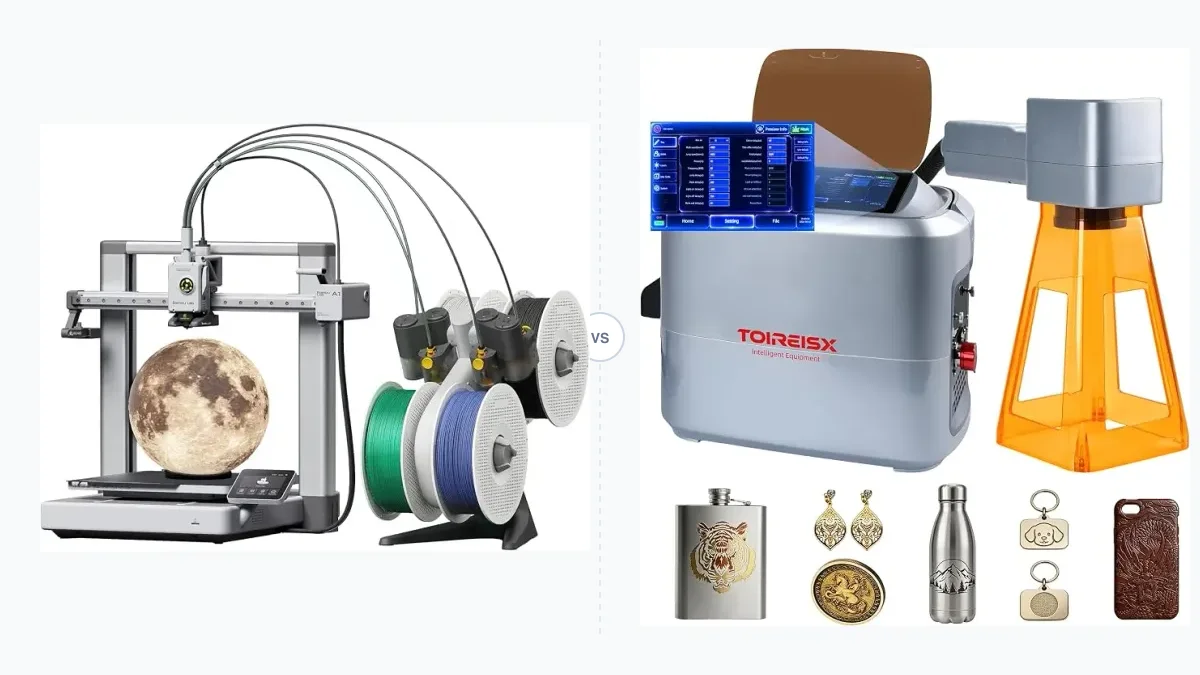
A 3D printer builds three-dimensional objects by adding material layer by layer, while a laser cutter subtracts material from a two-dimensional flat sheet using a high-powered beam. Understanding the mechanical differences between these desktop manufacturing tools is essential for makers choosing their primary hardware. This article explores the process differences, ideal projects, material compatibility, initial costs, beginner friendliness, workspace safety, and hybrid machine limitations.
3D Printer vs Laser Cutter: Process and Capability Differences
A 3D printer relies on an additive manufacturing process that forms volumetric parts along the Z axis, whereas a laser cutter utilizes a subtractive process operating strictly on a 2D plane across X and Y axes. Both technologies serve different physical constraints. 3D printing forms objects from scratch by stacking thin slices of material on top of each other. Laser cutting removes sections from an existing piece of stock material to create flat geometries.
The two technologies have distinct historical origins. According to Xometry, 3D printing traces back to the early 1980s when Hideo Kodama developed a rapid prototyping system in Japan using photosensitive resin. The Western Electric Engineering Research Center created one of the first laser cutting machines in 1965. Early hobbyist machines were limited to 2-axis movement, similar to inkjet printers. During the early 2010s, DIY enthusiasts introduced inexpensive 3-axis support, bringing affordable 3D printers and laser cutters to the consumer market.
How Do 3D Printers and Laser Cutters Work?
3D printers and laser cutters use fundamentally different mechanisms to manipulate source material. Fused deposition modeling 3D printers extrude melted thermoplastic filament through a heated nozzle, while stereolithography printers use a light source to cure liquid resin. Selective laser sintering machines use powerful lasers to fuse particles of powdered polymer or metal one slice at a time. Laser cutters generate a concentrated energy beam using carbon dioxide gas tubes, diode modules, or fiber optics. The laser beam melts, burns, or vaporizes the target material along a pre-programmed toolpath.
Each laser technology targets specific applications. Diode laser cutters serve as entry-level machines for beginners. CO2 laser cutters use a mixture of helium, nitrogen, and carbon dioxide to cut non-metals efficiently. Fiber laser cutters utilize solid-state fiberglass technology to cut and engrave metals. Additive manufacturing encompasses diverse techniques, and 3D printing spans methods from basic plastic extrusion to complex metal powder sintering.
What Are the Ideal Projects for Each Machine?
A 3D printer handles complex three-dimensional geometries that are impossible to cut from flat sheets. Makers use 3D printing for functional prototypes, custom mechanical components, replacement parts, and sculptural models. A laser cutter excels at rapidly processing two-dimensional shapes. Projects suited for laser cutting include custom signage, flat brackets, engraved leather patches, and decorative wooden boxes.
A standard feature comparison separates the two workflows.
- 3D Printer: Produces complex volumetric parts, requires lengthy print times, and handles internal cavities.
- Laser Cutter: Produces flat patterns, completes jobs in minutes, and supports high-contrast surface engraving.
3D printing cannot efficiently produce large flat parts. Removing a thin, flat printed object from a build plate often results in warping or deformation. Laser cutting cannot create 3-dimensional components in one step; operators must cut flat profiles and manually assemble them using bends or welds to achieve complex depth. Xometry states that laser cutting heads move along the X and Y axes, and the part depth depends entirely on the thickness of the stock sheet material, which can range from a few millimeters up to 25 millimeters.
What Materials Can You Process?
Material compatibility dictates which hardware a maker must select. 3D printers process thermoplastics such as PLA, PETG, ABS, and TPU, alongside photosensitive resins and metal powders. The exact filament choice depends on the application, and evaluating Resin vs Filament 3D Printing clarifies the differences between common additive materials. Laser cutters process wood, acrylic, paper, leather, and certain metals when equipped with a fiber laser source. 3D printing provides access to a wide range of materials, including advanced thermoplastics and composites, whereas laser cutting works best on rigid, flat sheet goods.
Operators cannot put every material into a laser cutter safely. Certain plastics release highly toxic fumes and corrosive gases when burned. Polyvinyl chloride releases toxic chlorine gas. Laser cutters also struggle with reflective materials like copper and aluminum, and heat-sensitive plastics like ABS will melt and deform under the laser beam.
How Does Initial and Operating Cost Compare?
The initial purchase price for a capable laser cutter is generally higher than an entry-level 3D printer, but per-part material costs can be lower for high-volume flat items. Xometry reports that laser cutting is one of the cheapest metal processing technologies due to high production rates and inexpensive sheet stock. Laser cutting is a high-production-volume technology that processes far more material per day than 3D printing.
Desktop 3D printers present a wide cost spectrum. Entry-level budget models provide excellent value for hobbyists.
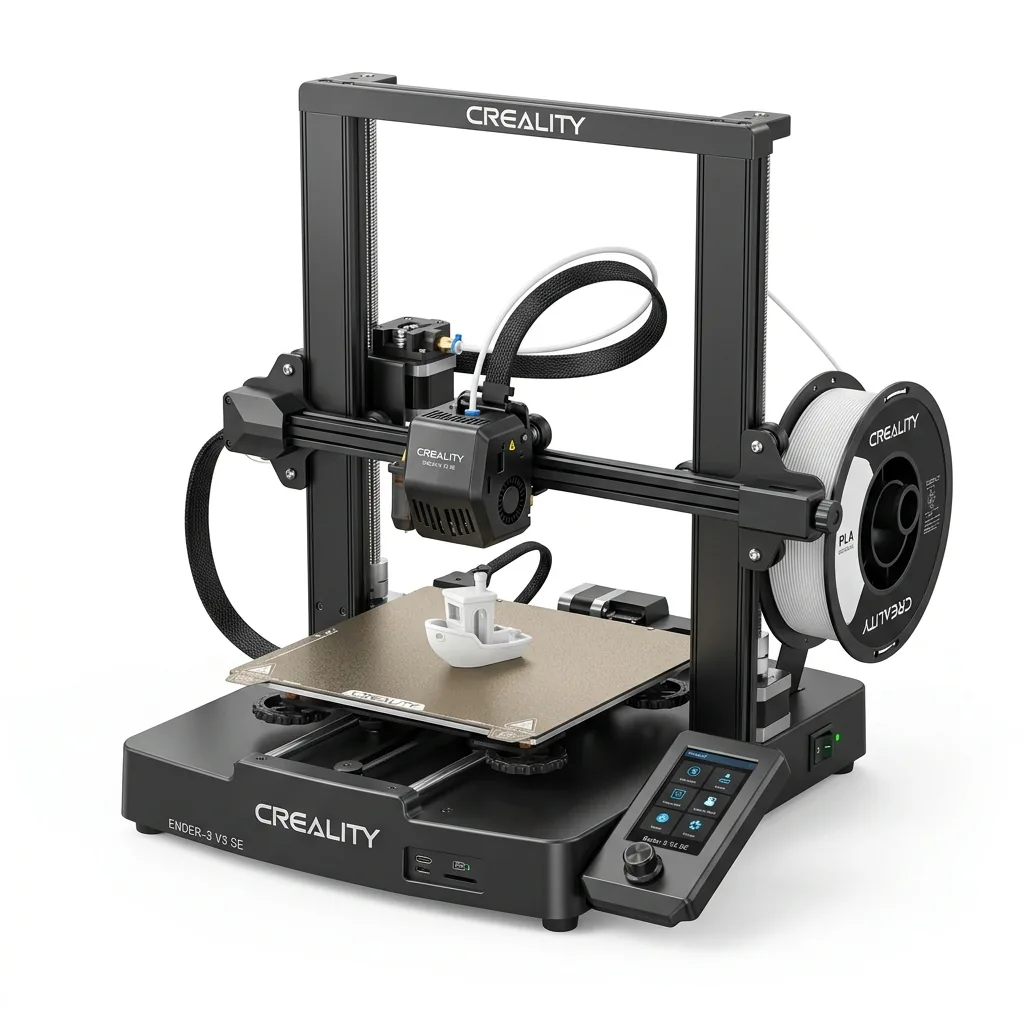
Creality Ender 3 V3 SE 3D Printer
Pros
- Hands-free auto bed leveling and Z-offset calibration
- Reliable Sprite direct drive extruder handles PLA, PETG, and TPU
- Dual Z-axis lead screws ensure high stability
- Incredible sub-$200 value
Cons
- Bowden PTFE inside hotend limits temperature to 250°C
- Open frame not ideal for ABS
Consumable costs also differ significantly. A standard spool of 3D printer filament costs around 25 to 30 USD, which translates directly into the weight of the printed objects. 3D printing filaments are hygroscopic, requiring sealed storage containers and desiccant materials to maintain low humidity. Laser cutting requires purchasing rigid sheets of plywood, acrylic, or raw items like tumblers and mugs for engraving. Makers comparing desktop 3D printers must factor in the time spent maintaining extrusion systems versus the periodic replacement of laser tubes or lenses.
Running a side hustle changes the cost equation. xTool states that making and selling laser engraved or laser cut parts is more likely to turn a profit rapidly compared to 3D printing. The rapid speed of a laser cutter allows users to complete bulk orders, such as engraving hundreds of tumblers, paying for the initial investment quickly. 3D printing services require significantly longer lead times for small batch production.
Which Machine is Better for Beginners?
A laser cutter features an easier software learning curve because the design process relies entirely on two-dimensional graphics. Users can create files in basic vector drawing software and send them directly to the machine. A laser cutter allows users to test settings safely on scrap cardboard or perform low-power burns on wood that can be sanded away. Operators can optimize their material usage by nesting multiple parts tightly on a single sheet.
A 3D printer demands a steeper learning curve. The operator must learn 3D CAD modeling software to design custom parts and then use a slicer program to translate that geometry into machine instructions. 3D printing requires constant troubleshooting of first-layer adhesion, temperature tuning, and mechanical calibration. The only way to practice 3D printing is by consuming actual filament, which creates permanent waste during failed prints.
Bambu Lab lists the A1 Mini Combo with a 180mm cubic build volume and a monitoring camera that supports up to 1080p timelapse. It includes an all-metal hot end with hardened steel extruder gears and closed loop control for the part cooling fan, though ABS and ASA are not recommended because the maximum build plate temperature caps at 80 ℃.
Bambu Lab A1 Mini Combo
Pros
- All-metal hot end with hardened steel extruder gears
- Monitoring camera supports up to 1080p timelapse
- Closed loop control for part cooling fan
Cons
- Build volume is limited to 180mm cubic
- Max build plate temperature caps at 80 ℃, ABS and ASA are not recommended
What Are the Safety and Workspace Requirements?
Laser cutters pose extreme fire hazards and demand strict workspace safety controls. The laser beam literally burns material to cut it, which generates smoke and increases the risk of ignition if left unattended. According to xTool documentation, laser cutters require dedicated exhaust ventilation systems to remove toxic fumes from the workspace. Users must also wear specific protective eyewear matched to the laser wavelength.
3D printers carry thermal hazards from heated nozzles and beds, and they emit volatile organic compounds when melting plastics like ABS. However, they generally require a smaller footprint and present a lower immediate fire risk. Enclosed 3D printers manage fumes internally using filtration systems, making them safer for shared spaces.

Bambu Lab P1S Enclosed 3D Printer
Pros
- Fully enclosed CoreXY chassis with auxiliary cooling fan
- Seamless multi-color / multi-material integration with Bambu AMS
- Reliable out-of-the-box first layers with dual automated bed leveling
- Active vibration compensation and belt tension monitoring
Cons
- Proprietary closed ecosystem
- Chamber is passively heated by the bed rather than a dedicated PTC heater
- Upgrading to hardened nozzle for carbon fiber requires separate swap
Can You Use a 3D Printer as a Laser Cutter?
Some 3D printers accept aftermarket laser modules that swap out the filament extruder, but these hybrid setups lack crucial safety and performance features. A dedicated 3D printer frame does not include the dark acrylic safety shielding necessary to prevent eye damage from scattered laser light. The open architecture also fails to contain or vent the heavy smoke produced during cutting. xTool notes that the quality and performance of a modified 3D printer will not match a dedicated laser cutter due to different design specifications and hardware limits.
Should You Get a 3D Printer or a Laser Cutter?
A 3D printer is the required choice for producing volumetric parts and functional prototypes, while a laser cutter is the required choice for rapidly processing flat sheet goods. The decision depends entirely on the geometry of the intended projects and the available budget for workspace ventilation. Exploring 3D printer comparison guides helps narrow down the exact specifications needed once the basic hardware category is chosen.